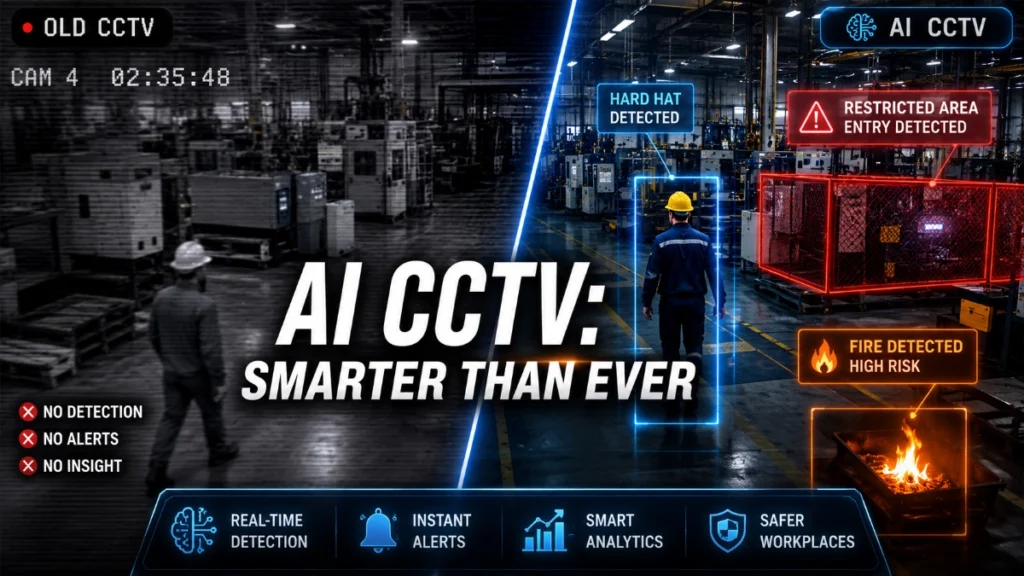
Is Your Surveillance System Designed for Today’s Threats?

Security threats have changed dramatically over the past decade. Facilities that once relied on basic surveillance cameras now face a wide range of challenges, from organised theft and cyber-attacks to insider threats and safety incidents. Yet many organisations still operate surveillance systems designed for risks that existed 10 or even 15 years ago. Modern facilities are smarter, more connected and more complex than ever before. Industrial plants, commercial buildings, warehouses, campuses and infrastructure sites all depend on surveillance systems that can do more than simply record video. They must detect threats early, support investigations, integrate with other safety systems and operate reliably under demanding conditions. This raises an important question for security engineers and facility managers: Is your surveillance system truly designed for today’s threats? In this guide, we will explore how modern surveillance systems must evolve to address current security challenges, what design elements make a system future-ready and how engineers can ensure surveillance infrastructure delivers reliable protection. Why Traditional Surveillance Systems Are No Longer Enough For many years, surveillance systems were installed primarily for after-incident investigation. Cameras recorded footage, and security teams reviewed recordings only after something went wrong. This traditional approach has several limitations. First, older systems often rely on low-resolution cameras that cannot clearly identify faces, license plates or suspicious activities. Second, many legacy systems operate as isolated devices without integration with access control, fire alarms or building management systems. Third, older surveillance infrastructure typically lacks real-time analytics, meaning threats go unnoticed until it is too late. Today’s threats demand something different. Modern surveillance must be proactive rather than reactive. Instead of merely recording events, systems must help detect, analyse and respond to incidents in real time. For engineers designing security infrastructure, this shift fundamentally changes how surveillance systems must be planned and deployed. The Security Threat Landscape Has Evolved Organisations today face a broader range of risks than ever before. Surveillance systems must now address threats such as: 1. Organised Theft and Asset Loss Large facilities, warehouses and logistics centres frequently face organised theft. High-value assets, raw materials and finished goods can disappear quickly if monitoring is weak. Modern surveillance systems must support: These features allow security teams to identify suspicious activity before losses occur. 2. Insider Threats Not all threats come from outside. Employees, contractors and temporary staff may unintentionally or deliberately compromise security. Surveillance systems must therefore provide: This ensures security teams can track who enters critical areas and when. 3. Perimeter Intrusions Industrial facilities, substations, warehouses and infrastructure sites often cover large areas. Traditional cameras cannot effectively monitor these perimeters, especially at night or in harsh weather. Modern surveillance systems must support: These technologies significantly improve perimeter protection. 4. Cybersecurity Risks Modern surveillance systems are IP-based and connected to networks. This connectivity improves functionality but also introduces cybersecurity risks. Poorly secured cameras can become entry points for cyber-attacks. A well-designed surveillance system must therefore include: Cybersecurity is now a critical part of surveillance design. Key Characteristics of a Modern Surveillance System To address today’s threats, surveillance systems must be engineered with specific capabilities. Let’s examine the core elements that define a modern security infrastructure. 1. High-Resolution Imaging for Accurate Identification Clear video evidence is the foundation of any surveillance system. Older cameras often produce blurry images that cannot reliably identify individuals or vehicles. Modern systems use high-resolution cameras such as: These technologies allow security teams to capture fine details even across large coverage areas. High-resolution imaging also improves the performance of AI analytics and forensic searches. 2. Intelligent Video Analytics Artificial intelligence has transformed surveillance systems. Instead of relying solely on human monitoring, modern platforms can automatically analyse video streams. Key analytics capabilities include: These analytics enable real-time alerts that allow security teams to respond immediately. For large facilities with hundreds of cameras, AI analytics dramatically reduce monitoring workload. 3. Integration with Access Control and Safety Systems A surveillance system should never operate in isolation. The most effective security infrastructure integrates with other building systems, such as: For example: If a door alarm triggers, the system can automatically display nearby camera footage. If a fire alarm activates, cameras can help operators assess evacuation conditions. This level of integration significantly improves incident response. 4. Reliable Network Infrastructure IP surveillance systems depend heavily on network performance. Poor network design can result in: To ensure reliability, engineers must carefully design: Reliable networking ensures surveillance systems function continuously, even during high traffic loads. 5. Scalable Video Management Platforms As facilities grow, surveillance systems must expand easily. Modern systems rely on Video Management Software (VMS) that allows organisations to manage hundreds or thousands of cameras from a centralised interface. Key VMS capabilities include: Scalable VMS platforms ensure surveillance systems remain manageable as infrastructure grows. 6. Cybersecurity by Design Security systems themselves must be secure. Unfortunately, many organisations still deploy cameras using default passwords or outdated firmware. Cyber-secure surveillance systems require: Engineers must treat surveillance networks with the same seriousness as IT infrastructure. 7. Redundancy and System Reliability A surveillance system that fails during an incident provides no protection. Critical facilities therefore, require redundancy at multiple levels: These measures ensure the system continues operating even during equipment failures or power disruptions. Common Signs Your Surveillance System Is Outdated Many organisations continue using surveillance infrastructure that no longer meets modern security requirements. Here are several warning signs that a system may be outdated. Low Image Quality If security footage cannot clearly identify people or vehicles, the system is not providing meaningful protection. Limited Camera Coverage Blind spots around entrances, corridors, or perimeter areas significantly weaken security. No Real-Time Alerts Systems that only record video without automated alerts rely entirely on human monitoring, which is often inefficient. No System Integration Standalone surveillance systems cannot support coordinated incident response. Weak Cybersecurity Controls Cameras with default credentials or outdated firmware pose serious security risks. If any of these issues exist, organisations should consider upgrading their surveillance infrastructure. Best Practices for Designing a Future-Ready Surveillance System Designing an effective surveillance system requires
10 Mistakes Businesses Make While Installing CCTV Cameras

Security cameras have become one of the most essential tools for protecting modern businesses. From retail stores and offices to warehouses and industrial plants, CCTV systems help prevent theft, monitor operations, improve employee safety and provide critical evidence during incidents. However, installing CCTV cameras is not simply about mounting a few devices on walls. Many organisations invest heavily in cameras but still end up with ineffective surveillance systems because of poor planning, incorrect installation or improper system design. In real-world projects, security failures rarely happen because cameras stop working. Instead, they occur because the system was poorly designed from the beginning. In this guide, we will explore 10 common mistakes businesses make while installing CCTV cameras, why these mistakes cause major security gaps and how organisations can design surveillance systems that actually deliver reliable protection. Why Proper CCTV Planning Matters A CCTV system is not just a collection of cameras. It is a complete security ecosystem consisting of: When these elements are designed correctly, businesses gain clear visibility, reliable recordings and actionable security insights. But when planning is rushed or based purely on cost, the system becomes unreliable. Poor installations often lead to: Understanding the common mistakes below helps organisations avoid these issues and build future-proof surveillance systems. 1. Installing Cameras Without a Proper Security Assessment One of the most common mistakes businesses make is installing cameras without conducting a security risk assessment. Many companies simply install cameras at entrances and assume the premises are fully protected. In reality, different facilities require different surveillance strategies. Why is this a problem Without proper analysis, critical areas may remain unmonitored. These often include: This creates security blind spots, which criminals often exploit. Best practice Before installing CCTV cameras, conduct a site security audit that identifies: A proper assessment ensures the system provides complete coverage instead of random camera placement. 2. Choosing the Wrong Type of CCTV Camera Not all CCTV cameras serve the same purpose. Yet many businesses install standard indoor cameras everywhere, even in locations that require specialised devices. Common camera types include Each type is designed for specific environments. Example A warehouse with poor lighting needs low-light or infrared cameras, while large outdoor areas benefit from PTZ cameras that can zoom and rotate. Best practice Always match the camera technology to the surveillance requirement. This improves detection capability and ensures better image clarity. 3. Poor Camera Placement and Positioning Even high-end cameras cannot deliver useful footage if they are installed incorrectly. Poor camera positioning often results in: For example, placing a camera directly facing a bright window can make faces impossible to identify. Common placement errors Best practice Install cameras at optimal heights and angles that allow clear facial recognition and license plate capture. Security engineers typically design camera placement based on: This ensures clear, usable footage rather than blurry recordings. 4. Ignoring Lighting Conditions Lighting plays a crucial role in CCTV performance. Unfortunately, many businesses underestimate its importance. A camera installed in a poorly lit environment may produce: Example Parking areas and building perimeters often become dark zones at night, making it difficult for cameras to capture clear images. Best practice Businesses should combine CCTV with proper lighting design, including: This ensures the system remains effective 24 hours a day. 5. Underestimating Storage Requirements Many organisations install CCTV systems without calculating how much video storage they actually need. High-resolution cameras generate massive amounts of data, especially when recording continuously. Storage problems businesses face Best practice Calculate storage requirements based on: Proper planning ensures important footage remains available when investigations are required. 6. Weak Network Infrastructure Modern CCTV systems rely heavily on IP networks. If the network infrastructure is weak, the surveillance system will suffer from: Common network mistakes Best practice Security engineers should design a dedicated surveillance network that includes: This ensures stable video transmission and uninterrupted monitoring. 7. Not Securing the CCTV System from Cyber Threats As CCTV systems become more connected, they also become targets for cyberattacks. Hackers can exploit poorly secured cameras to: Common security mistakes Best practice Organisations should implement cybersecurity controls such as: Cybersecurity is now a critical component of modern surveillance systems. 8. Ignoring Power Backup Systems Many businesses overlook power backup while installing CCTV systems. When a power failure occurs: Ironically, many theft incidents happen during power outages. Best practice Every CCTV system should include: These measures ensure the system remains operational during emergencies. 9. Skipping Professional Installation and Calibration Improper installation can severely reduce CCTV performance. Even small mistakes, such as incorrect lens adjustments or loose connectors, can lead to: Best practice Professional system integrators ensure proper: This ensures the surveillance system performs exactly as designed. 10. Not Planning for Future Expansion Many organisations install CCTV systems that only meet current needs. However, businesses grow, facilities expand and security requirements evolve. If the system cannot scale, companies must replace the entire infrastructure, which becomes expensive. Best practice Choose systems that support: Scalable systems allow businesses to upgrade security without replacing existing equipment. How Businesses Can Build a Reliable CCTV System To avoid these mistakes, organisations should follow a structured CCTV design approach: Following this framework ensures the CCTV system delivers real security value rather than just visual monitoring. The Future of Business Surveillance Systems CCTV technology is evolving rapidly. Modern surveillance solutions now integrate: These technologies transform CCTV from a passive recording tool into an intelligent security system. Businesses that design surveillance systems properly today will be able to leverage these advanced capabilities in the future. Note: CCTV cameras are powerful security tools, but their effectiveness depends entirely on how well the system is designed and installed. Many businesses unknowingly make critical mistakes during installation, from poor camera placement to weak network infrastructure. These errors reduce surveillance effectiveness and create dangerous security gaps. By understanding the 10 common mistakes discussed in this article, organisations can design CCTV systems that provide: A well-designed CCTV system does more than record events. It becomes a proactive security solution that protects assets, employees and
9 Warning Signs Your CCTV System Needs an Upgrade
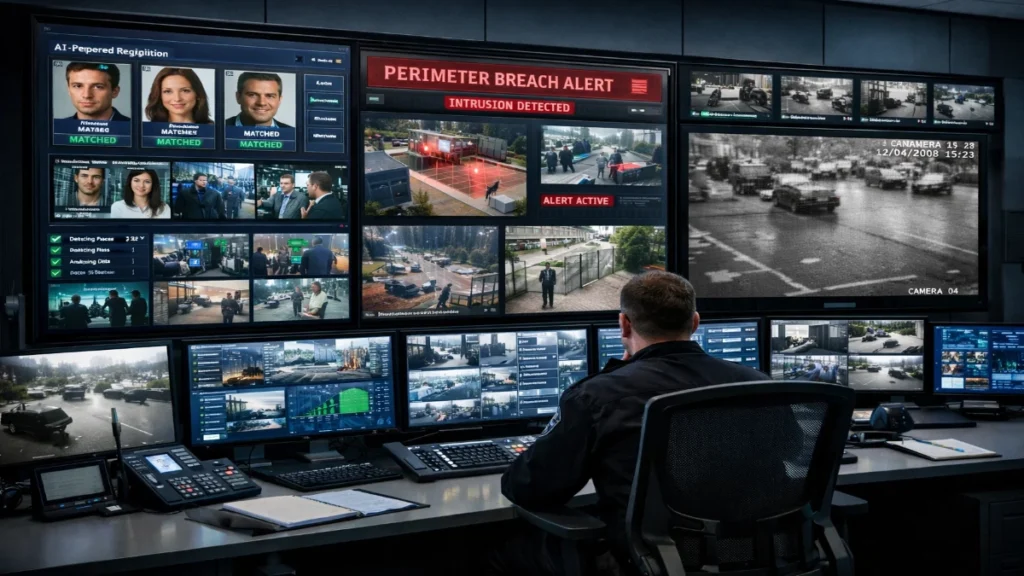
In today’s security landscape, a CCTV system is not just a monitoring tool; it is a core part of operational safety, compliance, risk management and business continuity. Whether you manage a manufacturing plant, corporate office, warehouse, hospital, or retail chain, your surveillance infrastructure directly impacts security response time, forensic accuracy and liability protection. Yet many businesses continue to rely on outdated systems installed 7–10 years ago. Technology has evolved rapidly, from analogue DVR systems to AI-powered IP surveillance, and older systems often fail when they are needed most. If you are unsure whether your current CCTV system still meets modern standards, this guide will help you evaluate it clearly and practically. Below are 9 critical warning signs that indicate your CCTV system needs an upgrade. 1. Poor Video Quality and Blurry Footage Video clarity is the primary purpose of a surveillance system. If you cannot clearly identify faces, license plates, or movement patterns, your system fails its core function. Older analogue cameras typically record in: Modern IP cameras now offer: Why This Matters In forensic investigations, unclear footage becomes legally weak evidence. Insurance claims, internal investigations and law enforcement cooperation all depend on image clarity. If your footage looks pixelated when zoomed, your CCTV system is technologically outdated. 2. Limited Storage Capacity Many legacy DVR systems rely on small hard drives with restricted recording cycles. This creates two major risks: Modern systems support: If your system stores less than 30 days of footage in a commercial environment, it may not meet compliance or operational requirements. Storage capacity directly affects accountability. 3. Frequent Downtime or System Failures Do you experience: Frequent system failure indicates ageing hardware, outdated firmware or unsupported software. Security systems must operate 24/7. Even a few hours of downtime can create blind spots that expose facilities to theft, vandalism, or safety incidents. Modern surveillance infrastructure offers: If your system fails without warning, it needs an upgrade. 4. No Remote Access or Mobile Monitoring Today’s security management demands real-time access from anywhere. If your system: You are operating below industry standards. Modern IP-based systems allow: For engineers and facility managers overseeing multiple sites, remote access is no longer optional; it is operationally essential. 5. Incompatibility with Modern Security Systems A CCTV system should not operate in isolation. It must integrate with: If your cameras cannot integrate with newer IP-based infrastructure, you limit your automation capabilities. Modern systems enable: Integration improves response time and reduces false alarms. 6. No Smart Analytics or AI Capabilities Traditional CCTV systems simply record footage. Modern systems analyse it. Advanced video analytics include: AI reduces manual monitoring and enhances threat detection. Without analytics, security teams rely entirely on human observation, which increases error probability. For large enterprises and industrial sites, AI-powered surveillance is becoming standard practice. 7. Cybersecurity Vulnerabilities Older CCTV systems often: These vulnerabilities expose your network to cyber threats. Surveillance systems are now common entry points for hackers targeting corporate infrastructure. Modern systems include: If your system vendor no longer provides updates, your security risk increases significantly. 8. High Maintenance and Repair Costs If you frequently: It may be more cost-effective to upgrade entirely. Legacy systems require more manual maintenance due to ageing components. Modern IP systems offer: Upgrading reduces long-term operational expenditure. 9. Your Business Has Expanded: But Your CCTV Has Not Business growth changes security requirements. Consider whether: If your CCTV coverage remains unchanged, your risk exposure increases. Modern scalable systems allow: Security infrastructure must evolve with organisational growth. Additional Indicators Engineers Should Evaluate Engineers and security managers should also assess: Network Bandwidth Capacity IP cameras require optimised network design. Poor network planning leads to latency and frame drops. Power Redundancy Do you have UPS backup for cameras and NVRs? Environmental Suitability Industrial sites require IP-rated and weatherproof cameras. Compliance Standards Ensure your system meets: Upgrading is not just about technology; it is about operational resilience. How Modern CCTV Systems Improve Operational Efficiency Upgrading your CCTV system offers measurable benefits: AI-based analytics transform surveillance from passive recording to proactive threat detection. For industrial engineers, this shift aligns surveillance infrastructure with smart facility management principles. Final Thoughts A CCTV system should provide clarity, reliability, intelligence and resilience. If your infrastructure shows even three or four of the warning signs discussed above, it is time to conduct a professional system audit. Security failures rarely announce themselves in advance. Most organizations realize system weaknesses only after an incident occurs. Upgrading your CCTV system is not a cosmetic improvement. It is a strategic investment in risk management, operational continuity and digital transformation. Engineers, facility managers and security heads must evaluate surveillance infrastructure with the same seriousness as fire safety systems, network architecture and physical access control. Proactive upgrades prevent reactive damage control. If your current system feels outdated, slow, or unreliable, that instinct is usually correct. Now is the right time to assess, plan and modernise your CCTV infrastructure before vulnerabilities turn into costly incidents. Read Also: How AI-Based CCTV Cameras Improve Threat Detection Read Also: Industrial Surveillance + Fire Safety: A Unified Protection Strategy
Designing Scalable CCTV Systems for Growing Enterprise Campuses
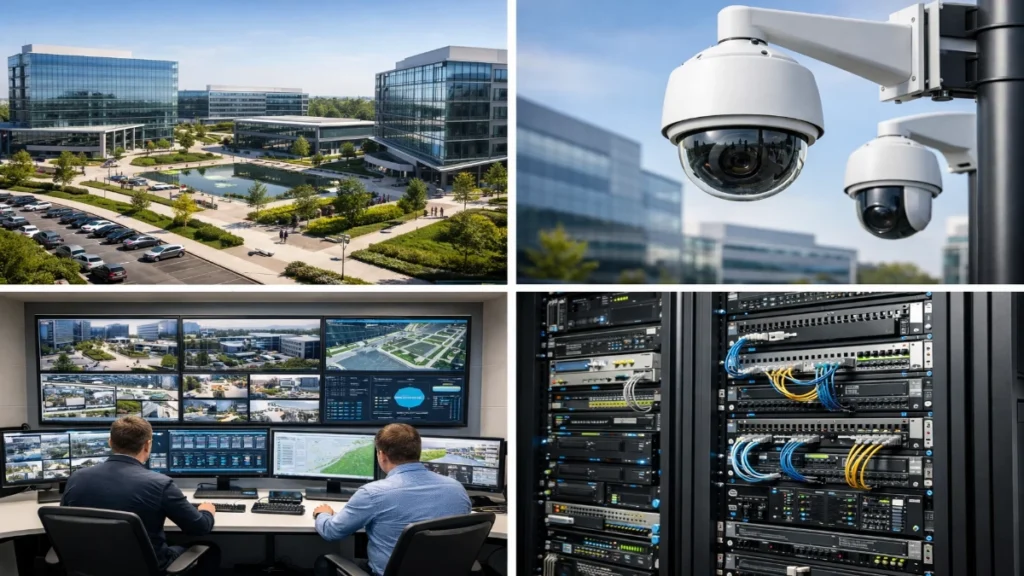
Enterprise campuses are no longer small, static environments. They expand every year: new buildings, new departments, new parking zones and new security risks. What worked for 50 cameras last year often breaks down at 300 cameras today. And here’s the hard truth most teams discover too late: A non-scalable CCTV system doesn’t just cost more; it becomes impossible to manage. Slow playback. Storage overload. Network congestion. Manual monitoring. Constant upgrades. If your surveillance architecture cannot scale smoothly, you will rebuild it again and again. This guide walks you step-by-step through how to design scalable CCTV systems that grow with your campus, not against it. The focus is simple: Everything explained in clear, practical language, no buzzwords. What Does “Scalable CCTV” Actually Mean? Before diving into design, let’s define it clearly. A scalable CCTV system should: In short: Scale horizontally, not painfully. Core Challenges Enterprise Campuses Face Large sites create unique problems that small installations never see. 1. Rapid Expansion New blocks, warehouses, labs and parking areas get added every year. 2. High Bandwidth Usage Hundreds of HD/4K streams overload switches and uplinks. 3. Storage Explosion Retention laws demand 30–90+ days of footage. 4. Central Monitoring Multiple guards need access simultaneously. 5. Integration Needs CCTV must work with: 6. Maintenance Complexity Troubleshooting 1 camera is easy.Troubleshooting 1000 is not. This is exactly why architecture matters more than camera count. Step 1: Start With Smart System Architecture Think of CCTV like IT infrastructure, not like individual devices. Recommended Model: Distributed + Centralised Hybrid Edge (per building): Core (data centre): Why this works Approach Problem Fully centralized Bandwidth overload Fully local No centralized control Hybrid Balanced, scalable Best Practice Tips Rule: Always design for tomorrow’s cameras, not today’s. Step 2: Choose IP Cameras Built for Growth Not all cameras scale equally. Look for: Resolution Flexibility 4MP–8MP gives detail but manageable bandwidth. H.265/H.265+ Cuts bandwidth by 40–60%. Edge Recording (SD card) Acts as a backup if the network drops. ONVIF Compliance Allows future vendor flexibility. PoE/PoE+ Simplifies expansion. AI-Ready Hardware People counting, intrusion detection, LPR, etc. Pro Tip Avoid mixing too many brands. It complicates: Standardisation = simpler growth. Step 3: Engineer the Network Like a Pro Most CCTV failures are actually network failures. Calculate Bandwidth First Example: Total = 2 Gbps continuous traffic Now imagine peak loads. Design Rules Segmentation Use a separate VLAN for CCTV. QoS Prioritise video traffic. Uplinks Use 10G/40G for core links. Redundancy Dual-core switches. Avoid Quick Checklist If the network is weak, everything else collapses. Step 4: Storage Planning (Where Most Projects Fail) Storage is where budgets explode. Let’s simplify. Key Factors Formula Storage (TB) =Bitrate × 3600 × 24 × retention ÷ 8 ÷ 1024 Smart Strategies Use Motion Recording Reduces storage by 50–70%. Tiered Storage NAS/SAN Scalability Add disks without downtime. RAID Protection RAID 5/6 or erasure coding. Retention Policy Don’t store everything forever. Right-sizing saves lakhs in hardware. Step 5: Centralised Video Management System (VMS) Your VMS is the brain. It must scale effortlessly. Choose a VMS that supports: Why this matters If your VMS cannot handle growth, you’ll replace the entire system. Always think long-term. Step 6: Add AI and Automation Early Modern campuses generate too much video for humans. AI reduces manual monitoring. High-Value Use Cases Benefits Scalable systems must be analytics-ready from day one. Step 7: Design for Redundancy & Reliability Enterprises cannot tolerate downtime. Include: Think: “What happens if this device fails?” If the answer is “everything stops,” redesign. Step 8: Future-Proof Integration CCTV must integrate with: Benefits Open APIs and standard protocols are critical. Step 9: Operations & Maintenance Strategy Scaling is not only hardware. It’s also management. Must Have Pro Tip Use a single pane of glass dashboard for all cameras and devices. Less complexity = fewer outages. Sample Scalable Architecture (Reference) Small Campus 50–100 camerasSingle server + NAS Medium Campus 200–500 camerasDistributed switches + central VMS + SAN Large Campus 1000+ camerasMulti-site servers + fibre backbone + AI analytics + SOC Design evolves, not rebuilds. Common Mistakes to Avoid Each mistake multiplies costs later. Quick Engineer’s Checklist Before deployment, confirm: If all yes → you’re future-proof. Build Once, Scale Forever Designing CCTV for enterprise campuses is not about installing cameras. It’s about building an ecosystem. When done right: When done wrong: You constantly upgrade, replace and troubleshoot. So always ask: “Will this still work when we double our size?” If yes, you’ve designed it correctly. Read Also: CCTV Planning for Corporate Offices, IT Parks & Campuses Read Also: Resolution vs Frame Rate in Enterprise CCTV: What Really Matters
The Role of CCTV in Smart Buildings and Intelligent Commercial Campuses
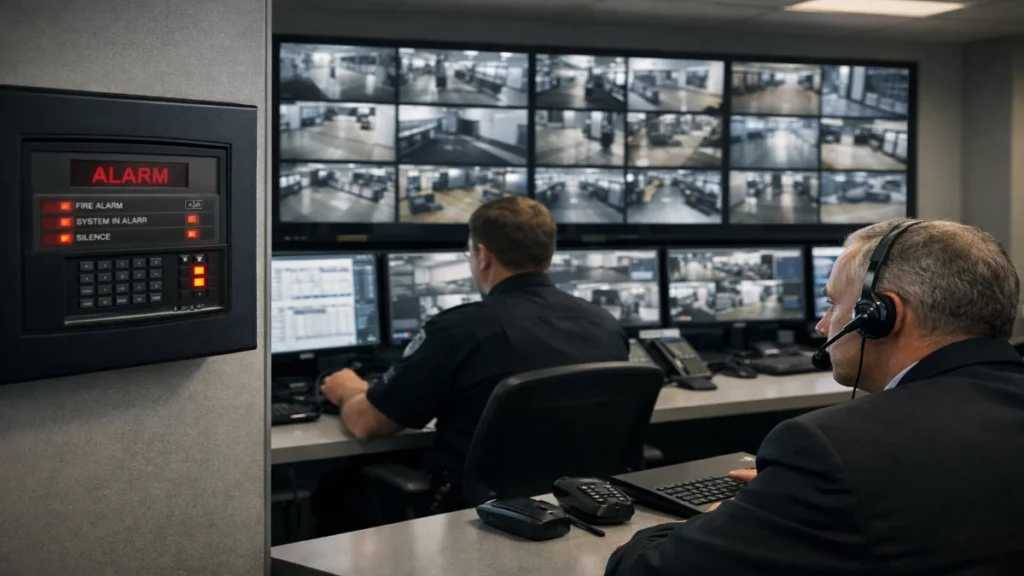
Smart buildings are no longer futuristic concepts. They are today’s reality. From intelligent lighting and automated HVAC to access control and IoT-driven analytics, modern infrastructure depends on connected systems that work together in real time. At the centre of this transformation sits one of the most powerful technologies: CCTV surveillance. But CCTV is no longer just about recording footage. Today, it acts as a data engine, safety layer, operational tool and business intelligence platform for smart buildings and commercial campuses. When integrated with AI, edge computing, fire alarms and building management systems (BMS), CCTV becomes a core part of intelligent decision-making. In this guide, we’ll break down: Let’s dive in. Smart CCTV as the Digital Eye of Intelligent Infrastructure In traditional buildings, CCTV served a simple purpose: record and review incidents. In smart buildings, it is now: Instead of passive monitoring, CCTV systems now deliver proactive intelligence. This shift changes CCTV from a cost centre into a strategic asset. What Is Smart Building CCTV? Smart building CCTV refers to IP-based, AI-enabled and network-connected surveillance systems that integrate with: These systems: In simple terms: Smart CCTV sees, understands and acts, not just records. Why CCTV Is Critical for Smart Buildings Let’s look at the core roles it plays. 1. Security & Threat Prevention Security remains the primary use case. Modern cameras can: This reduces response time drastically. Instead of waiting for operators, AI flags threats instantly. Example: If someone enters a restricted server room: All within seconds. 2. Operational Intelligence Here’s where CCTV becomes exciting for engineers. Video data can reveal: This helps facility teams: Example: If meeting rooms stay empty 60% of the day, you can redesign or repurpose them. CCTV provides measurable, actionable insights. 3. Energy Optimisation Smart campuses aim to reduce energy consumption. CCTV integrates with: If cameras detect no occupancy: This automation delivers real savings. Large campuses report 15–30% lower energy usage after intelligent integration. 4. Safety & Emergency Response CCTV significantly improves emergency handling. During: It provides: Integration Example: When a fire alarm triggers: This coordination saves lives. 5. Compliance & Audit Readiness Many industries require: CCTV ensures: Especially for: Without CCTV, compliance becomes difficult. Technical Architecture of Smart CCTV Systems Understanding the architecture helps engineers design better systems. Core Components Cameras Edge Devices Network Infrastructure VMS (Video Management System) Cloud/Hybrid Storage Analytics Layer Integration with Other Smart Systems CCTV + Access Control Benefits: CCTV + BMS Benefits: CCTV + Fire Alarm Benefits: CCTV + AI/IoT Benefits: Integration turns isolated tools into one intelligent ecosystem. AI & Edge Analytics: The Game Changer AI transforms CCTV from reactive to predictive. Common AI Features Why Edge AI Matters Edge processing: Instead of sending all video to the cloud, only important metadata travels. This makes systems faster and scalable. Use Cases in Commercial Campuses Corporate Offices IT Parks Universities Healthcare Manufacturing Each environment benefits differently, but the foundation remains the same: intelligent surveillance. Best Practices for Engineers If you’re designing a smart CCTV system, follow these: 1. Use IP-based architecture Avoid analog. IP enables scalability. 2. Plan bandwidth carefully Video traffic is heavy. Use VLANs and QoS. 3. Deploy edge analytics Reduce server load. 4. Integrate early Design CCTV with BMS and access control from day one. 5. Ensure cybersecurity Encrypt feeds, secure firmware, and use strong passwords. 6. Focus on privacy compliance Mask faces where required. Follow local regulations. 7. Choose scalable storage Hybrid cloud models work best. The Future of CCTV in Smart Buildings What’s next? Expect: Soon, CCTV systems will not just report problems. They will solve them automatically. Buildings will become: And CCTV will remain the core intelligence layer. Note: CCTV has evolved far beyond surveillance. It now drives: For smart buildings and commercial campuses, CCTV is not optional. It is foundational. If you want intelligent infrastructure, you must start with intelligent vision systems. Because what a building can see, it can optimise. And what it can optimise, it can improve. That’s the true role of CCTV in the smart building era. Read Also: Why Industrial CCTV Systems Are Designed Differently Than Commercial CCTV Read Also: Enterprise CCTV Network Architecture: What IT Teams Expect
Cybersecurity Risks in Enterprise CCTV Systems Most Engineers Overlook

Enterprise CCTV systems have changed dramatically over the last decade. They are no longer isolated DVR boxes sitting quietly in a control room. Today, they are: In simple words, your CCTV network is now an IT network. And once something touches the network, it becomes a cybersecurity target. Here’s the uncomfortable truth many engineers overlook: A compromised camera can become the easiest entry point into your entire enterprise network. Attackers don’t always break in through fancy zero-day exploits. Sometimes they log in to cameras using default passwords or exploit unpatched firmware. This article walks you through the most common CCTV cybersecurity risks engineers miss, why they matter and how to fix them practically. If you design, deploy, or maintain enterprise surveillance, this guide will help you protect both your system and your organisation. What Makes Enterprise CCTV Systems Vulnerable? Modern surveillance ecosystems include: Each component adds functionality.Each component also adds attack surface. Think of every camera as a mini computer on your network. Would you plug 500 unsecured laptops into your LAN? Yet many sites unknowingly do exactly that with cameras. 1. Default Credentials: The Easiest Backdoor The problem Many enterprise deployments still ship with: Installers often skip password changes during commissioning to save time. Attackers know this. They use automated bots to scan public IPs and test default credentials. This takes seconds. Real risk If one camera is compromised: How engineers should fix it 2. Flat Network Architecture (No Segmentation) The problem Many sites connect cameras to the same LAN as: This is extremely dangerous. Why it matters If attackers breach one camera, they can: This turns a small CCTV breach into an enterprise-wide incident. Fix Engineers should: A segmented design can stop 90% of lateral attacks. 3. Unpatched Firmware and Outdated Devices The problem Many surveillance systems run: Because “it still works.” Unfortunately, attackers love outdated firmware. Risks Old firmware may contain: Public exploit databases already list these. Fix Create a patch management process: 4. Open Ports and Exposed Remote Access The problem For convenience, many teams: This is like leaving your front door open. What attackers do They run automated scans to find: Then brute force or exploit. Safer alternative Remote access should never be public-facing. 5. Weak Encryption or No Encryption The problem Some systems still transmit: in plain text. Anyone on the same network can sniff traffic. Impact Attackers can: Fix Engineers should enable: Encryption should be the default, not optional. 6. Third-Party Integrations You Forgot About Modern CCTV integrates with: Every integration adds new APIs and credentials. If one system is weak, the entire ecosystem becomes vulnerable. Fix 7. Poor Logging and Monitoring The problem Many deployments don’t track: So breaches go unnoticed for months. Fix Enable: If you can’t see it, you can’t secure it. 8. Supply Chain & Cheap Devices Risk Low-cost devices may include: Cheap hardware often costs more during incidents. Engineer mindset shift Don’t evaluate cameras only by: Also evaluate: Enterprise systems deserve enterprise-grade security. 9. Insider Threats Not all threats are external. Risks include: Fix 10. No Security-First Design Strategy The biggest overlooked risk is mindset. Many projects treat cybersecurity as: “We’ll secure it later.” But security must start at the design stage. Secure-by-design checklist Before deployment: Best Practices Engineers Should Follow Today Here’s a simple, actionable checklist: Daily Monthly Quarterly Annually Why Choosing the Right Vendor Matters Selecting a trusted enterprise partner significantly reduces risk. Solutions from Gulf Security Technology (GST) focus on: Security should not be an add-on. It should be built in from day one. Final Thoughts Cybersecurity is no longer optional for surveillance systems. Enterprise CCTV now sits at the intersection of: Engineers who ignore this reality expose their organisations to unnecessary risk. The good news? Most threats are preventable with simple, disciplined practices: Small changes. Massive protection. If you treat every camera like a computer, design security from day one and work with reliable vendors, your CCTV system becomes a strength, not a vulnerability. Read Also: Why CCTV Systems Are Becoming More Network Projects Than Security Projects Read Also: Industrial vs Enterprise CCTV: Engineering Differences That Matter on Site
Common Commissioning Mistakes in Large Indoor CCTV Deployments

Large indoor CCTV deployments look simple on paper. You mount cameras, connect them to the network, configure the recorder and start monitoring. But in reality? Commissioning is where most projects succeed or fail. Even well-designed surveillance systems can underperform because of small mistakes during installation, configuration, or handover. These errors often lead to blurry footage, storage failures, blind spots, network congestion or compliance risks. And here’s the painful part: most issues are not hardware-related. They happen because of commissioning mistakes. If you are deploying surveillance in airports, malls, factories, hospitals, data centres or large campuses, this guide will help you avoid the most common pitfalls and deliver a system that engineers, operators and auditors actually trust. This article covers: Let’s dive in. Why Commissioning Matters More Than Installation Installation is physical work. Commissioning is intelligence work. You can install 500 cameras perfectly and still fail if: Commissioning ensures the system is: Skipping this phase is like building a data centre without testing the power backup. 1. Poor Camera Placement Planning The mistake Teams mount cameras based only on drawings or aesthetic considerations instead of real-world viewing angles. Common problems: Why it happens Impact Fix Always: Quick rule For face recognition: ≥ 250 PPMFor identification: ≥ 125 PPM 2. Wrong Lens Selection The mistake Using the same lens type everywhere. Many projects are installed: Both are wrong. Impact Fix Match lens to scene: Area Recommended Corridors Varifocal Entrances Narrow FOV zoom Warehouses Mid-range Lobbies Wide + overlapping Commission each camera individually. Avoid “copy settings to all”. 3. Ignoring Lighting Conditions The mistake Testing only during the daytime. Reality Indoor lighting changes: Impact Fix Commission under: Tune: 4. Network Bandwidth Underestimation The mistake Using rough estimates instead of actual calculations. Engineers often assume:“Network is gigabit, so it’s enough.” Not true. Reality 100 cameras × 8 Mbps = 800 Mbps constant traffic Add: Now you exceed limits. Impact Fix Always: 5. Incorrect Storage Sizing The mistake Sizing storage only for “average bitrate”. What really happens Bitrate increases with: Storage fills faster than expected. Impact Fix formula Always test with real footage, not vendor charts. 6. Skipping Proper Camera Naming & Documentation The mistake Leaving default names: During incidents Operators waste minutes searching. Minutes matter. Fix Use logical structure: Maintain: Good documentation = faster troubleshooting. 7. Default Security Settings Left Enabled The mistake Leaving: Risks Fix Mandatory: Treat CCTV like IT infrastructure, not just cameras. 8. No Failover or Redundancy Testing The mistake Assuming redundancy works without testing. Questions to ask If you don’t test, you don’t know. Fix Simulate: Confirm recording continues. 9. Poor Time Synchronisation The mistake Cameras running on different clocks. Impact Fix Use: Time accuracy is legally critical. 10. No Operator Training The mistake System delivered without user education. Operators then: Fix Conduct: A smart system is useless without skilled users. Commissioning Checklist (Quick Reference) Use this before handover: Technical Operational Compliance Note: Large indoor CCTV deployments are engineering projects, not just installations. Success depends on: Every mistake avoided saves time, money and reputation. If you treat commissioning seriously, your system will: And that’s what real surveillance excellence looks like. Read Also: Interface Challenges Between Fire Alarm Systems and Other ELV Networks Read Also: Edge AI vs Centralized Analytics in Enterprise CCTV
How Enterprise CCTV Design Differs from Small Office Surveillance
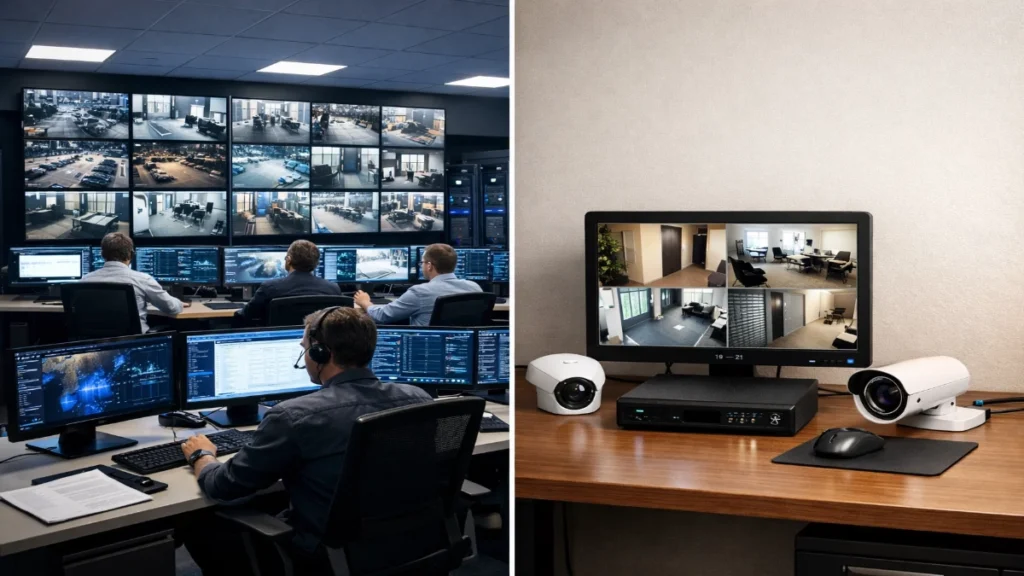
Security is no longer just about installing a few cameras and recording footage. Today, surveillance systems act as intelligent safety platforms that protect people, assets and business continuity. But here’s the catch: a CCTV setup that works for a small office will completely fail at enterprise scale. Many organisations make the mistake of treating surveillance as “one-size-fits-all.” In reality, enterprise CCTV design is a different engineering discipline altogether. It involves architecture planning, network infrastructure, cybersecurity, compliance, analytics and integration with multiple building systems. If you’re an engineer, consultant, or system integrator, understanding this difference is critical. This guide breaks everything down in simple language while going deep enough to satisfy technical readers. Let’s dive in. What Is Small Office Surveillance? Small office surveillance typically covers: Typical characteristics: Primary goals: Design is straightforward. Install cameras, connect to the recorder and store footage. Done. What Is Enterprise CCTV? Enterprise surveillance is on another level. It protects: Typical characteristics: Primary goals: Here, CCTV becomes mission-critical infrastructure, not just recording equipment. Core Differences Between Enterprise and Small Office CCTV Now let’s break this down technically and practically. 1. Scale and Coverage Small Office Enterprise Enterprise design requires: Engineers often create site heat maps and security layers, not just install cameras. 2. Network Architecture This is where complexity explodes. Small Office Enterprise Why? Because: 100 cameras × 8 Mbps = 800 Mbps continuous traffic Imagine 1000 cameras. Now you’re in multi-gigabit territory. Enterprise design includes: Without this, the video drops or crashes the entire LAN. 3. Storage Strategy Small Office Enterprise Storage becomes a science. Engineers calculate: Enterprise uses: Result? Petabytes of data handled safely. 4. System Reliability Small office systems tolerate downtime. Enterprise cannot. Small Office Enterprise Must support: So designs include: Because losing footage during an incident can cost millions. 5. Camera Technology Small Office Enterprise Uses specialised cameras: Each camera serves a specific operational purpose, not just visibility. 6. Intelligence and Analytics Small Office Enterprise Adds intelligence: This converts CCTV into business intelligence, not just security. Example:Retailers use analytics to improve store layout.Factories use cameras for safety compliance.Airports use real-time tracking. 7. Integration With Other Systems This is the biggest differentiator. Small Office Standalone CCTV. Enterprise Fully integrated ecosystem: When an event happens: Door forced open → Camera auto-focus → Alert triggered → Recording bookmarked This automation saves seconds, and seconds save lives. 8. Cybersecurity Small systems rarely think about this. Enterprise must. Because IP cameras are network devices. Enterprise practices: Without protection, cameras become hacking entry points. 9. Compliance and Regulations Large organisations must meet: So designs include: Small offices rarely face this complexity. 10. Monitoring and Operations Small Office Enterprise Dedicated SOC (Security Operations Centre) Includes: Monitoring becomes active, not reactive. Quick Comparison Table Factor Small Office Enterprise Cameras 4–16 100–10,000+ Storage Single NVR Distributed cluster Network Basic Segmented + fiber Analytics Minimal AI-based Redundancy None Full failover Monitoring Manual 24/7 SOC Integration Standalone Multi-system Cybersecurity Basic Advanced Engineering Best Practices for Enterprise CCTV Design If you’re designing enterprise systems, follow this: Step-by-step approach: Never start with camera installation. Start with strategy. Final Thoughts Here’s the simple truth: Small office CCTV = recording toolEnterprise CCTV = intelligent security platform As scale increases, surveillance shifts from hardware to an engineering discipline. If you design enterprise systems, think like: Not just an installer. When done right, enterprise CCTV doesn’t just capture video.It protects people, prevents losses, improves operations and drives business intelligence. And that’s the real difference. Read Also: AI Video Analytics in Indoor Commercial Environments Read Also: Inside Innxeon Technologies: Brands, Expertise & PAN-India Fire Safety Vision
How Indoor Lighting Conditions Impact CCTV Image Accuracy
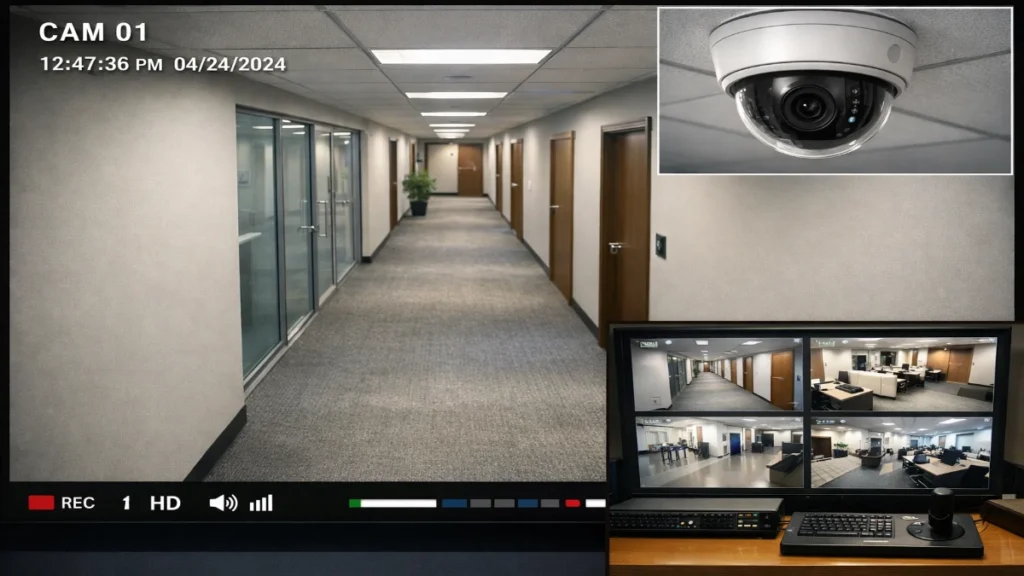
Indoor surveillance often looks simple: install cameras, connect recording and start monitoring. But in reality, lighting conditions decide whether your CCTV footage is useful or useless. You can deploy the most advanced camera with 4K resolution and AI analytics, but if the lighting is poor, uneven, or unstable, image accuracy drops fast. Faces blur. Colours distort. Motion trails appear. AI misidentifies people and objects. For engineers, system integrators and facility managers, understanding how indoor lighting affects CCTV performance is not optional. It is the difference between clear evidence and unusable footage. This detailed guide explains everything, from light intensity and flicker to shadows and reflections. You will also learn how to design lighting and camera systems together for maximum reliability. Let’s break it down. Why Lighting Matters More Than Camera Specs Many people focus only on: But lighting is the foundation of image quality. A camera only captures the light that reaches its sensor. If the light quality is poor, the image will always suffer, no matter how expensive the camera is. Simple truth: No light = No image.Bad light = Bad image.Good light = Accurate evidence. What is CCTV Image Accuracy? Before diving deeper, let’s define image accuracy. CCTV image accuracy means how clearly and correctly a camera captures: High accuracy enables: Poor accuracy leads to: Indoor lighting directly impacts every one of these outcomes. Key Lighting Factors That Affect CCTV Performance 1. Light Intensity (Lux Levels) Light intensity is measured in lux. Typical indoor lux levels: Area Lux Warehouse 100–200 Office 300–500 Retail store 500–1000 Lobby 200–400 Problems with low lux: Why this happens: When light is low, the camera: Engineering Tip: Maintain a minimum of 300 lux for identification areas. 2. Uneven Lighting & Shadows Shadows are silent image killers. Effects: Cameras struggle with high contrast scenes (bright + dark areas together). This is called: 👉 Dynamic range problem Solution: Use: 3. Backlighting Issues Backlighting occurs when: Light source is behind the subject Result: Common locations: Fix: Use: 4. Light Flicker from LEDs & Fluorescent Lights Many indoor lights flicker due to the AC power frequency. Humans don’t notice it.Cameras do. Effects: Why? Camera shutter speed conflicts with: Solution: Enable: 5. Colour Temperature & White Balance Colour temperature changes how scenes look. Light Type Kelvin Warm 2700K Neutral 4000K Cool 6000K Problems: Mixed lighting causes: Bad for: Fix: 6. Reflections & Glare Glossy floors and glass create reflections. Results: Common areas: Fix: How Poor Lighting Impacts AI & Analytics Modern CCTV relies heavily on: These systems depend on clean images. Poor lighting causes: Even the best AI fails with bad input. Garbage in → Garbage out. Best Lighting Practices for Indoor CCTV Here’s a practical checklist engineers love: Maintain 300–500 lux Use uniform LED panels Avoid a strong backlight Install WDR cameras Remove harsh shadows Use anti-flicker settings Standardise colour temperature Reduce reflections Perform site lux testing Ideal Lighting Design by Environment Offices Warehouses Retail Stores Hospitals How to Test Lighting for CCTV Accuracy Step-by-step method: Repeat until the footage is sharp. Final Thoughts Indoor lighting is not just a facility design element.It is a core component of surveillance accuracy. When you design CCTV systems, always plan lighting first. Better lighting means: In short: Lighting makes or breaks your CCTV performance. Treat it as part of the system, not an afterthought. Read Also: Edge AI vs Centralized Analytics in Enterprise CCTV Read Also: Choosing a PAN-India Fire Alarm Supplier: What Consultants Should Look For
Enterprise CCTV Network Architecture: What IT Teams Expect

Enterprise CCTV is no longer “just cameras and a recorder.” Today, video surveillance behaves like a mission-critical IT system. It consumes bandwidth like streaming platforms, stores petabytes of data like data centres and requires cybersecurity controls similar to financial applications. That’s exactly why IT teams, not just security teams, now own CCTV architecture decisions. They expect: If your CCTV system doesn’t meet these expectations, it becomes a network liability instead of a safety asset. This guide breaks down how to design an enterprise-grade CCTV network architecture that engineers respect, auditors approve and management trusts. What Is Enterprise CCTV Network Architecture? Enterprise CCTV network architecture refers to: The structured design of cameras, switches, servers, storage, software and cybersecurity layers that deliver reliable, secure, and scalable video surveillance across an organization. It blends physical security + IT infrastructure + cybersecurity + analytics into one unified system. Typical Enterprise CCTV Stack (Visual Overview) At a high level, modern enterprise CCTV includes: Each layer must align with IT best practices. What IT Teams Expect From CCTV Architecture Let’s get straight to what matters. When IT engineers evaluate a CCTV deployment, they ask: If you design with these expectations first, adoption becomes smooth. 1. Clean, Structured Network Design Why it matters Poorly planned CCTV traffic causes: IT teams want predictable traffic behaviour. Best practices Use dedicated VLANs Separate surveillance traffic from corporate traffic. Example: Segment using Layer 3 routing Avoid flat networks. Route between segments for control and security. Multicast or optimised streaming Reduce duplicate streams when many users view the same camera. QoS policies Prioritise video packets. 2. Power over Ethernet (PoE) Strategy Why IT cares Power planning impacts reliability. Unmanaged PoE leads to: Recommendations 3. Edge Processing Instead of Central Overload The shift Traditional systems pushed everything to servers. Modern enterprise architecture uses edge intelligence. Benefits Edge cameras now perform: This reduces: IT teams love this because it improves efficiency dramatically. 4. Storage Architecture That Scales Predictably Storage is the biggest cost driver. IT expects: Storage options DAS (Direct Attached) NAS SAN Hybrid Cloud Pro tip Always calculate: Add 20–30% buffer. 5. High Availability & Redundancy Enterprise systems cannot fail. IT teams expect uptime like critical servers. Must-have protections Without redundancy, CCTV becomes a single point of failure. 6. Cybersecurity First, Not Afterthought Reality check Every IP camera is a network device. That means: Every camera is a potential attack surface. Security teams now treat CCTV like any other endpoint. Mandatory practices Bonus Integrate with Active Directory or SSO. IT teams prefer centralised identity management. 7. VMS That Fits Enterprise IT The Video Management System must behave like enterprise software. IT-friendly features Avoid proprietary lock-in. 8. Centralised Monitoring & Health Checks IT teams expect visibility. They want: If they can’t monitor it, they won’t trust it. 9. Integration With Enterprise Systems Modern CCTV must connect with: Integration enables: 10. Cloud & Hybrid Readiness Even if you deploy on-prem today, IT expects: “Can we move this to cloud tomorrow?” Good architecture supports Cloud flexibility future-proofs investment. 11. Compliance & Data Governance Large enterprises must meet: IT teams expect: Architecture must support compliance by design. 12. Scalability Without Redesign Engineers hate rebuilds. Good design allows: No forklift upgrades. 13. Vendor Expectations Enterprises prefer vendors that deliver: This is why many integrators trust Gulf Security Technology (GST) solutions, as they align with enterprise IT standards and scalable architectures rather than proprietary lock-ins. Enterprise CCTV Reference Architecture (Simple Model) Edge Layer Access Layer Core Layer Compute Layer Storage Layer Security Layer Cloud Layer Final Thoughts Here’s the reality: Enterprise CCTV is no longer a “security project.”It’s an IT infrastructure project. If your system: Then IT teams will support it. If not, they will resist it. Design with IT expectations first, and your CCTV deployment will be future-proof, reliable and trusted. Read Also: AI Video Analytics in Indoor Commercial Environments Read Also: Inside Innxeon Technologies: Brands, Expertise & PAN-India Fire Safety Vision
Camera Placement Strategies for Indoor Commercial Spaces

Indoor commercial surveillance is no longer just about recording incidents. Today, cameras must prevent losses, support investigations, enable analytics, improve operations and ensure compliance, all at once. And none of that happens by accident. It happens because of strategic camera placement. Even the most expensive cameras fail when installed poorly. A ₹30,000 camera placed incorrectly can perform worse than a ₹5,000 unit installed at the right angle, height and field of view. Engineers who understand placement design consistently build systems that deliver clear evidence, better coverage and lower operational costs. This guide takes a fresh approach. Instead of repeating generic tips, we’ll walk through real-world design thinking, engineering logic, spatial planning methods and scenario-based strategies that professionals can apply immediately. Let’s dive in. Think Like a Security Architect, Not an Installer Before touching a ladder or drill, change your mindset. Most projects start with: “How many cameras do we need?” That’s the wrong question. Start with: “What decisions should this camera help us make?” Because every camera must have a purpose, not just a position. Examples: Each objective demands a different angle, height and lens. When you define purpose first, placement becomes scientific instead of random. The Four-Layer Coverage Model (Modern Design Approach) Instead of scattering cameras across ceilings, modern surveillance uses layered visibility. Think of it like zoom levels on a map. Layer 1 — Situational Awareness Wide view. Shows the whole space.Used for crowd monitoring and movement tracking. Layer 2 — Activity Monitoring Mid-range view. Shows actions clearly.Used for behaviour analysis. Layer 3 — Identification Close and sharp. Captures faces and details.Used for investigations. Layer 4 — Evidence Backup Redundant view from another angle.Prevents blind spots or obstructions. This layered model dramatically improves reliability while reducing the total camera count. How to Map a Space Before Installation Professionals never guess placements. They map. Here’s a simple engineering workflow: Step 1 — Get the floor plan Mark: Step 2 — Draw movement paths Track how people naturally move. You’ll notice: These locations are gold mines for surveillance value. Step 3 — Mark “event zones” Highlight where incidents are most likely: These zones always receive priority cameras. This process reduces guesswork by almost 80%. Practical Rules That Engineers Swear By Let’s talk ground reality. These are field-tested lessons, not theory. Rule 1: Faces beat ceilings Top-down views look neat but hide faces.Angle cameras slightly forward. Rule 2: Corners are powerful Corner mounting increases diagonal coverage and reduces blind spots. Rule 3: Avoid “single-camera thinking” If one camera protects a critical asset, you’re under-protected. Rule 4: Distance reduces detail fast Every extra meter cuts recognition accuracy. Place cameras closer than you think. Rule 5: Light matters more than resolution Good lighting + 2MP > poor lighting + 8MP. Space-by-Space Placement Strategy Different commercial environments behave differently. Let’s break them down. Retail Floors and Showrooms Retail environments are dynamic. Customers move unpredictably, shelves block views, and theft risks stay high. Design focus Placement tactics Pro tip Add one camera aimed at the cash drawer itself. Most fraud happens here. Corporate Offices and Commercial Buildings Offices balance security with privacy. Over-surveillance creates discomfort and legal issues. Design focus Placement tactics Pro tip Integrate cameras with access control logs to speed incident investigation. Warehouses and Logistics Facilities Warehouses require different thinking. Distances are longer, and incidents involve vehicles. Design focus Placement tactics Pro tip Use fewer high-quality cameras instead of many cheap ones. Dust and vibration quickly destroy weak units. Camera Angles That Work (and Ones That Don’t) Best angles Poor angles Small angle changes often improve clarity more than upgrading hardware. Preparing for AI and Smart Analytics Modern indoor systems increasingly use: These features only work with proper placement. For analytics: Bad placement = bad AI accuracy. Technical Considerations Engineers Often Ignore These details separate average designs from professional ones: Cable routes Plan shorter runs for better signal quality. Maintenance access Don’t mount where ladders can’t reach. Network load Too many high-resolution streams overload switches. Storage sizing Closer placement allows lower resolution → smaller storage needs. Redundancy Critical zones should have at least two views. Legal and Ethical Placement Surveillance must protect people, not invade privacy. Always: Good design builds trust. Typical Mistakes That Waste Budget Here’s what to avoid: Every space behaves differently. Customise accordingly. A Simple Formula for Better Placement Use this whenever you feel unsure: Visibility + Angle + Distance + Lighting = Image Quality If any one factor is weak, results suffer. Fix placement first before buying better cameras. The Future of Indoor Camera Design Camera placement is evolving fast. Expect: Engineers who understand placement logic will adapt quickly to these technologies. Final Takeaway Smart surveillance isn’t about filling ceilings with cameras. It’s about: When placement is right, everything else becomes easier: Remember this one line: A well-placed camera is worth five poorly placed ones. Design thoughtfully, and your system will always outperform expectations. Read Also: AI Video Analytics in Indoor Commercial Environments Read Also: Edge AI vs Centralized Analytics in Enterprise CCTV
Bandwidth & Storage Planning for Large Indoor CCTV Deployments

Large indoor CCTV deployments are no longer “plug-and-play” projects. Today’s smart offices, malls, hospitals, factories, airports and campuses depend on hundreds or even thousands of IP cameras. Each camera continuously generates video data and that data travels through your network before it lands in storage. If the bandwidth is undersized, video drops.If storage is miscalculated, recordings vanish.If architecture is weak, the entire system slows down. This is why bandwidth and storage planning are the backbone of every successful CCTV design. In this detailed guide, you’ll learn: Let’s break it down step-by-step in simple language. Why Bandwidth & Storage Planning Matters In small CCTV setups (5–10 cameras), mistakes are manageable. In large indoor deployments (200–2000+ cameras): Poor planning directly impacts: A well-planned system ensures: Step 1 – Understand What Consumes Bandwidth Every camera’s bandwidth depends on five main factors: 1. Resolution Higher resolution = more data 2. Frame Rate (FPS) More frames per second = more bandwidth 3. Compression Codec Modern codecs reduce bandwidth dramatically: 4. Scene Complexity Busy areas (crowds, traffic, motion) increase bitrate. 5. Recording Mode Step 2 – Bandwidth Calculation (Simple Formula) Use this practical engineering formula: Typical Bitrate Estimates Resolution H.264 H.265 2MP 4–6 Mbps 2–3 Mbps 4MP 6–8 Mbps 3–4 Mbps 8MP 12–16 Mbps 6–8 Mbps Example Calculation Project: 250 indoor cameras Total = 1 Gbps minimum backbone Now add a safety buffer: Design for a 10Gbps core network to avoid bottlenecks. Step 3 – Storage Planning Basics Storage depends on: Storage Formula Example Same 250 cameras: Per camera: Total: = 126 TB Add redundancy + buffer: Plan 150–160 TB usable storage Step 4 – Choose the Right Storage Architecture Option A – NVR-Based Storage Best for: Pros: Cons: Option B – Centralised Storage (SAN/NAS) Best for: Pros: Cons: Option C – Hybrid + Edge Storage Modern enterprise designs use: This reduces backbone traffic and improves resilience. Step 5 – Network Design Best Practices Use Dedicated Surveillance VLAN Separates video from IT traffic. Deploy Managed PoE Switches Ensures: Avoid Single Points of Failure Core Network Speed Recommendations Cameras Recommended Core 50 1 Gbps 200 10 Gbps 500+ 20–40 Gbps Step 6 – Smart Optimisation Techniques Here’s how engineers cut storage costs by 40–60%: Use H.265 or Smart Codecs Cuts the bitrate in half. Enable VBR (Variable Bitrate) Reduces data when scenes are idle. Use Motion Recording Ideal for offices, warehouses and corridors. Adjust FPS by Zone Use AI-Based Recording Modern analytics record only events. Step 7 – Retention & Compliance Planning Every project must define retention: Facility Typical Retention Retail 30 days Offices 30–60 days Hospitals 60–90 days Banks 90+ days Longer retention = exponential storage increase. Always: Step 8 – Real-World Example Design Large Commercial Mall Specs: Bandwidth 4 × 600 = 2400 MbpsUse 10–20 Gbps backbone Storage 506 GB × 600 = 303 TBAdd RAID → 400 TB usable Architecture Result: Common Mistakes to Avoid Each mistake increases downtime and cost. Engineer’s Quick Checklist Before deployment: Final Thoughts Bandwidth and storage planning are not just a technical step. It is the foundation of system reliability. When you calculate correctly: Think of CCTV design like engineering a highway. If lanes are too narrow, traffic jams happen. If parking is limited, vehicles overflow. The same applies to data. Plan bigger than today’s needs. Optimise smartly. Choose a scalable architecture. Do this, and your indoor surveillance deployment will run smoothly for years. Read Also: AI Video Analytics in Indoor Commercial Environments Read Also: Fire Alarm + PAVA Integration: A Smarter Emergency Communication Strategy