Large indoor CCTV deployments look simple on paper. You mount cameras, connect them to the network, configure the recorder and start monitoring.
But in reality?
Commissioning is where most projects succeed or fail.
Even well-designed surveillance systems can underperform because of small mistakes during installation, configuration, or handover. These errors often lead to blurry footage, storage failures, blind spots, network congestion or compliance risks.
And here’s the painful part: most issues are not hardware-related. They happen because of commissioning mistakes.
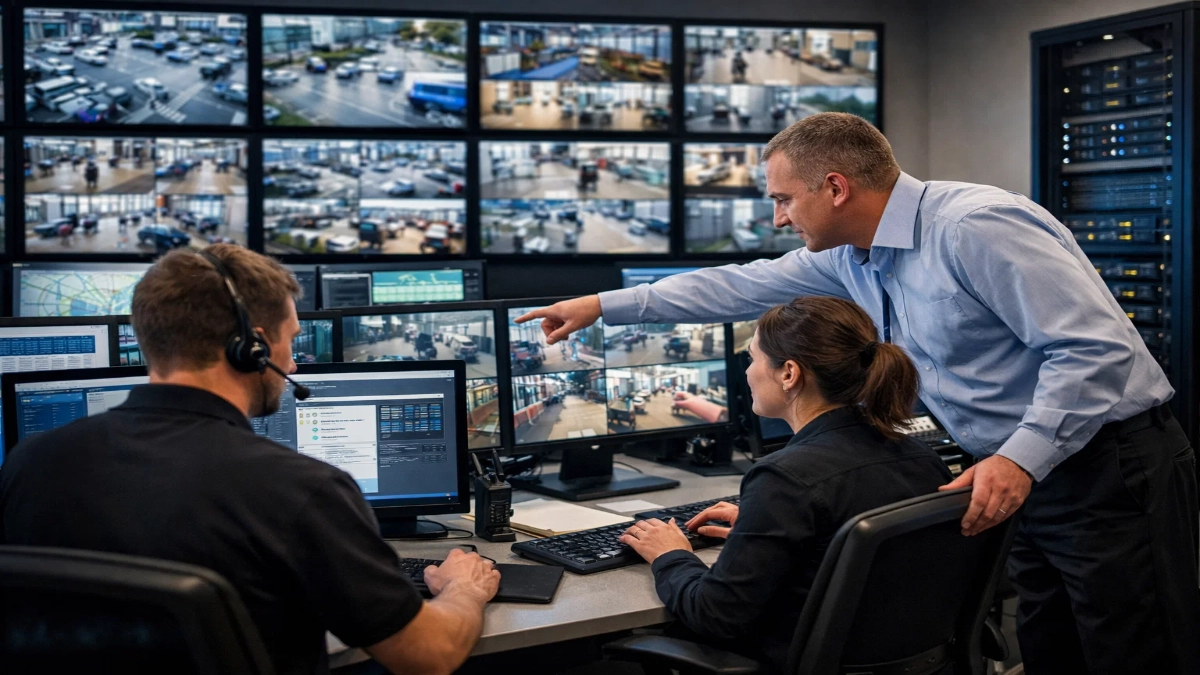
If you are deploying surveillance in airports, malls, factories, hospitals, data centres or large campuses, this guide will help you avoid the most common pitfalls and deliver a system that engineers, operators and auditors actually trust.
This article covers:
- Real-world commissioning mistakes
- Why they happen
- Practical fixes
- Engineering checklists
Let’s dive in.
Why Commissioning Matters More Than Installation
Installation is physical work. Commissioning is intelligence work.
You can install 500 cameras perfectly and still fail if:
- Streams are misconfigured
- Storage is undersized
- Bandwidth collapses
- Alerts don’t trigger
- Operators can’t find footage
Commissioning ensures the system is:
- Technically correct
- Operationally usable
- Scalable
- Compliant
- Future-proof
Skipping this phase is like building a data centre without testing the power backup.
1. Poor Camera Placement Planning
The mistake
Teams mount cameras based only on drawings or aesthetic considerations instead of real-world viewing angles.
Common problems:
- Cameras too high
- Overlapping views
- Blind spots near pillars
- Backlighting from windows
- Faces captured at wrong angles
Why it happens
- No site walk-through
- No test shots
- Rushed timelines
Impact
- Unusable evidence
- Identification failure
- Reinstallation costs
Fix
Always:
- Perform live view testing before final mounting
- Use ladder-based mock placement
- Validate pixel density (PPM/PPI targets)
- Check day + night lighting
Quick rule
For face recognition: ≥ 250 PPM
For identification: ≥ 125 PPM
2. Wrong Lens Selection
The mistake
Using the same lens type everywhere.
Many projects are installed:
- Wide-angle lenses for all areas
OR - Zoom lenses for all zones
Both are wrong.
Impact
- Wide lens → tiny faces
- Zoom lens → narrow coverage
Fix
Match lens to scene:
| Area | Recommended |
|---|---|
| Corridors | Varifocal |
| Entrances | Narrow FOV zoom |
| Warehouses | Mid-range |
| Lobbies | Wide + overlapping |
Commission each camera individually. Avoid “copy settings to all”.
3. Ignoring Lighting Conditions
The mistake
Testing only during the daytime.
Reality
Indoor lighting changes:
- sunlight through glass
- lights off at night
- emergency power mode
- shadows from forklifts or racks
Impact
- Noise
- motion blur
- ghosting
- false alarms
Fix
Commission under:
- Day
- Night
- Emergency lighting
- Power backup mode
Tune:
- shutter speed
- WDR
- gain
- IR levels
4. Network Bandwidth Underestimation
The mistake
Using rough estimates instead of actual calculations.
Engineers often assume:
“Network is gigabit, so it’s enough.”
Not true.
Reality
100 cameras × 8 Mbps = 800 Mbps constant traffic
Add:
- Overhead
- Spikes
- Remote access
- Analytics
Now you exceed limits.
Impact
- Dropped frames
- Recording gaps
- Latency
- System crashes
Fix
Always:
- Calculate per-camera bitrate
- Multiply by peak load
- Add 30–40% headroom
- Use VLANs
- Enable multicast where needed
5. Incorrect Storage Sizing
The mistake
Sizing storage only for “average bitrate”.
What really happens
Bitrate increases with:
- Motion
- Crowd density
- Analytics
- Higher FPS
Storage fills faster than expected.
Impact
- Retention drops from 30 days to 8 days
- Legal non-compliance
- Lost evidence
Fix formula
Storage = (bitrate × cameras × hours × days) ÷ 8
+ 25% safety
Always test with real footage, not vendor charts.
6. Skipping Proper Camera Naming & Documentation
The mistake
Leaving default names:
- Camera1
- Camera2
- Cam_12
During incidents
Operators waste minutes searching.
Minutes matter.
Fix
Use logical structure:
BUILDING-FLOOR-ZONE-CAM#
WH1-AISLE3-ENT-01
Maintain:
- Camera map
- IP list
- Switch ports
- Rack layout
Good documentation = faster troubleshooting.
7. Default Security Settings Left Enabled
The mistake
Leaving:
- Default passwords
- Open ports
- No VLAN
- Outdated firmware
Risks
- Hacking
- Video leaks
- Ransomware
- Compliance violations
Fix
Mandatory:
- Change all passwords
- Enable HTTPS
- Disable unused services
- Firmware updates
- Segregated VLAN
- Role-based access
Treat CCTV like IT infrastructure, not just cameras.
8. No Failover or Redundancy Testing
The mistake
Assuming redundancy works without testing.
Questions to ask
- What happens if NVR fails?
- Switch fails?
- Disk fails?
- Power fails?
If you don’t test, you don’t know.
Fix
Simulate:
- unplug power
- disconnect link
- remove disk
Confirm recording continues.
9. Poor Time Synchronisation
The mistake
Cameras running on different clocks.
Impact
- mismatched evidence
- investigation delays
- court rejection
Fix
Use:
- NTP server
- time zone verification
- DST checks
Time accuracy is legally critical.
10. No Operator Training
The mistake
System delivered without user education.
Operators then:
- Miss alarms
- Export the wrong clips
- Misuse analytics
Fix
Conduct:
- Live training
- SOP manuals
- Drill scenarios
- Monthly refreshers
A smart system is useless without skilled users.
Commissioning Checklist (Quick Reference)
Use this before handover:
Technical
- Camera angles verified
- Bitrate tested
- Storage calculated
- VLAN configured
- Firmware updated
- Time synced
Operational
- Naming standardized
- Maps created
- Users trained
- Backup tested
- Export validated
Compliance
- Retention confirmed
- Logs enabled
- Access control applied
Note: Large indoor CCTV deployments are engineering projects, not just installations.
Success depends on:
- Precise planning
- Thorough testing
- Disciplined commissioning
- Strong documentation
Every mistake avoided saves time, money and reputation.
If you treat commissioning seriously, your system will:
- Perform reliably
- Scale smoothly
- Support investigations
- Meet compliance
- Earn operator trust
And that’s what real surveillance excellence looks like.
Read Also: Interface Challenges Between Fire Alarm Systems and Other ELV Networks
Read Also: Edge AI vs Centralized Analytics in Enterprise CCTV