
Edge AI vs Centralized Analytics in Enterprise CCTV
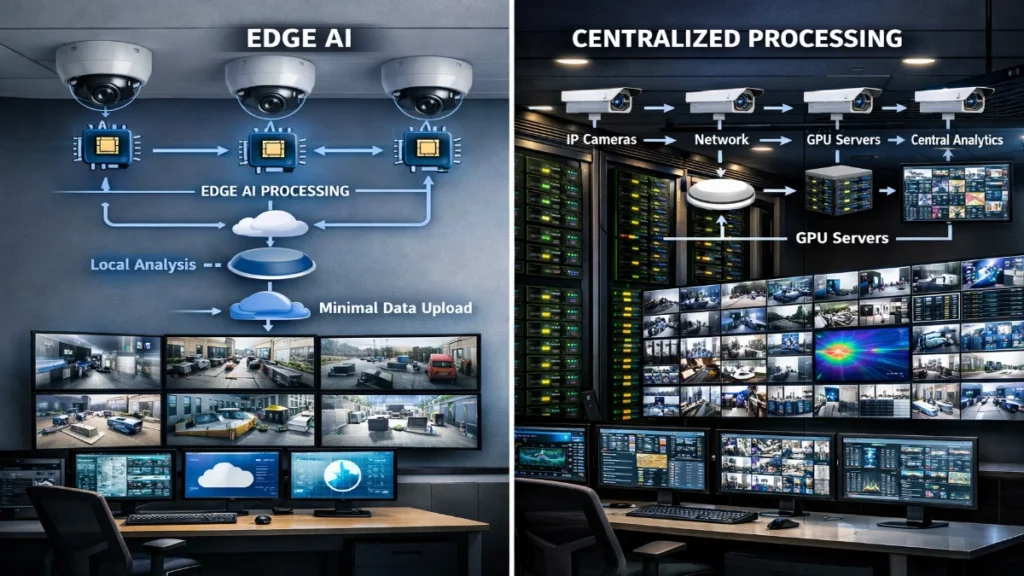
Enterprise CCTV has moved far beyond passive recording. Today’s systems detect intrusions, flag unsafe behaviour, count people, read plates and generate insights that influence operations and safety. At the heart of this evolution sits a foundational design decision: This article compares Edge AI and Centralised Analytics, covering architecture, latency, bandwidth, cost, cybersecurity, compliance and real-world deployment patterns. What Is Edge AI in Enterprise CCTV? Edge AI processes video close to the source inside the camera, on an AI-enabled NVR, or on a nearby edge gateway. Instead of streaming raw video to a server for analysis, the device itself runs machine-learning models. How Edge AI Works Typical Edge AI Use Cases Edge AI focuses on speed, autonomy and bandwidth efficiency. What Is Centralised Analytics in Enterprise CCTV? Centralised analytics moves video streams to a central processing environment, an on-premise server cluster, a private data centre, or a cloud platform, where powerful CPUs/GPUs run advanced analytics. How Centralized Analytics Works Typical Centralized Analytics Use Cases Centralized analytics emphasizes depth, scale and intelligence correlation. Core Architectural Differences (At a Glance) Parameter Edge AI Centralized Analytics Processing location Camera / local device Server / cloud Latency Very low Medium to high Bandwidth usage Minimal High Hardware cost Higher per camera Higher server cost Scalability Linear per device Centralized scale Offline operation Possible Limited Model complexity Constrained Advanced Latency and Real-Time Response Why Latency Matters In enterprise security, seconds matter. Delayed alerts can turn minor incidents into major losses. Edge AI Advantage This makes Edge AI ideal for perimeter security, industrial safety and access-controlled environments. Centralized Analytics Reality Engineer takeaway:If real-time action is critical, Edge AI wins. Bandwidth and Network Design Edge AI and Bandwidth Efficiency Edge AI sends metadata instead of video: This reduces network load by up to 90%, which: Centralised Analytics Bandwidth Demand Centralised systems require: In large deployments, bandwidth planning becomes a core engineering challenge. Engineer takeaway:Edge AI reduces network complexity. Centralised analytics demands a stronger infrastructure. Scalability in Large Enterprises Scaling Edge AI However, managing hundreds of AI devices requires: Scaling Centralised Analytics But scaling also introduces: Engineer takeaway:Edge scales horizontally. Centralised scales vertically. AI Model Complexity and Accuracy Edge AI Constraints Edge devices have: They excel at specific, well-defined tasks but struggle with: Centralised Analytics Strength Central servers support: This makes centralised analytics ideal for: Engineer takeaway:Edge AI is precise. Centralised analytics is deep. Cybersecurity and Data Privacy Edge AI Security Benefits This approach supports privacy-by-design, especially in: Centralised Analytics Risks Strong encryption, access control and monitoring become mandatory. Engineer takeaway:Edge AI lowers data risk. Centralised analytics demands stronger security governance. Cost Considerations: CAPEX vs OPEX Edge AI Cost Profile Centralised Analytics Cost Profile Total cost of ownership (TCO) depends on: Engineer takeaway:Edge AI often costs less over time for distributed sites. Reliability and Offline Operation Edge AI Resilience Centralised Analytics Dependency For mission-critical environments, local intelligence improves resilience. Hybrid Architectures: The Best of Both Worlds Many modern enterprises deploy hybrid CCTV architectures: Example Hybrid Flow This approach: Engineer takeaway:Hybrid designs are becoming the enterprise standard. Choosing the Right Approach: Decision Checklist Ask these questions during design: Edge AI vs. Centralised Analytics: Final Verdict There is no universal winner. The right choice depends on use case, scale and risk profile. For engineers designing modern CCTV systems, the future is not edge or centralised, it is intelligent orchestration of both. Final Note for Engineers Design CCTV systems like distributed IT platforms, not just camera networks. When analytics placement aligns with operational intent, performance and reliability follow. Read Also: Integrating CCTV with Existing Enterprise IT Infrastructure Read Also: Resolution vs Frame Rate in Enterprise CCTV: What Really Matters
Why Fire Alarm Systems Should Be Integrated with CCTV for Maximum Safety
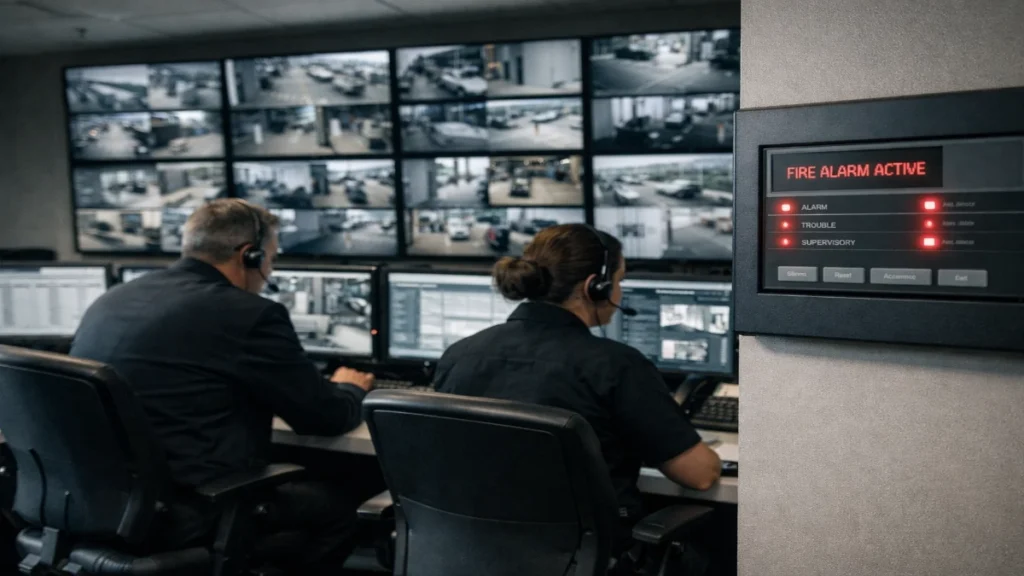
Fire safety in modern buildings is no longer limited to installing alarms and hoping for the best. As commercial spaces grow larger, more complex and more occupied, the expectations from safety systems have evolved. Today, building owners, consultants and facility managers look for intelligent, connected and responsive safety infrastructure, not isolated systems working independently. One of the most effective ways to enhance overall building safety is by integrating fire alarm systems with CCTV surveillance. This integration bridges the gap between detection and visual verification, helping teams respond faster, smarter and with greater confidence. In this detailed guide, we explore why fire alarm and CCTV integration is essential for maximum safety, how it works in real-world environments and why it is rapidly becoming a best practice across commercial and industrial projects in India. Understanding the Role of Fire Alarm Systems in Modern Buildings Fire alarm systems form the backbone of life safety infrastructure. Their primary function is to detect fire-related events early and alert occupants and response teams before conditions become life-threatening. Depending on the building size and application, systems typically include: Both addressable fire alarm panel and conventional fire alarm panel architectures are widely used today, each serving different project needs. While these systems are highly effective at detection and alerting, they traditionally operate without visual context. That is where integration becomes critical. The Role of CCTV in Safety and Security CCTV systems continuously monitor spaces, recording activity and providing live visuals to security teams. They are widely used for: However, CCTV systems usually depend on human observation. In large facilities with hundreds of cameras, it is unrealistic to expect operators to notice every critical event in real time. When CCTV works alone, it lacks an automated trigger to highlight emergencies the moment they occur. Why Standalone Systems Are No Longer Enough Operating fire alarm systems and CCTV as separate silos creates gaps in safety management. Limitations of Fire Alarm Systems Alone Limitations of CCTV Systems Alone Integration removes these blind spots by combining automatic detection with instant visual awareness. What Does Fire Alarm and CCTV Integration Mean? Fire alarm and CCTV integration involves connecting both systems through software platforms, APIs or centralised management systems. When a fire-related event occurs: This turns alarms into actionable intelligence, not just noise. Faster and More Accurate Emergency Response 1. Immediate Visual Verification When a detector activates, security teams no longer need to rush blindly. They can instantly see: This reduces hesitation and accelerates response. 2. Smarter Decision-Making Under Pressure With visual confirmation: In emergencies, seconds matter and integration saves those seconds. Reducing False Alarms and Operational Disruptions False alarms are a major concern in commercial buildings. They: Integrated CCTV allows operators to: This is especially beneficial in facilities using conventional fire alarm panel setups, where alarms indicate zones rather than precise devices. Enhancing Safety in Large and Complex Facilities Large-scale facilities such as: often deploy thousands of detection points and cameras. Integration Adds Structure at Scale In systems using addressable detectors, integration ensures: In facilities relying on conventional detectors, CCTV bridges the gap by visually identifying the exact source within an alarm zone. This combination significantly improves operational clarity in complex environments. Supporting Safer and More Controlled Evacuations Fire safety is not only about detection, but it is also about getting people out safely. Integrated systems help by: CCTV visuals provide real-time feedback, allowing teams to redirect movement and prevent panic. Improved Incident Investigation and Compliance Readiness After an incident, accurate documentation is critical for: Integrated systems provide: For organisations using advanced platforms like a gst fire alarm system, this level of documentation supports compliance and long-term risk management. Centralised Monitoring for Better Control Integration allows both systems to be managed from a single command interface, offering: This centralised approach reduces dependency on multiple teams and minimises the risk of miscommunication during emergencies. Scalability and Future-Ready Safety Infrastructure Modern buildings evolve continuously. New tenants, new layouts and new risks emerge over time. Integrated fire and CCTV systems are: They form the foundation for intelligent safety ecosystems that adapt as buildings grow. Why System Reliability and Compatibility Matter Not all fire alarm systems integrate smoothly with CCTV platforms. Reliable integration depends on: This is why many large-scale projects rely on globally proven ecosystems like Gulf Security Technology, known for robust design, reliability and integration readiness across demanding commercial environments. Practical Use Case: High-Rise Commercial Office Scenario:A smoke detector activates on the 12th floor during office hours. Without Integration: With Fire Alarm and CCTV Integration: The difference is not just efficiency; it is life safety and asset protection. Fire System & CCTV Integration Is the New Safety Standard Fire risks are unpredictable, but preparedness does not have to be reactive. Integrating fire alarm systems with CCTV transforms safety operations from alarm-driven reactions to intelligence-led responses. Whether your facility uses addressable detectors or conventional detectors, integration adds visibility, speed and confidence to emergency management. As commercial buildings across India raise their safety benchmarks, fire alarm and CCTV integration is no longer a luxury; it is a necessity. Read Also: Choosing a PAN-India Fire Alarm Supplier: What Consultants Should Look For Read Also: VLAN, QoS & Segmentation Best Practices for CCTV in IT Networks
VLAN, QoS & Segmentation Best Practices for CCTV in IT Networks

Modern CCTV systems are no longer isolated DVR boxes sitting in a control room. Today, IP cameras, network video recorders (NVRs), analytics servers and viewing clients all run on the same enterprise IT infrastructure that supports email, ERP, VoIP and cloud applications. This convergence brings efficiency, but it also introduces risk. CCTV generates high, continuous bandwidth, requires low latency for live viewing and often connects hundreds or thousands of edge devices that may not receive frequent firmware updates. Without proper design, CCTV traffic can overload networks, degrade business applications and open serious security gaps. This is where VLANs, Quality of Service (QoS) and network segmentation become critical. When applied correctly, they transform CCTV from a network burden into a predictable, secure and scalable system. This guide explains best practices for VLANs, QoS and segmentation in CCTV deployments, using simple language, real-world examples and engineer-friendly insights. Whether you manage a campus, airport, hospital, factory or smart city, these principles will help you design CCTV networks that perform reliably and comply with modern IT standards. Understanding CCTV Traffic Characteristics Before configuring anything, it is important to understand how CCTV behaves on a network. Key Characteristics of CCTV Traffic These characteristics demand a network design that isolates, prioritises and controls CCTV traffic without affecting business-critical systems. VLANs: The Foundation of CCTV Network Design What Is a VLAN and Why Does It Matter for CCTV? A Virtual Local Area Network (VLAN) logically separates devices on the same physical network into isolated broadcast domains. For CCTV, VLANs act as digital walls that keep video traffic contained and controlled. Why VLANs Are Essential for CCTV Best Practices for CCTV VLAN Design 1. Use a Dedicated CCTV VLAN Always place cameras, NVRs, and video servers on one or more dedicated CCTV VLANs. Benefits: Avoid mixing cameras with: 2. Separate Cameras and Management Systems (When Large) In large deployments, consider multiple VLANs: This approach: 3. Align VLANs with Physical Topology Map VLANs logically to: This makes troubleshooting easier. When a link goes down, you immediately know which cameras are affected. 4. Avoid Layer 2 Sprawl Do not stretch a single CCTV VLAN across too many switches or sites. Excessive Layer 2 domains increase: Use Layer 3 routing between CCTV VLANs whenever possible. Inter-VLAN Routing and Access Control Route CCTV Traffic Securely CCTV VLANs must communicate with: But they should not freely communicate with the rest of the network. Best Practices This “least privilege” model dramatically improves security posture. QoS: Ensuring Video Quality Without Breaking the Network Why QoS Is Critical for CCTV Without QoS, CCTV traffic competes equally with: During congestion, this can cause: QoS ensures video traffic gets the treatment it needs without starving business applications. Understanding QoS in Simple Terms QoS works by: For CCTV, this usually means prioritising live video and control traffic over bulk data transfers. CCTV QoS Best Practices 1. Classify Video and Control Traffic Identify: Classification can be done using: 2. Mark CCTV Traffic Consistently Use DSCP marking: Ensure markings are: 3. Prioritise at Network Bottlenecks Apply QoS policies on: This ensures the video remains smooth even during peak usage. 4. Avoid Over-Prioritisation Do not mark all CCTV traffic as the highest priority. This can starve: Balance is key. Network Segmentation: Beyond VLANs What Is Network Segmentation? Segmentation is the broader strategy of dividing a network into secure zones. VLANs are one tool but segmentation also includes: Why CCTV Segmentation Is Non-Negotiable Cameras often run embedded operating systems with: Without segmentation, a compromised camera can become an entry point into the enterprise network. Segmentation Best Practices for CCTV 1. Treat CCTV as an Untrusted Zone Design CCTV networks like an OT or IoT environment: 2. Use Firewalls Between CCTV and IT Networks Place a firewall or Layer 3 security device between: Only allow: 3. Implement Role-Based Access Not every user needs full video access. Segmentation supports role separation and compliance. Designing for Scalability and Growth Plan for Future Cameras and Higher Resolution Network designs must anticipate: Best practices include: Multisite and WAN Considerations For distributed sites: Never send raw high-bitrate video over constrained links unless necessary. Monitoring and Troubleshooting CCTV Networks Visibility Is Essential Use monitoring tools to track: This data helps validate design assumptions and prevents surprises. Common CCTV Network Issues and Fixes Issue Likely Cause Fix Choppy video No QoS Apply proper prioritization Network congestion Flat VLAN design Segment and route Security alerts Camera exposed Tighten firewall rules Slow playback Oversubscribed uplinks Increase capacity Compliance, Governance and Best Practices Alignment Well-designed VLAN, QoS, and segmentation strategies support: They also align CCTV deployments with enterprise IT governance, reducing friction between security and IT teams. Building CCTV Networks Engineers Trust CCTV systems succeed or fail based on network design. VLANs provide structure. QoS ensures performance. Segmentation delivers security. Together, they create a CCTV infrastructure that is: Engineers who follow these best practices do more than deploy cameras; they build resilient, future-ready surveillance platforms that coexist smoothly with modern IT networks. When CCTV is designed with VLANs, QoS and segmentation at its core, it stops being “just another system” and becomes a trusted part of the enterprise architecture. Read Also: Integrating CCTV with Existing Enterprise IT Infrastructure Read Also: Resolution vs Frame Rate in Enterprise CCTV: What Really Matters
Integrating CCTV with Existing Enterprise IT Infrastructure

Modern enterprises no longer treat CCTV systems as standalone security tools. Today, video surveillance has evolved into a data-driven, network-centric system that must integrate seamlessly with the existing enterprise IT infrastructure. From corporate offices and IT parks to manufacturing plants and large campuses, organisations now expect CCTV to operate like any other critical IT application, secure, scalable, manageable and interoperable. Integrating CCTV with enterprise IT infrastructure improves security intelligence, enhances operational efficiency and ensures centralised control without disrupting business networks. However, successful integration requires careful planning, technical alignment and close collaboration between security and IT teams. This article explains how CCTV integrates with enterprise IT systems, the challenges involved, best-practice architectures, cybersecurity considerations and future-ready strategies. Engineers and decision-makers will gain a clear, practical roadmap for deploying CCTV systems that align perfectly with modern IT environments. Why CCTV–IT Integration Matters in Enterprises Traditional CCTV systems operated on isolated cabling and proprietary hardware. While functional, they lacked scalability, visibility and integration capabilities. In contrast, enterprise IT environments rely on IP networks, virtualisation, centralised monitoring and cybersecurity frameworks. Integrating CCTV with IT infrastructure delivers several advantages: In short, CCTV becomes part of the enterprise digital ecosystem rather than an isolated security add-on. Core Components of Enterprise IT Infrastructure Before integration, it is essential to understand the main IT components that interact with CCTV systems: 1. Network Infrastructure Enterprise networks include: CCTV cameras, NVRs and video management systems (VMS) rely heavily on this network layer. 2. Data Centres and Server Rooms Video data often resides in: Integration ensures video traffic aligns with data centre capacity and redundancy policies. 3. Cybersecurity Framework Enterprises deploy: CCTV must comply with these controls to avoid becoming a security liability. 4. IT Management and Monitoring Tools SNMP monitoring, logging platforms and dashboards help IT teams track system health, including CCTV components. How CCTV Fits into Enterprise IT Architecture Modern CCTV systems are IP-based, making them natural residents of enterprise networks. Integration usually follows a layered architecture: Edge Layer – Cameras and Field Devices These devices connect directly to access switches, just like other IP endpoints. Network Layer – Switching and Routing This ensures CCTV does not interfere with business-critical applications. Application Layer – VMS and Analytics These applications may run on physical servers or virtual machines. Storage Layer – Video Retention Storage design directly affects performance, compliance and cost. Network Planning for Seamless Integration Network planning is the most critical step in CCTV integration. Bandwidth Management High-resolution cameras generate significant traffic. Enterprises must: This prevents network congestion during peak business hours. VLAN Segmentation Best practice is to: This improves security and simplifies troubleshooting. Quality of Service (QoS) QoS ensures: Cybersecurity Considerations for CCTV Integration One of the biggest concerns for IT teams is security risk. CCTV systems often become attack vectors if not properly integrated. Secure Device Authentication Network Security Controls Data Encryption When CCTV aligns with enterprise cybersecurity policies, it strengthens, not weakens, the overall security posture. Integrating CCTV with Enterprise Applications True integration goes beyond networking. Access Control Systems CCTV can link with: This enables video verification during access events. Building Management Systems (BMS) Integration allows: SIEM and SOC Platforms Video events can feed: This transforms CCTV into an intelligence source, not just a recorder. Virtualisation and Cloud Readiness Enterprises increasingly prefer virtualised CCTV deployments. Benefits of Virtualisation VMS platforms now support VMware, Hyper-V and containerised deployments. Hybrid and Cloud Integration While live video often stays on-premise, cloud integration helps with: A hybrid model balances performance, security and cost. Compliance, Privacy and Governance Enterprise CCTV must comply with: Key best practices include: IT-aligned governance ensures CCTV deployment remains legally and ethically sound. Common Challenges and How to Overcome Them IT–Security Team Silos Solution: Early collaboration and shared documentation. Underestimated Storage Needs Solution: Realistic calculations and scalable storage design. Legacy Infrastructure Constraints Solution: Gradual migration and hybrid integration strategies. Vendor Lock-in Solution: Open standards and interoperability-focused design. Best Practices Engineers Should Follow Engineers who follow these principles create CCTV systems that IT teams actually welcome. Future Trends in CCTV–IT Integration The future of enterprise CCTV includes: As IT and physical security continue to converge, CCTV will play a central role in enterprise intelligence. Integrating CCTV with existing enterprise IT infrastructure is no longer optional; it is essential. When designed correctly, CCTV becomes a secure, scalable and intelligent system that aligns perfectly with corporate IT strategies. By focusing on network planning, cybersecurity, interoperability and governance, enterprises can deploy CCTV systems that deliver long-term value while earning the trust of IT teams and engineers alike. A well-integrated CCTV solution does more than record video; it strengthens the entire enterprise security and operational ecosystem. Read Also: Resolution vs Frame Rate in Enterprise CCTV: What Really Matters Read Also: CCTV Planning for Corporate Offices, IT Parks & Campuses
Resolution vs Frame Rate in Enterprise CCTV: What Really Matters
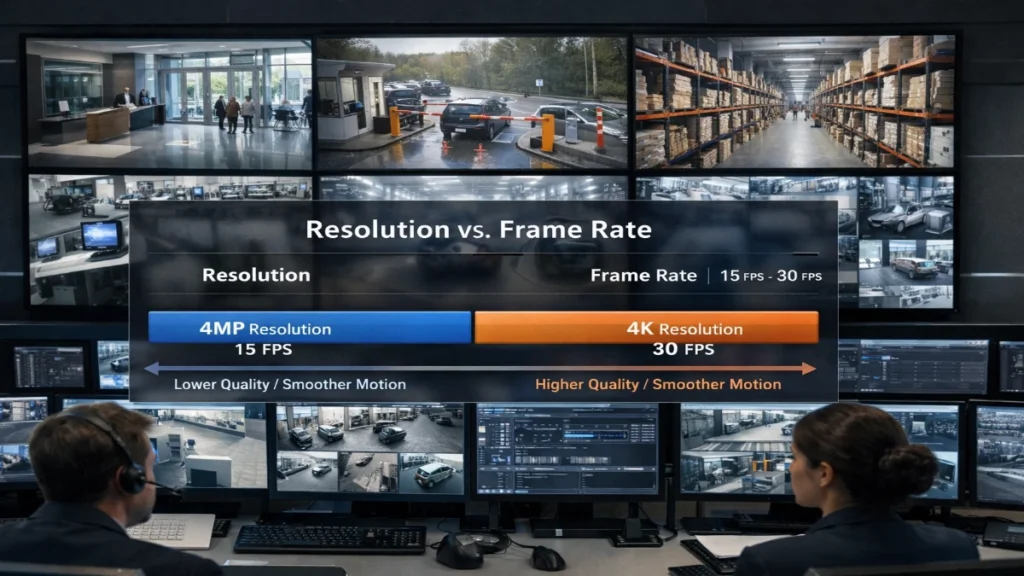
When enterprises plan a CCTV upgrade, one debate shows up in almost every meeting: “Should we prioritise higher resolution or higher frame rate?” Vendors often push big numbers, 4K, 8K, 60 FPS, 120 FPS, but engineers and IT teams know the truth: not every number improves real security outcomes. In fact, choosing the wrong “best spec” can increase storage cost, overload your network and still fail to capture the critical moment. This guide breaks it down clearly with practical engineering logic, real enterprise use cases and decision frameworks you can actually apply. If you manage CCTV for corporate offices, IT parks, industrial facilities, warehouses or multi-building campuses, this is the roadmap you need. Why This Debate Matters in Enterprise CCTV Enterprise CCTV is not the same as home surveillance. Your requirements are tougher: So when you choose between resolution and frame rate, you are not only choosing “video quality.” You are choosing: Quick Definitions (In Simple Words) What is Resolution? Resolution = the amount of detail in each frame. It is measured in pixels, such as: Higher resolution means: What is Frame Rate (FPS)? Frame rate = how many frames the camera captures per second. Common CCTV frame rates include: Higher frame rate means: The Real Question: What Are You Trying to Capture? Instead of asking “which is better?”, ask: “What evidence do I need from this camera?” Most enterprise incidents fall into these categories: Resolution helps identification.Frame rate helps with tracking and motion clarity. Resolution vs Frame Rate: The Core Trade-Off Here’s the truth, engineers love: You can’t maximise everything without increasing cost. When you increase resolution or frame rate, you typically increase: So the goal is optimised evidence per GB. When Resolution Matters More Than Frame Rate Choose a higher resolution when your camera’s job is recognition. Best examples: Why resolution wins here: If your footage is meant to answer: Then, more pixels per face/object matter far more than smoother motion. What works well in practice: Pro tip for engineers:Even 4K will fail if the camera is too high and faces are small. Proper placement beats raw resolution. When Frame Rate Matters More Than Resolution Frame rate becomes critical when your camera’s job is capturing fast movement and maintaining continuity of actions. Best examples: Why frame rate wins here: If your footage is meant to answer: Then smooth motion + less blur helps your investigation more. What works well in practice: Motion Blur: The Hidden Enemy in CCTV Many people blame “low resolution” when the real culprit is motion blur. Motion blur occurs when: So even a 4K camera can produce useless footage if: Engineer-grade fix: The Enterprise Truth: Bitrate Is the Actual Cost Driver Resolution and FPS are not your real enemy. Your real enemy is the uncontrolled bitrate. Because bitrate determines: Example idea (not exact math, but practical reality): That’s why engineers design CCTV based on: Best CCTV Settings for Most Enterprises (Recommended Baseline) If you want a proven baseline for enterprise environments: For Most Indoor Areas: This setup balances: For Critical Identification Cameras: For Fast-Motion Zones: Don’t Ignore This: Lens, Angle and Field of View Matter More Than 4K vs 30 FPS This is where real CCTV engineering begins. Why a cheap “high spec” camera fails: If your camera covers a wide area, your face becomes a tiny part of the image. Even 8MP will not help if: Better strategy: Use multiple cameras with correct lens selectionInstead of one wide 4K camera trying to cover everything. This improves: Frame Rate Benchmarks That Actually Make Sense Engineers don’t need cinematic CCTV. They need usable evidence. Here’s a practical FPS guide: In many enterprise deployments, 15 FPS is the best ROI setting. Resolution Benchmarks That Actually Make Sense Resolution choices should follow coverage goals: Most enterprises succeed with a mix like:70% cameras = 1080p/4MP30% cameras = 8MP for critical locations Storage & Retention Planning: A Practical Rule Retention is where leadership gets serious. Common retention requirements: To maintain long retention: Enterprise storage optimisation checklist: Analytics & AI: Resolution Helps, But Stability Helps More If you run analytics like: Then a stable, noise-free image matters more than raw specs. Best analytics-friendly setup: Pro tip:A shaky 4K camera with IR glare will trigger false alarms all day. Real Use Case Scenarios (Enterprise Ready) Scenario 1: Office Reception Goal: identify visitors Scenario 2: Parking Exit Gate Goal: record vehicle movement + plate clarity Scenario 3: Warehouse Floor Goal: monitor operations + safety incidents Scenario 4: Campus Perimeter Goal: detect intrusion and track movement What Really Matters: The Evidence Score (Simple Framework) When deciding settings, ask these 5 questions: Best Practice Recommendation for Enterprises If you want one clean recommendation that works for most enterprise CCTV projects: Use 4MP @ 15 FPS as the default baseline Then upgrade specific cameras based on purpose: This strategy delivers: Common Mistakes Enterprises Make Mistake 1: Setting every camera to 4K at 30 FPS This destroys storage and bandwidth and still doesn’t guarantee usable footage. Mistake 2: Using wide-angle cameras everywhere Wide angles reduce pixel density on faces and objects. Mistake 3: Ignoring lighting Low-light performance decides the real quality at night. Mistake 4: Not optimising recording profiles A good VMS setup can cut storage by 30–60% while improving usability. Resolution vs Frame Rate: What Should You Choose? Here’s the simplest truth: Because the best enterprise CCTV is not about max specs.It’s about max evidence per rupee, per GB, per camera. Bottom Line for Engineers and Decision Makers If you want CCTV footage that actually helps during incidents: That’s how enterprise CCTV delivers real-world value, not marketing numbers. Read Also: CCTV Planning for Corporate Offices, IT Parks & Campuses Read Also: Enterprise CCTV Network Architecture: What IT Teams Expect
CCTV Planning for Corporate Offices, IT Parks & Campuses
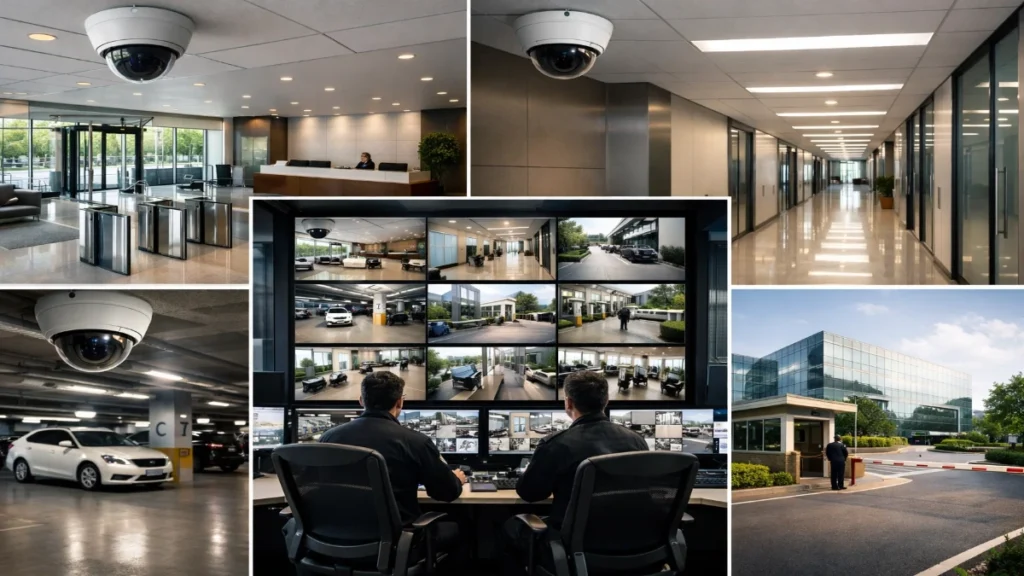
Security in corporate environments is no longer limited to installing cameras at entrances and hoping for the best. Today’s corporate offices, IT parks and multi-building campuses need CCTV systems that can do much more: But here’s the truth: most people learn after a failed project.CCTV is not a product purchase. It is a planning and engineering exercise. This guide explains CCTV planning from the ground up without confusing jargon, so facility managers, consultants, integrators and engineers can design systems that actually work in real conditions. Why CCTV Planning is Different for Corporate & Campus Sites CCTV planning in offices and IT parks is more complex than malls or homes because: So the goal is not “more cameras.”The goal is the right cameras in the right locations with the right image clarity. Step 1: Define What You Want CCTV to Achieve Every successful CCTV project starts with clarity on outcomes. The 4 real CCTV goals If you skip this, you will end up with footage that looks okay on a monitor but becomes useless during investigations. Example:A wide-angle camera in a lobby can observe movement, but it may not identify faces. Step 2: Map the Site Like an Engineer (Zone Planning) For corporate offices, IT parks and campuses, coverage needs zoning. Zone A: Critical & high-risk areas These must always deliver clear footage: Zone B: Medium-risk areas Zone C: Low-risk monitoring This zoning helps you design a system that is cost-effective and practical. Step 3: Understand Camera Types for Corporate Use Many CCTV projects fail because planners choose the same camera type everywhere. 1) Dome cameras (Best for indoor corporate spaces) Best areas: 2) Bullet cameras (Best for outdoor and long-range) Best areas: 3) PTZ cameras (For active monitoring, not replacement) Best areas: 4) Multi-sensor cameras (Wide areas with fewer devices) Best areas: Step 4: Choose Resolution the Smart Way (Not “Higher is Always Better”) Resolution affects: Recommended resolution plan for corporate sites 2MP (1080p) – Corridors, general monitoring4MP – Best overall balance for most areas8MP (4K) – Entry gates, critical zones, long distance Practical advice:Use 4MP as your standard and deploy 8MP only where you truly need identity capture. Step 5: Lens Selection (The Real Secret of Good Footage) A high-resolution camera with the wrong lens still gives poor evidence. Simple understanding: In corporate CCTV planning, varifocal cameras are extremely useful at entrances, corridors and gates. Step 6: Best CCTV Placement Strategy for Corporate Offices This is where planning turns into real engineering. A) Main Gate Cameras (IT Parks & Campuses) Your gate is your highest-value CCTV point. You should capture: Recommended layout: A single wide camera cannot deliver face clarity + number plate clarity together. B) Reception & Lobby (Most Incidents Start Here) The reception needs a face capture. Best practices: Ideal setup: C) Corridors & Floor Movement Areas Corridors are movement trails. Placement rules: Engineers often use this method:“Coverage from decision points”Decision points are where people choose a direction, lift lobby, corridor junction, or staircase entry. D) Lift Lobbies and Staircases These are access control zones even without access control systems. Coverage must include: If staircases have emergency exits, record them clearly to detect misuse. E) Server Room / MDF / UPS Room (Critical Surveillance) These zones must always have evidence-quality footage. Minimum recommended: Extra layer: Step 7: Parking Surveillance That Actually Works Parking is where most complaints happen: Parking planning must include: Best approach: Step 8: Perimeter CCTV Planning for Campuses Perimeter planning should prevent: Placement logic: Optional upgrades for large campuses: Step 9: Storage Planning (Retention, FPS, and Compression) Storage planning must be accurate, or you will face these issues: Recording settings that work well in corporate sites Compression recommendation Use H.265 wherever possible for better storage efficiency. Retention guidance Always keep 15–20% spare storage capacity for expansions and bitrate variations. Step 10: Network Design (The Most Ignored CCTV Topic) In corporate environments, CCTV must work smoothly without affecting the office internet. Best CCTV networking practices PoE considerations A clean network plan avoids lag, frame drops and recording issues. Step 11: VMS vs NVR (What’s Best for IT Parks?) NVR-based systems Best when: VMS-based systems Best when: For IT parks and campuses, VMS is usually the smarter long-term choice. Step 12: Cybersecurity & Privacy in Corporate CCTV CCTV is part of your digital infrastructure. CCTV cybersecurity checklist Privacy rules that protect your organisation Good CCTV planning improves security without making workspaces uncomfortable. Step 13: Smart Analytics That Add Real Value Analytics should solve a real problem. Otherwise, it becomes a “feature” nobody uses. Most useful analytics for corporate sites: Engineers should always test analytics in real conditions because: Step 14: Maintenance Plan (Your CCTV System’s Lifeline) CCTV failure is often caused by poor maintenance, not poor products. Corporate CCTV maintenance checklist Sample CCTV Planning Blueprint (Corporate + IT Campus) Here is a reliable baseline structure. Office building Outdoor areas This method ensures balanced coverage without overspending. What You Should Remember Before Finalising Your CCTV Plan A corporate CCTV system succeeds when it has: When you design CCTV with this mindset, you get a system that is not only “installed” but trusted and reliable when it matters. Read Also: Enterprise CCTV Network Architecture: What IT Teams Expect Read Also: Why CCTV Systems Are Becoming More Network Projects Than Security Projects
Enterprise CCTV Network Architecture: What IT Teams Expect

Modern enterprise CCTV is no longer “just cameras and a recorder.” It’s a full-scale IP network workload that lives alongside ERP systems, VoIP, Wi-Fi, cloud apps and OT infrastructure. That’s why IT teams expect more than image quality; they expect predictable bandwidth, clean network design, strong cybersecurity, manageable storage and measurable uptime. In this guide, you’ll learn what IT teams really want from enterprise CCTV network architecture, how to design it correctly from day one, and the checklist engineers use to avoid the most common failure points. Why CCTV Architecture Matters More in Enterprises In small setups, a few cameras can run on a basic switch and a single NVR. In an enterprise environment, the requirements change fast: A poor CCTV network design creates problems that IT teams hate: Enterprises don’t accept “it works sometimes.” They want architecture that is structured, scalable and supportable. What IT Teams Expect From a CCTV Network (At a Glance) Here’s what most IT departments look for when approving CCTV deployments: If your proposal covers these points clearly, IT teams trust the design faster. Core Components of an Enterprise CCTV Network Architecture 1) Cameras (Edge Devices) In enterprise architecture, cameras are treated like managed endpoints. IT expects: Engineer tip: Always define camera streaming standards: This prevents random settings and unpredictable bandwidth. 2) PoE Access Layer (Switching at the Edge) Most enterprise cameras run on PoE. IT teams will check: Common failure: A switch has enough ports, but not enough PoE power.Result: cameras reboot, IR flickers, random outages. Best practice: Design for 20–30% PoE headroom and label ports per camera. 3) Aggregation Layer (Distribution Switching) For large sites, edge switches uplink to distribution switches. IT expects: Pro tip: If you’re deploying 100+ cameras in a campus, use a proper three-tier model: It keeps the CCTV traffic controlled and predictable. 4) Core Network and Routing At the core, IT wants CCTV traffic to be a “well-behaved” workload, not a network bully. They’ll expect: Golden rule: CCTV should never run on a “flat network” in enterprises. VLAN Design: The First Thing IT Teams Ask About If there’s one question IT will ask immediately, it’s this: “Which VLAN will cameras and recorders use?” A strong approach: This structure enables: Bonus tip: Use separate VLANs per building or zone if camera count is high. Bandwidth Planning: Don’t Guess, Calculate Enterprise CCTV bandwidth planning is not optional. IT teams want actual numbers. What affects camera bandwidth? Practical estimation method Instead of relying on “average assumptions,” design like this: IT expectation: Your design should prove it won’t saturate links. Storage Architecture: What IT Teams Want to See Most CCTV project delays happen because of storage confusion. IT teams will ask: Common enterprise storage models Centralised VMS + Central Storage Distributed Recording + Central Monitoring Hybrid Cloud (Selected Upload) Best practice: Always design storage with: Recording Model: Centralised vs Distributed (How IT Decides) Centralised recording works best when: Distributed recording works best when: IT teams prefer architectures that continue recording even when the WAN fails. Cybersecurity: The Non-Negotiable Requirement In 2026, CCTV is a top attack surface because: What IT teams expect in secure CCTV architecture Remote viewing must be via VPN/Zero Trust, not port forwarding. Redundancy & High Availability: How Enterprises Define “Reliable” IT teams don’t accept single points of failure. What they expect redundancy for: Design approach that works Even a “basic” enterprise should target no total system blackout from one failure. Time Sync and Auditability (Often Ignored, Always Important) IT teams expect video evidence to be: Must-haves: If timestamps drift across devices, investigations become messy fast. VMS Expectations: What IT Wants Beyond “Live View” Engineers often focus on cameras. IT focuses on platform maturity. A VMS should provide: IT expectation: The VMS must be manageable like an enterprise app, not like a consumer tool. Monitoring & Troubleshooting: The “Supportability” Factor IT teams love architecture that makes faults easy to detect. What they expect built-in: What engineers should provide: A well-documented CCTV system reduces support calls dramatically. Wi-Fi Cameras in Enterprises: What IT Usually Says Wi-Fi cameras look convenient, but IT teams often push back because of: If wireless is necessary, IT expects: For critical surveillance, wired PoE remains the enterprise standard. WAN and Multi-Site CCTV: Designing Without Killing Links For multi-site deployments, IT teams need: Best practice: This design improves performance and reduces WAN costs. Edge Analytics vs Central Analytics: What Enterprises Prefer Enterprises love analytics, but they want it practical. Edge analytics advantages Central analytics advantages Most enterprises prefer a hybrid approach: The Architecture Checklist IT Teams Approve Faster Use this as your IT-facing design checklist: If you include this in your proposal, IT teams see you as a serious engineering partner. Common Enterprise CCTV Architecture Mistakes (And How to Avoid Them) Mistake 1: Putting cameras on the corporate user VLAN Fix: Always isolate cameras in dedicated CCTV VLANs. Mistake 2: Oversubscribing uplinks A 24-port camera switch with 1G uplink often becomes a choke point.Fix: Use 10G uplinks or distribute the camera load better. Mistake 3: Ignoring storage write throughput Storage might be “big enough” but not “fast enough.”Fix: Validate sustained write performance. Mistake 4: Default passwords and open services Fix: Follow a camera hardening checklist on day one. Mistake 5: No documentation at handover Fix: Deliver diagrams, IP plans and port mapping. Enterprise CCTV Network Architecture That Engineers Are Proud Of When your architecture is clean, IT teams notice immediately: That’s the difference between “a CCTV project” and an enterprise CCTV system. If you design surveillance like an IT workload, segmented, scalable, secure and documented, you win long-term trust and repeat deployments. Read Also: Why Industrial CCTV Systems Are Designed Differently Than Commercial CCTV Read Also: Why CCTV Systems Are Becoming More Network Projects Than Security Projects
Why Industrial CCTV Systems Are Designed Differently Than Commercial CCTV
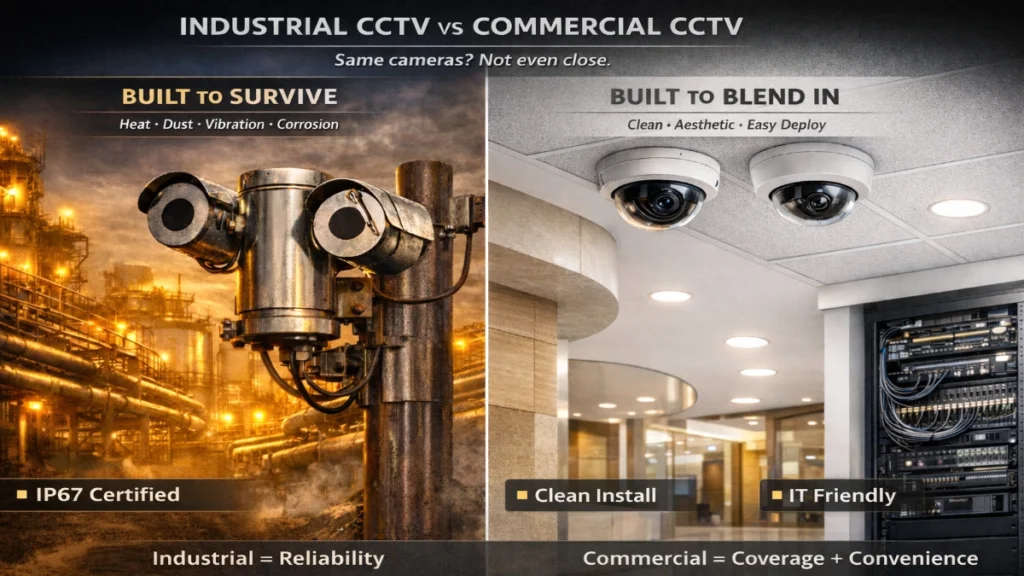
Security cameras look similar from a distance. A bullet camera is a bullet camera, right? Not exactly. Industrial CCTV systems are built for environments that can destroy “normal” cameras and networks. We’re talking about heat, dust, chemicals, vibration, electrical noise, explosive gases, long distances and 24/7 operations where downtime is not acceptable. Commercial CCTV systems, on the other hand, focus more on clean visuals, ease of installation and smooth integration with IT networks inside offices, malls, schools and hotels. If you’re designing, upgrading, or specifying surveillance, this difference is everything. A camera that works perfectly in a corporate lobby may fail in a refinery within weeks. An industrial-grade design approach may feel “overkill” and expensive for a retail store. This article breaks down why industrial CCTV is designed differently, what engineers should consider and how to choose the right architecture. Industrial vs Commercial CCTV: The Quick Definition Industrial CCTV Industrial CCTV is built for harsh, high-risk and high-reliability environments, such as: Commercial CCTV Commercial CCTV is built for public-facing and business environments, such as: Both use IP cameras today, but the design philosophy is fundamentally different. 1) Environment Comes First: Industrial Sites Are Brutal Commercial areas are “controlled environments.” Even when they are busy, they stay within predictable conditions. Industrial environments are the opposite. What industrial CCTV must survive: That is why industrial cameras often come with: Engineering truth: In industrial CCTV, image quality is important, but survivability and uptime are priority #1. 2) Hazardous Areas Demand Explosion-Proof Design Commercial CCTV rarely deals with explosive gas zones. Industrial sites often do. In oil & gas, chemical plants and paint industries, you may face hazardous areas where a simple electrical spark could cause ignition. That’s why certain industrial deployments require: These are not “optional upgrades.” These are safety and compliance requirements. Key difference: Commercial CCTV is designed to deter crime. Industrial CCTV is designed to support safety, compliance and process continuity. 3) Industrial CCTV Must Cover Massive Distances Commercial CCTV is usually deployed inside buildings, so distances are manageable. Industrial plants are huge. Typical industrial requirements include: This changes the design dramatically: If you design industrial CCTV like a commercial office network, you will face: 4) Video Is Not Just “Security” in Industry — It’s Process Visibility In commercial setups, CCTV mostly means: In industrial setups, CCTV is also used for: This is why industrial CCTV designs are shaped around operational needs: In short, commercial CCTV records incidents.Industrial CCTV helps prevent incidents and supports operations. 5) Industrial Sites Need Stronger Electrical and Surge Protection Commercial sites usually have stable power and clean earthing systems. Industrial sites often have: That’s why industrial CCTV design includes: A normal PoE switch in a dusty outdoor panel can die quickly.Industrial switches are built for: 6) Industrial Cabling Standards Are More “Hardcore” Commercial CCTV often uses: Industrial CCTV may require: This is why industrial CCTV installation looks “heavier”: Industrial cabling is designed for serviceability and durability. 7) Industrial Cameras Need Different Optics and Viewing Logic Commercial cameras often prioritise: Industrial cameras prioritise: Example: A normal camera vs an industrial process view A commercial lobby camera might work at 2.8mm wide-angle. But a refinery perimeter camera might need: 8) Industrial CCTV Needs Reliability and Redundancy Commercial sites can tolerate: Industrial sites can’t. Because: So industrial CCTV design often includes: Commercial CCTV is often cost-optimised.Industrial CCTV is uptime-optimised. 9) Industrial Systems Use Different Network Architecture Commercial CCTV design is often simple:Camera → PoE Switch → NVR/VMS → Viewing Industrial CCTV is more structured: This layered design allows: Engineers love this because it becomes an actual network project, not just a camera installation. 10) Cybersecurity Is Bigger in Industrial Networks Commercial systems are commonly deployed inside IT networks, but industrial deployments face more serious risks. Industrial sites may have: So industrial CCTV should follow: The goal is simple:A CCTV network should never become a gateway into industrial control systems. Industrial CCTV is designed with stronger network discipline because failure is more expensive. 11) Maintenance Strategy Shapes the System Design Commercial CCTV maintenance usually means: Industrial CCTV maintenance planning is different: So engineers design industrial CCTV with: Industrial CCTV is designed like an asset management system, not just a surveillance tool. 12) Industrial CCTV Often Needs Specialised Cameras Commercial setups mostly use: Industrial sites may need: This changes both the project cost and design complexity. Common Mistakes When Industrial CCTV Is Designed Like Commercial CCTV Here are the real-world mistakes that create failures: Using indoor-rated cameras outdoors Result: Moisture ingress, lens fogging, corrosion. Choosing wide lenses for the perimeter Result: No usable identification at distance. Ignoring surge protection Result: Camera failures after lightning events. Copper everywhere, no fibre planning Result: Unstable links, ground noise issues and long-run PoE problems. Consumer-grade switches inside dusty panels Result: Overheating, random shutdowns, packet drops. No redundancy for recording and uplinks Result: Total blind spots during failures. Engineers don’t hate CCTV projects.They hate CCTV projects that fail because someone treated an industrial site like a shopping mall. How to Choose the Right Design: A Practical Checklist Use this quick engineering checklist: Environment checklist Compliance checklist Network checklist Camera selection checklist Maintenance checklist Industrial CCTV Is Engineering-First, Not Aesthetic-First Commercial CCTV systems are designed for convenience and coverage in predictable environments. Industrial CCTV systems are designed for: That’s why industrial CCTV needs a different approach from cameras and cabling to network architecture and redundancy. When you design it correctly, industrial CCTV becomes more than surveillance.It becomes a reliability tool for operations, safety and decision-making. Read Also: Industrial vs Enterprise CCTV: Engineering Differences That Matter on Site Read Also: Why CCTV Systems Are Becoming More Network Projects Than Security Projects FAQ’s
Industrial vs Enterprise CCTV: Engineering Differences That Matter on Site
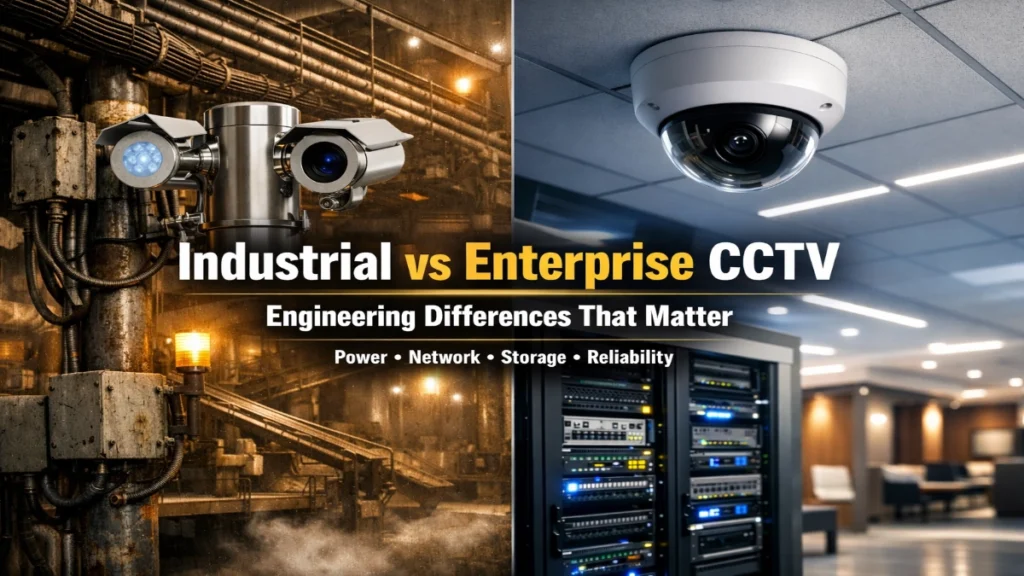
If you ask most people what makes a CCTV project “successful,” they will say: But every engineer knows the truth: A CCTV system is only successful when it survives real site conditions day after day without surprises. That’s why Industrial CCTV and Enterprise CCTV are not the same thing. They might use similar cameras, similar VMS platforms and the same networking terms like PoE, VLAN and NVR. Yet, on a live site, these two CCTV approaches behave very differently. This article explains the engineering differences that actually matter on site, especially when you are designing, installing and commissioning CCTV systems in: If your goal is to design a CCTV system that engineers respect and managers trust, you’re in the right place. Why This Comparison Matters (More Than You Think) Most CCTV problems don’t come from wrong brands. They come from wrong assumptions. For example: These assumptions break projects. And the damage is real: That is why understanding Industrial vs Enterprise CCTV helps you design smarter from day one. What Is Industrial CCTV vs Enterprise CCTV? Let’s define it in an engineering-friendly way. Industrial CCTV Industrial CCTV is built for survival + uptime in harsh environments like: In industrial sites, CCTV is often treated like a safety-grade operational system. It supports: Enterprise CCTV Enterprise CCTV is built for scalability + manageability in controlled spaces like: Enterprise CCTV is typically managed like an IT application: 1) Environmental Engineering: The Hidden Difference That Decides Everything This is the biggest site-level difference. Industrial Environments: Where Cameras Get Tested Daily Industrial CCTV faces conditions like: Dust and airborne particles Dust is not just “dirty air.”It creates real problems: High temperature zones Heat affects: Vibration Vibration causes: Moisture + wash-down Many plants wash floors and equipment areas.That means: Industrial CCTV design must assume worst-case conditions.Not “normal day conditions.” Enterprise Environments: Stable, Predictable, Easy to Maintain Enterprise CCTV typically has: So enterprise CCTV becomes easier to run: Engineer’s site truth:A camera that performs perfectly in a lobby may fail quickly on a dusty plant floor. 2) Power Engineering: PoE Is Great… Until It Starts Rebooting Cameras Power issues are one of the most common reasons why CCTV fails during commissioning. Industrial Power Challenges Industrial sites often have: In industrial CCTV, random camera reboots often happen because of: Industrial Power Best Practice Checklist Engineers usually plan: Enterprise Power Setup: Cleaner and More Controlled Enterprise setups usually have: So PoE works smoothly and consistently. Reality:Industrial CCTV is not “PoE by default.”It’s “PoE after engineering validation.” 3) Network Architecture: Why Industrial CCTV Feels Like a Network Project In modern systems, CCTV traffic is heavy.And the network decides performance. Enterprise Network Style: IT-Ready from Day One Enterprise environments typically support: So enterprise CCTV scales easily. Enterprise CCTV Design Benefits Industrial Network Style: Real Sites Don’t Look Like Diagrams Industrial CCTV networks deal with: That’s why industrial CCTV network planning must include: Site reality:In industrial projects, the network is not a background system.It is the backbone of CCTV reliability. 4) Camera Engineering: Where Specs Stop Being “Specs” and Become “Results” Many cameras look similar in brochures. But in real deployments, the difference shows up in: WDR performance in glare zones Industrial sites have high glare sources: IR performance in dusty air Dust particles reflect IR and create: Lens selection for long distances Outdoor yards need: Mechanical strength A weak mount can destroy your footage quality even if the camera is excellent. Enterprise Camera Priorities Enterprise projects prioritise: Enterprise cameras also benefit from: 5) Storage Engineering: The Most Underestimated Part of CCTV Design Storage planning is where many projects break after handover. Enterprise Storage: Predictable Bitrate Patterns Enterprise sites often have: This makes retention planning straightforward. Industrial Storage: Bitrate Spikes Are Normal Industrial environments cause bitrate instability due to: Industrial Storage Must Consider: Very important:Industrial CCTV is not only for security.It’s for operational accountability. Examples: 6) Reliability Engineering: Enterprise Tolerates Downtime, Industry Doesn’t Enterprise downtime is inconvenient. Industrial downtime is risky. Industrial Reliability Demands Industrial CCTV must survive: That’s why industrial designs often require: 7) Commissioning Reality: The Work That Makes Engineers Respect You This is where projects are won or lost. Enterprise Commissioning Enterprise commissioning focuses on: Industrial Commissioning Industrial commissioning focuses on: Pro tip, engineers follow:Never approve industrial CCTV without a night test. 8) Cybersecurity: Different Priorities, Same Exposure Enterprise is strong on cybersecurity policies.Industrial is strong on uptime priorities. Enterprise typically enforces: Industrial needs: Best engineering direction:Separate CCTV networks from OT networks unless the cybersecurity design is validated. 9) Analytics: Where It Works and Where It Lies AI is powerful, but the environment decides success. Analytics struggles in industry when: Analytics works well in industry for: Enterprise analytics performs better because: Industrial vs Enterprise CCTV: Practical Decision Table Choose Industrial-Grade Engineering When: Choose Enterprise-Style Design When: The “Engineer’s CCTV Blueprint” (Field-Proven Checklist) Before final design approval, validate: Site Validation Power Validation Network Validation Storage Validation Handover Validation The Systems Look Similar, But Engineering Makes Them Different Industrial vs Enterprise CCTV is not a “category difference.”It is an engineering difference. Industrial CCTV must survive: Enterprise CCTV must deliver: When you engineer CCTV based on real site conditions, not assumptions, you get: And that’s what separates a CCTV installer from a CCTV engineer. Read Also: Why CCTV Systems Are Becoming More Network Projects Than Security Projects
Why CCTV Systems Are Becoming More Network Projects Than Security Projects
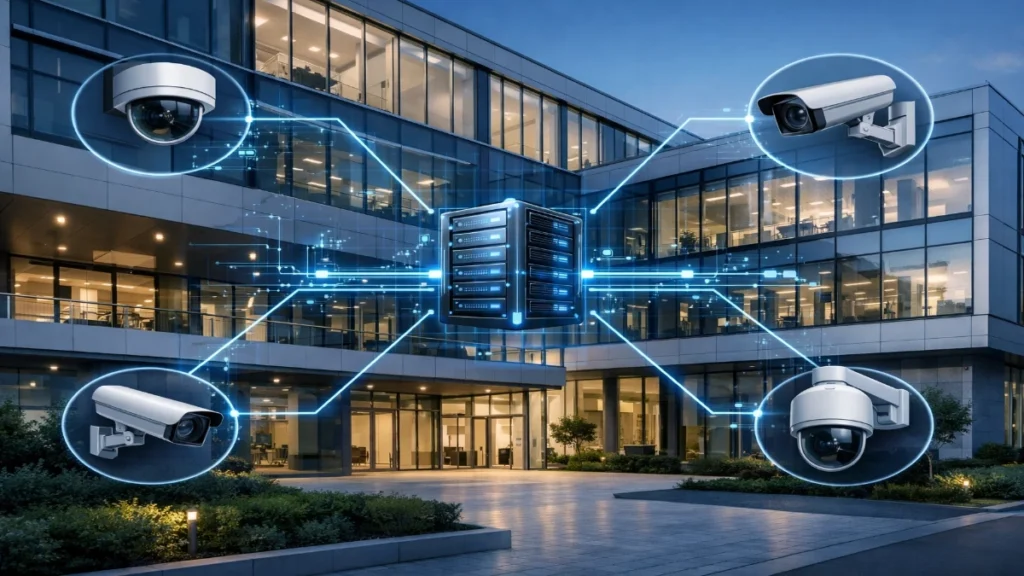
CCTV has changed. It is no longer “just cameras and a DVR.” Today, most modern CCTV deployments look and feel like IT network projects, complete with IP planning, bandwidth calculations, cybersecurity hardening, VLANs, cloud integrations and long-term scalability design. If you’re an engineer, consultant or facility manager, you’ve probably noticed this shift already: the success of a CCTV system now depends more on the network than the camera. And this is exactly why CCTV projects are increasingly being led (or heavily influenced) by network and IT teams. In this article, we will break down why this is happening, what it means for design and maintenance and how you can build CCTV systems that perform reliably, scale smoothly and stay secure. The Big Shift: CCTV Is Now an IP-Based Infrastructure Traditional CCTV systems were simpler: Now, most CCTV systems are fully IP-based and operate like any other enterprise network service. Modern CCTV includes: So the system is no longer just a “security installation.”It’s now a distributed network of endpoints streaming high-volume data continuously. 1) IP Cameras Are Network Devices First An IP camera is effectively a computer on your network. It has: This means your CCTV design now requires: In short, you are no longer “installing cameras.”You are deploying network endpoints at scale. 2) Video Traffic Is Heavy and Constant (Bandwidth Becomes the Real Bottleneck) Unlike most office traffic, CCTV produces continuous high data loads. Even one camera can generate a lot of traffic depending on: Now scale it: Example (real-world) A 4MP camera at ~4 Mbps average: That is not a small load.And if the network is not designed for it, you will see: So the engineer’s first question is no longer “which camera model?”It’s now: Can the network carry the video load reliably, 24×7? 3) PoE Switching and Port Engineering Is Now Core CCTV Design Power delivery has shifted, too. In the past, cameras were powered using local adapters or separate power lines.Today, PoE is standard. That makes the switch room a critical part of CCTV. Engineers now must calculate: If PoE planning is weak, you get: Reality check: CCTV stability is often decided inside the network rack, not at the camera site. 4) Storage and Recording Is Now a Server + Network Strategy Recording is not just “add a hard disk.” Modern recording design includes: Even storage depends on the network because cameras stream over IP. If the network struggles, storage will never receive clean streams. This is why enterprise CCTV designs look similar to: In short: CCTV recording is now an IT workload. 5) CCTV Systems Now Require Cybersecurity Like Any Other IT System This is one of the biggest reasons CCTV became a network project. IP cameras and VMS platforms are common cybersecurity targets because: A weak CCTV network can expose: Common CCTV security risks engineers see So the modern baseline includes: That is classic network security work.Not traditional “security installation” work. 6) VLANs, QoS and Network Segmentation Are Now Standard Practice Once cameras scale, you must control traffic. Why VLANs matter VLANs isolate CCTV devices from other network devices. This protects: Why QoS matters QoS helps prioritise important streams (like critical locations). Without segmentation, you may experience: So CCTV engineers are now discussing: That is pure networking. 7) Remote Monitoring + Multi-Site Viewing Made WAN Design a CCTV Requirement In many industries, CCTV is no longer local. Examples: They need: This adds new technical layers: So CCTV now touches:LAN + WAN + cloud. That is why engineers treat modern CCTV like an infrastructure project. 8) AI Analytics Made CCTV a Data and Compute Project Too Cameras are no longer passive video capture devices. Now they are expected to detect: These analytics require: In many projects, AI is the new KPI. And AI performance depends on video quality, which depends on the network health. So yes, analytics is pushing CCTV further into the network + compute world. 9) Compliance, Privacy and Data Governance Are Now Part of CCTV Planning Organisations now care about: This is especially important in: To meet compliance expectations, teams implement: Again, these are governance concepts from IT, not old-school CCTV. 10) Integration With Other Systems Makes CCTV a Connected Ecosystem Modern CCTV rarely works alone. It integrates with: Integration means: When systems connect, the network becomes the “spine” of security operations. CCTV Is Becoming a Network Project: What This Means for Engineers Here’s the real takeaway: CCTV success now depends on: So if you’re designing or deploying CCTV today, treat it like an enterprise deployment. A Practical Network Checklist for CCTV Projects Engineers love checklists. Here’s one you can actually use on site: Network Planning PoE and Switching Bandwidth and Performance Recording Design Cybersecurity Documentation Common Mistakes That Turn CCTV Into a Painful Project Even good systems fail due to predictable mistakes. Avoid these: The best CCTV engineers are not the ones who install fast.They are the ones who design to avoid failure. The Future: CCTV Will Become “Security Networking” as a Standard Skill The industry is moving toward: That means CCTV will keep shifting toward: Networking + Cybersecurity + System integration So if you’re in security engineering today, learning network basics is no longer optional.It’s a career advantage. Why This Change Is Actually Good This transition is not a problem. It’s progress. When CCTV becomes a network project: And most importantly:The CCTV system starts delivering business value, not just surveillance.
5 Things Every Fire Engineer Should Know Before Programming GST Panels
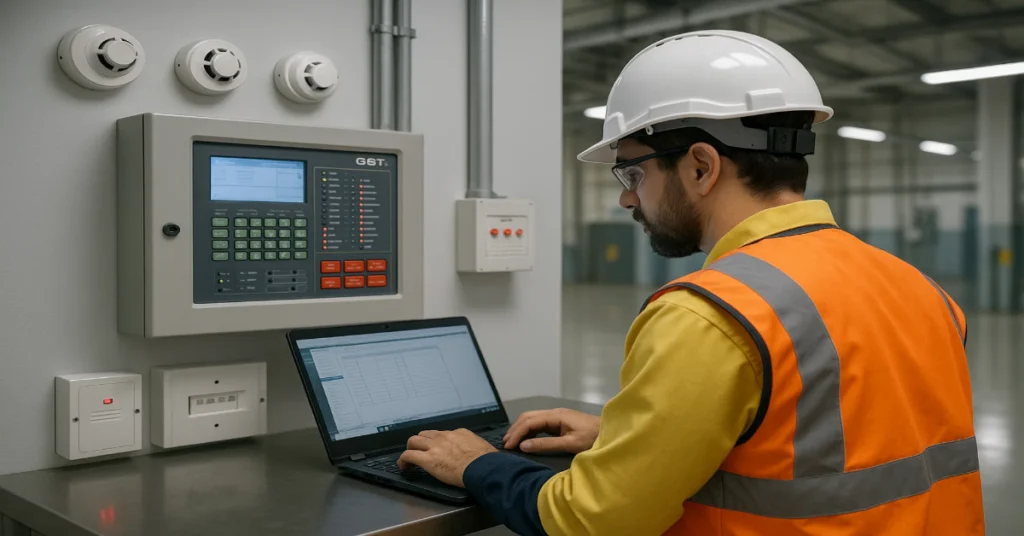
Fire alarm systems are at the heart of every building’s safety infrastructure, and their performance depends heavily on how accurately they are programmed and commissioned. For fire engineers, working with GST panels, renowned for their intelligent design, reliability and global compliance, requires more than just technical know-how. It calls for an understanding of system logic, loop configuration, device mapping and compliance standards. Before programming any GST intelligent fire alarm control panel, whether it’s the GST100, GST200N, or GST-IFP4E, engineers must ensure the groundwork is right. A single programming error can compromise detection accuracy or delay evacuation signals during an emergency. In this article, we explore five essential things every fire engineer should know before programming GST panels, helping you ensure your system runs flawlessly from day one. 1. Understand the Panel Architecture and System Topology Before even connecting the software or uploading configurations, a fire engineer must have a complete understanding of the panel’s architecture, loop topology and system communication structure. 1.1 Types of GST Panels GST panels are designed for different scales of buildings, from small facilities to complex high-rises: Each panel differs in loop capacity, network expandability and communication modules and understanding these parameters is the first step in programming effectively. 1.2 Loop Topology and Device Mapping GST uses a two-wire loop-based architecture where detectors, call points and modules are connected in a series. Each device carries a unique address ID.Before programming: This preparation helps prevent issues like duplicate addresses, communication errors or false alarms. 2. Learn How the Addressing and Zone Logic Works One of the most critical aspects of programming GST panels is mastering device addressing and zone configuration. Without proper logic, the system can report alarms inaccurately or delay response. 2.1 Manual vs. Auto Addressing GST detectors and modules support both: Best Practice: Always maintain a record (Excel or printed layout) of address assignments and corresponding device locations. This documentation becomes invaluable for future maintenance and troubleshooting. 2.2 Zone Logic and Programming Fire engineers must group devices into zones, logical segments of the building. Each zone represents an area like a floor, department or production line.When programming: A well-structured zone plan not only simplifies alarm interpretation but also supports efficient fire management during emergencies. 3. Familiarize Yourself with GST Programming Software GST panels come with dedicated configuration tools designed to make programming simple, structured and standardized. Understanding how to use these tools effectively is essential. 3.1 GST Programming Tool Overview The GST Programming Tool allows you to: Pro Tip: Always use the latest version of the GST programming tool and corresponding USB drivers to ensure compatibility with your operating system. 3.2 Communication and Data Backup When connecting your PC to the panel: Maintaining version control of configuration files helps prevent accidental overwrites and supports quick restoration in case of system resets or panel replacements. 4. Follow Compliance and Testing Protocols Before Final Programming Fire alarm systems are regulated by global and local standards such as EN 54, IS 2189 and NFPA 72. Before finalizing programming, ensure that every setup step aligns with these standards. 4.1 Compliance Checklist 4.2 Conduct Pre-Programming Tests Before final upload: These pre-programming checks ensure that once configurations are loaded, the system performs optimally without hidden faults. 5. Document Everything and Plan for Future Maintenance Programming a GST fire panel isn’t just about setting up the system today, it’s also about ensuring long-term maintainability. Documentation and maintenance planning are critical to sustaining system integrity. 5.1 Maintain a Detailed Programming Log Your documentation should include: Well-maintained records make it easier for future engineers or service teams to modify or expand the system without confusion. 5.2 Schedule Routine Reprogramming and Testing Fire safety regulations often require periodic inspection and testing. Over time, building layouts change and devices may be added or replaced.As part of good engineering practice: Regular updates ensure the system remains compliant and reliable throughout its service life. Stay Updated with GST’s Latest Panel Models and Firmware GST continuously evolves its fire alarm product line with new features and firmware updates to enhance performance, EMI resistance and network stability. Engineers should always stay informed about: Following GST’s technical bulletins or training sessions can give engineers an edge in system optimization and fault prevention. Precision Programming Saves Lives Programming a GST fire alarm panel isn’t just a technical step, it’s a critical safety responsibility. Every setting, from device addressing to cause-and-effect logic, plays a direct role in how efficiently a fire is detected and how quickly people can be evacuated. By mastering these five essential principles, understanding panel architecture, managing address and zone logic, using programming tools correctly, following compliance standards and maintaining thorough documentation, fire engineers can ensure every GST system operates at its highest reliability. In the end, a well-programmed GST panel is not just a control device, it’s the backbone of a building’s life safety ecosystem.And the engineer behind it plays the most crucial role in making that system truly dependable. Read Also: Why Consultants Prefer GST-IFP4E Over Conventional Panels for Smart Buildings Read Also: Why GST100 Leads Entry-Level Fire Panels for SMEs
Why GST100 Leads Entry-Level Fire Panels for SMEs
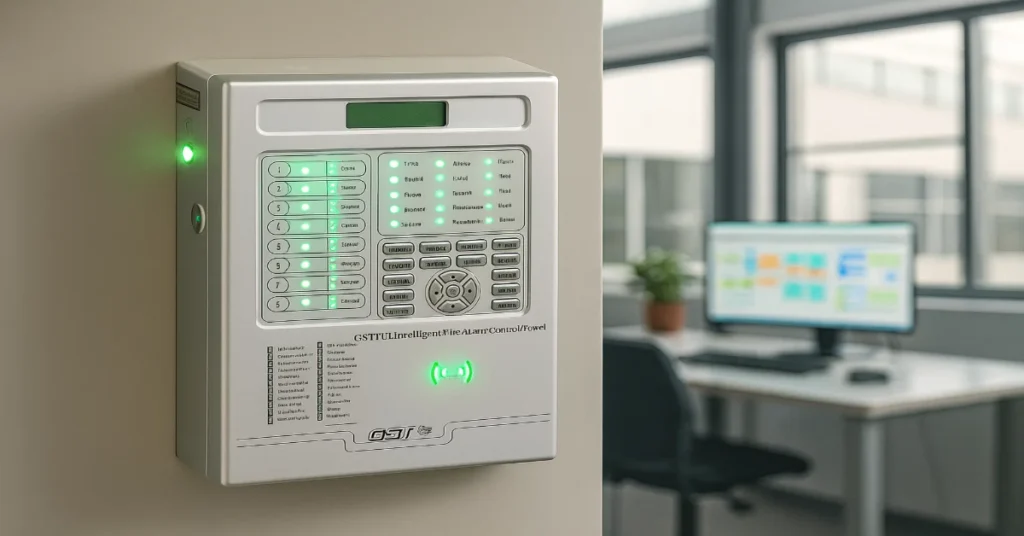
In the SME (Small and Medium-Sized Enterprise) ecosystem, buying decisions rarely start with “What is the best product?”They begin with “What will work without disrupting my business?” Small factories, independent workshops, retail clusters, storage units, micro-industrial parks and compact office buildings do not evaluate fire alarm systems the same way airports, malls or IT campuses do. Their purchase drivers are simpler, sharper and highly practical: When a product answers all these questions confidently, adoption stops being a hurdle.It becomes a natural choice. That is exactly what happened with GST100 Fire Alarm Panel Series. It did not become the highest-selling entry-level fire panel because of aggressive marketing or inflated spec sheets.It grew because the SME sector quietly voted for it with repeat purchases, installations and recommendations. The Real Market Gap That GST100 Filled For years, SMEs faced only two realistic options in fire panels: There was a missing third category: A panel that is affordable like a basic system, but reliable like an advanced one. SME owners did not need premium networking, remote analytics, BMS integrations, cloud dashboards or multi-loop intelligence.They needed a system that detects fire accurately, raises an alarm correctly, runs every day without crashing and does not demand an expert to operate it. GST100 placed itself exactly in this gap and the market responded instantly. Understanding the Core Buying Psychology of SME Business Owners Most SME decision makers include factory owners, safety supervisors, procurement managers, electricians or administrative heads who juggle 15 responsibilities at once. They value fire safety, but they also fear systems that: GST100 became their preferred choice because it reduces dependency on external support instead of increasing it. The system works intuitively, signals clearly and stays stable even when the electrical environment is not ideal. The buyer mindset here is simple: “I want peace of mind, not another project to manage.” GST100 delivers exactly that. Why the Market Trusted It So Quickly One of the biggest reasons for GST100’s success is not technology itself, but trust loops. In industrial and commercial hubs, purchasing decisions spread through word-of-mouth faster than advertising: Over time, the panel turns into the default safe recommendation in its category. Built for Real Infrastructure, Not Perfect Conditions Unlike large commercial complexes with controlled environments, SMEs deal with: Systems that look great on paper often fail here because the field is not a lab.GST100 survived and succeeded because it was built for the actual conditions SMEs operate in. It keeps detection stable, reduces signal noise errors and avoids erratic alarm behavior, critical factors that directly affect factory uptime. A simple rule governs adoption in this segment: If it runs silently in the background without interrupting business, it stays. If it creates chaos, it gets replaced. GST100 stayed. The Silent Killer of Fire Alarm Adoption: False Alarms Large enterprises can afford occasional false alarms. SMEs cannot. One false alarm in a manufacturing unit can mean: If alarms trigger too often without cause, staff start ignoring them. That is the most dangerous failure a fire panel can create, even if it works technically. GST100 gained preference because it showed alarm discipline.It triggers when it should. It stays silent when it should. This single behavior increases trust more than any technical feature list. Installation Speed Changed the Decision Game SME businesses cannot shut down operations for long installation projects. They prioritize systems that can be commissioned quickly with minimal disruption. Field technicians highlight three practical advantages with GST100: This translates into: A smooth installation means faster billing, faster compliance and faster peace of mind. Maintenance Without Dependence Many fire panels lock businesses into high-cost maintenance cycles because: Local service teams, electricians and field engineers understand it, support it and service it without friction. Spares are accessible, repairs are practical and downtime is minimal. SMEs do not want fancy systems. They want fixable systems. Compliance Without Complication For SME businesses, fire panels are often not purchased, they are mandated. Insurance inspectors, safety auditors, local authorities and industrial guidelines push for compliant detection systems. GST100 fits this requirement cleanly: It gives SMEs a straightforward path to regulatory acceptance without unnecessary escalation into premium-priced systems. The Cost Math That Made It a Bestseller While price is never the only decision factor, the cost-to-value ratio decides sustainability. GST100 wins on: Where GST100 Scaled the Fastest Its highest adoption comes from sectors where operations cannot afford downtime and budgets cannot absorb waste, such as: These environments share a pattern, practical needs, limited internal expertise, real operational risks and budget sensitivity. GST100 aligns with all four. Not the Most Advanced. Just the Most Suitable. The success of GST100 teaches a larger lesson in industrial product adoption: The best-selling product is not the most advanced one. It is the most suitable one. SMEs did not choose GST100 because it promised endless intelligence.They chose it because it promised certainty, simplicity and uptime. It does not overwhelm operators with data.It does not demand expensive dependencies.It does not seek perfection, it ensures consistency. Consistency is the real currency of trust. Why GST 100 Panel Leads the Market GST100 became the highest-selling entry-level fire alarm panel because it aligns with the real business language of SMEs: It did not win because it is the most advanced panel.It won because it is the most practical safety decision an SME can make. When a product becomes effortless to trust, effortless to use and effortless to maintain, the market stops debating brands and starts deploying units. That is exactly what happened here. GST100 did not just enter the SME segment.It became the standard answer to the question: “Which fire panel should we install?” Read Also: Why Consultants Prefer GST-IFP4E Over Conventional Panels for Smart Buildings Read Also: How GST200N Performs in Industrial Environments – EMI/Noise Test Results