Security is no longer just about installing a few cameras and recording footage. Today, surveillance systems act as intelligent safety platforms that protect people, assets and business continuity. But here’s the catch: a CCTV setup that works for a small office will completely fail at enterprise scale.
Many organisations make the mistake of treating surveillance as “one-size-fits-all.” In reality, enterprise CCTV design is a different engineering discipline altogether. It involves architecture planning, network infrastructure, cybersecurity, compliance, analytics and integration with multiple building systems.
If you’re an engineer, consultant, or system integrator, understanding this difference is critical. This guide breaks everything down in simple language while going deep enough to satisfy technical readers.
Let’s dive in.
What Is Small Office Surveillance?
Small office surveillance typically covers:
- Retail shops
- Clinics
- Startups
- Small warehouses
- Branch offices
Typical characteristics:
- 4–16 cameras
- Plug-and-play installation
- DVR or small NVR
- Basic recording
- Minimal networking
- Limited monitoring
Primary goals:
- Theft prevention
- Employee safety
- Simple recording
- Incident review
Design is straightforward. Install cameras, connect to the recorder and store footage. Done.
What Is Enterprise CCTV?
Enterprise surveillance is on another level. It protects:
- Corporate campuses
- Airports
- Factories
- Hospitals
- Malls
- Smart cities
- Multi-building facilities
Typical characteristics:
- 100–10,000+ cameras
- Distributed architecture
- Centralised monitoring centre
- Redundant storage
- AI-powered analytics
- Integrated security ecosystem
Primary goals:
- Risk management
- Compliance
- Operational intelligence
- Business analytics
- Real-time response
Here, CCTV becomes mission-critical infrastructure, not just recording equipment.
Core Differences Between Enterprise and Small Office CCTV
Now let’s break this down technically and practically.
1. Scale and Coverage
Small Office
- Few rooms
- Limited coverage
- Manual camera placement
Enterprise
- Multiple buildings
- Indoor + outdoor
- Parking + perimeter + restricted zones
- Thousands of endpoints
Enterprise design requires:
- Coverage mapping
- Risk zoning
- Blind spot elimination
- Redundancy planning
Engineers often create site heat maps and security layers, not just install cameras.
2. Network Architecture
This is where complexity explodes.
Small Office
- Single switch
- Cat6 cables
- Flat network
- No VLANs
Enterprise
- Layered architecture
- VLAN segmentation
- Core-distribution-access design
- Fiber backbone
- High bandwidth requirements
- Redundancy links
Why?
Because:
100 cameras × 8 Mbps = 800 Mbps continuous traffic
Imagine 1000 cameras. Now you’re in multi-gigabit territory.
Enterprise design includes:
- PoE budgeting
- Multicast streaming
- QoS
- Failover routing
- Network security policies
Without this, the video drops or crashes the entire LAN.
3. Storage Strategy
Small Office
- 2–8 TB NVR
- 7–15 days retention
- Single device
Enterprise
Storage becomes a science.
Engineers calculate:
- Bitrate
- Retention period
- Compliance requirements
- RAID protection
- Backup
Enterprise uses:
- NAS/SAN
- Edge recording
- Centralised storage clusters
- RAID 5/6/10
- Hot spares
- Automatic failover
Result?
Petabytes of data handled safely.
4. System Reliability
Small office systems tolerate downtime.
Enterprise cannot.
Small Office
- Single NVR
- No redundancy
Enterprise
Must support:
- 24/7 uptime
- No single point of failure
So designs include:
- Redundant servers
- Dual power supplies
- UPS + generators
- Failover recording
- Health monitoring
Because losing footage during an incident can cost millions.
5. Camera Technology
Small Office
- Basic 2–4MP dome cameras
- Fixed lens
Enterprise
Uses specialised cameras:
- 4K/8K
- PTZ
- Thermal
- LPR (License Plate Recognition)
- Fisheye
- Explosion-proof
- ANPR
Each camera serves a specific operational purpose, not just visibility.
6. Intelligence and Analytics
Small Office
- Motion detection
- Playback only
Enterprise
Adds intelligence:
- People counting
- Intrusion detection
- Face recognition
- Queue monitoring
- Behavior analytics
- Heatmaps
- License plate capture
This converts CCTV into business intelligence, not just security.
Example:
Retailers use analytics to improve store layout.
Factories use cameras for safety compliance.
Airports use real-time tracking.
7. Integration With Other Systems
This is the biggest differentiator.
Small Office
Standalone CCTV.
Enterprise
Fully integrated ecosystem:
- Access control
- Fire alarm
- BMS
- PAVA
- Intrusion detection
- Visitor management
When an event happens:
Door forced open → Camera auto-focus → Alert triggered → Recording bookmarked
This automation saves seconds, and seconds save lives.
8. Cybersecurity
Small systems rarely think about this.
Enterprise must.
Because IP cameras are network devices.
Enterprise practices:
- Encrypted streams
- Secure passwords
- VLAN isolation
- Firmware management
- Firewall rules
- Zero-trust policies
Without protection, cameras become hacking entry points.
9. Compliance and Regulations
Large organisations must meet:
- Data protection laws
- Privacy rules
- Retention mandates
- Audit requirements
So designs include:
- Role-based access
- Audit logs
- Masking features
- Legal retention control
Small offices rarely face this complexity.
10. Monitoring and Operations
Small Office
- Owner checks footage when needed
Enterprise
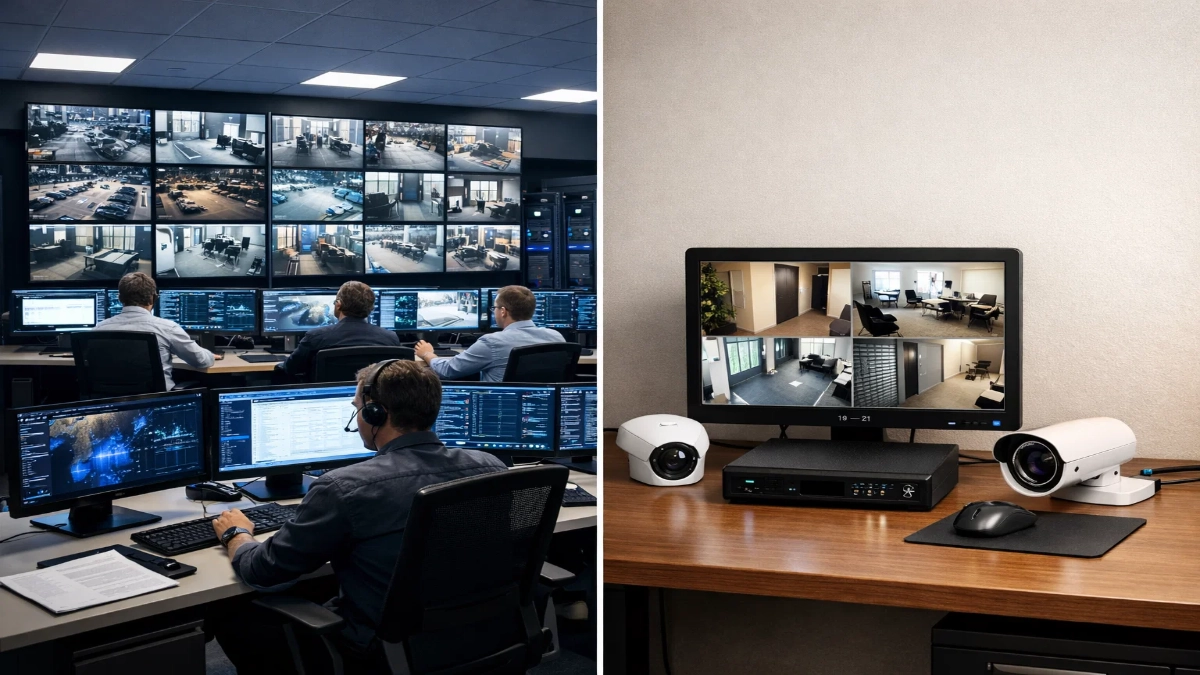
Dedicated SOC (Security Operations Centre)
Includes:
- Video walls
- Multiple operators
- Incident workflows
- Real-time alerts
- Standard operating procedures
Monitoring becomes active, not reactive.
Quick Comparison Table
| Factor | Small Office | Enterprise |
|---|---|---|
| Cameras | 4–16 | 100–10,000+ |
| Storage | Single NVR | Distributed cluster |
| Network | Basic | Segmented + fiber |
| Analytics | Minimal | AI-based |
| Redundancy | None | Full failover |
| Monitoring | Manual | 24/7 SOC |
| Integration | Standalone | Multi-system |
| Cybersecurity | Basic | Advanced |
Engineering Best Practices for Enterprise CCTV Design
If you’re designing enterprise systems, follow this:
Step-by-step approach:
- Risk assessment
- Coverage mapping
- Network planning
- Storage calculation
- Redundancy design
- Integration architecture
- Cybersecurity policy
- Testing and commissioning
Never start with camera installation. Start with strategy.
Final Thoughts
Here’s the simple truth:
Small office CCTV = recording tool
Enterprise CCTV = intelligent security platform
As scale increases, surveillance shifts from hardware to an engineering discipline.
If you design enterprise systems, think like:
- Network architect
- Security engineer
- Data planner
- Risk manager
Not just an installer.
When done right, enterprise CCTV doesn’t just capture video.
It protects people, prevents losses, improves operations and drives business intelligence.
And that’s the real difference.
Read Also: AI Video Analytics in Indoor Commercial Environments
Read Also: Inside Innxeon Technologies: Brands, Expertise & PAN-India Fire Safety Vision