Enterprise campuses are no longer small, static environments. They expand every year: new buildings, new departments, new parking zones and new security risks. What worked for 50 cameras last year often breaks down at 300 cameras today.
And here’s the hard truth most teams discover too late:
A non-scalable CCTV system doesn’t just cost more; it becomes impossible to manage.
Slow playback. Storage overload. Network congestion. Manual monitoring. Constant upgrades.
If your surveillance architecture cannot scale smoothly, you will rebuild it again and again.
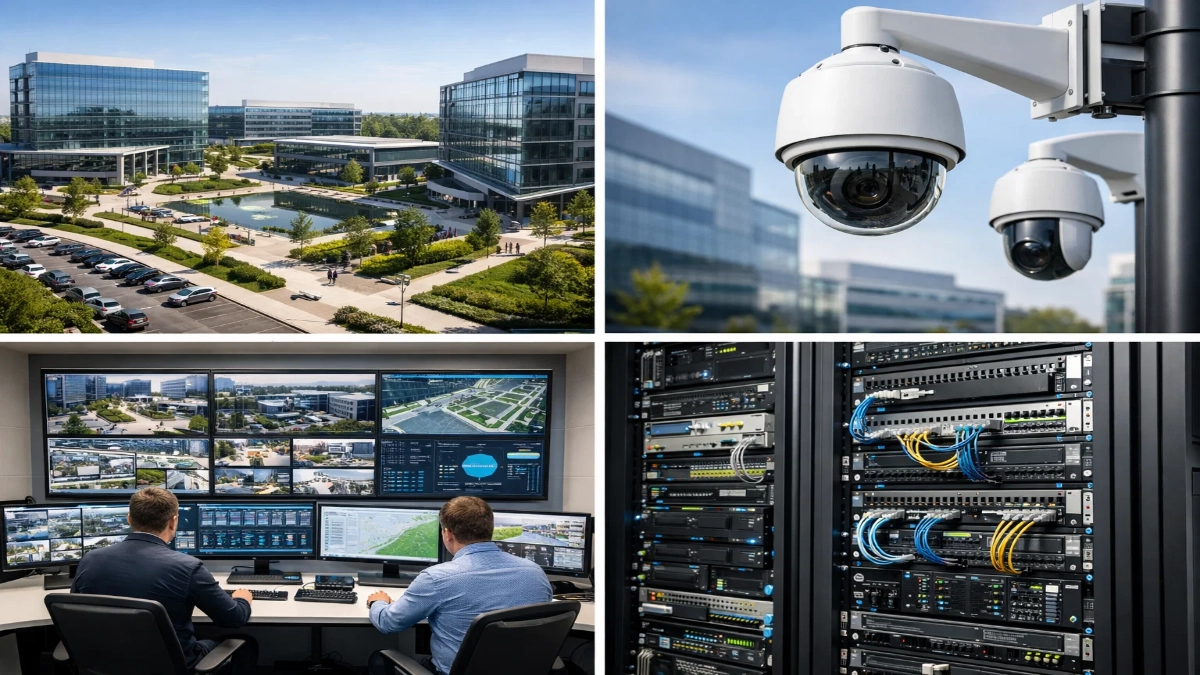
This guide walks you step-by-step through how to design scalable CCTV systems that grow with your campus, not against it. The focus is simple:
- Easy expansion
- Predictable performance
- Lower long-term costs
- Smart automation
- Engineer-friendly architecture
Everything explained in clear, practical language, no buzzwords.
What Does “Scalable CCTV” Actually Mean?
Before diving into design, let’s define it clearly.
A scalable CCTV system should:
- Add cameras without redesigning the network
- Increase storage without downtime
- Support new buildings easily
- Integrate AI and analytics later
- Maintain performance at 100, 500 or 2000+ cameras
- Stay manageable for the same IT team
In short:
Scale horizontally, not painfully.
Core Challenges Enterprise Campuses Face
Large sites create unique problems that small installations never see.
1. Rapid Expansion
New blocks, warehouses, labs and parking areas get added every year.
2. High Bandwidth Usage
Hundreds of HD/4K streams overload switches and uplinks.
3. Storage Explosion
Retention laws demand 30–90+ days of footage.
4. Central Monitoring
Multiple guards need access simultaneously.
5. Integration Needs
CCTV must work with:
- Access control
- Fire alarms
- Visitor management
- Analytics platforms
6. Maintenance Complexity
Troubleshooting 1 camera is easy.
Troubleshooting 1000 is not.
This is exactly why architecture matters more than camera count.
Step 1: Start With Smart System Architecture
Think of CCTV like IT infrastructure, not like individual devices.
Recommended Model: Distributed + Centralised Hybrid
Edge (per building):
- PoE switches
- Local recording (optional edge NVR)
- Camera aggregation
Core (data centre):
- Central VMS servers
- Central storage
- Monitoring room
- Backup
Why this works
| Approach | Problem |
|---|---|
| Fully centralized | Bandwidth overload |
| Fully local | No centralized control |
| Hybrid | Balanced, scalable |
Best Practice Tips
- Use fibre between buildings
- Separate CCTV VLAN
- Avoid daisy-chaining switches
- Plan 30–40% spare ports
Rule: Always design for tomorrow’s cameras, not today’s.
Step 2: Choose IP Cameras Built for Growth
Not all cameras scale equally.
Look for:
Resolution Flexibility
4MP–8MP gives detail but manageable bandwidth.
H.265/H.265+
Cuts bandwidth by 40–60%.
Edge Recording (SD card)
Acts as a backup if the network drops.
ONVIF Compliance
Allows future vendor flexibility.
PoE/PoE+
Simplifies expansion.
AI-Ready Hardware
People counting, intrusion detection, LPR, etc.
Pro Tip
Avoid mixing too many brands. It complicates:
- Firmware
- Analytics
- Support
Standardisation = simpler growth.
Step 3: Engineer the Network Like a Pro
Most CCTV failures are actually network failures.
Calculate Bandwidth First
Example:
- 5MP camera
- 4 Mbps average bitrate
- 500 cameras
Total = 2 Gbps continuous traffic
Now imagine peak loads.
Design Rules
Segmentation
Use a separate VLAN for CCTV.
QoS
Prioritise video traffic.
Uplinks
Use 10G/40G for core links.
Redundancy
Dual-core switches.
Avoid
- Wi-Fi cameras in enterprise environments
- Consumer routers
Quick Checklist
- PoE budget calculated
- Redundant uplinks
- Fibre backbone
- Managed switches
- SNMP monitoring
If the network is weak, everything else collapses.
Step 4: Storage Planning (Where Most Projects Fail)
Storage is where budgets explode.
Let’s simplify.
Key Factors
- Camera count
- Resolution
- FPS
- Retention days
- Compression
Formula
Storage (TB) =
Bitrate × 3600 × 24 × retention ÷ 8 ÷ 1024
Smart Strategies
Use Motion Recording
Reduces storage by 50–70%.
Tiered Storage
- SSD → recent footage
- HDD → archive
NAS/SAN Scalability
Add disks without downtime.
RAID Protection
RAID 5/6 or erasure coding.
Retention Policy
Don’t store everything forever.
Right-sizing saves lakhs in hardware.
Step 5: Centralised Video Management System (VMS)
Your VMS is the brain.
It must scale effortlessly.
Choose a VMS that supports:
- Multi-server architecture
- Unlimited camera licenses growth
- Failover servers
- Mobile access
- Role-based access
- Analytics plug-ins
- API integration
Why this matters
If your VMS cannot handle growth, you’ll replace the entire system.
Always think long-term.
Step 6: Add AI and Automation Early
Modern campuses generate too much video for humans.
AI reduces manual monitoring.
High-Value Use Cases
- Intrusion detection
- People counting
- LPR at gates
- Face search
- Loitering alerts
- Perimeter detection
Benefits
- Faster response
- Less manpower
- Actionable insights
- Better ROI
Scalable systems must be analytics-ready from day one.
Step 7: Design for Redundancy & Reliability
Enterprises cannot tolerate downtime.
Include:
- Dual power supplies
- UPS + generator
- Redundant recording servers
- RAID storage
- Network failover
- Edge recording
Think:
“What happens if this device fails?”
If the answer is “everything stops,” redesign.
Step 8: Future-Proof Integration
CCTV must integrate with:
- Access control
- Fire alarm
- Visitor management
- BMS
- Command centre software
Benefits
- Automatic camera pop-ups
- Event correlation
- Faster investigations
- Centralized dashboards
Open APIs and standard protocols are critical.
Step 9: Operations & Maintenance Strategy
Scaling is not only hardware. It’s also management.
Must Have
- Health monitoring dashboard
- Auto firmware updates
- Preventive maintenance schedule
- Central logs
- User training
Pro Tip
Use a single pane of glass dashboard for all cameras and devices.
Less complexity = fewer outages.
Sample Scalable Architecture (Reference)
Small Campus
50–100 cameras
Single server + NAS
Medium Campus
200–500 cameras
Distributed switches + central VMS + SAN
Large Campus
1000+ cameras
Multi-site servers + fibre backbone + AI analytics + SOC
Design evolves, not rebuilds.
Common Mistakes to Avoid
- Buying the cheapest cameras
- Ignoring bandwidth
- No redundancy
- Mixing too many brands
- Underestimating storage
- No growth plan
Each mistake multiplies costs later.
Quick Engineer’s Checklist
Before deployment, confirm:
- 30–40% extra capacity
- Fibre backbone
- H.265 cameras
- Modular storage
- Scalable VMS
- AI ready
- Redundant design
- Central monitoring
If all yes → you’re future-proof.
Build Once, Scale Forever
Designing CCTV for enterprise campuses is not about installing cameras.
It’s about building an ecosystem.
When done right:
- Expansion is easy
- Performance stays stable
- Costs remain predictable
- Security improves
When done wrong:
You constantly upgrade, replace and troubleshoot.
So always ask:
“Will this still work when we double our size?”
If yes, you’ve designed it correctly.
Read Also: CCTV Planning for Corporate Offices, IT Parks & Campuses
Read Also: Resolution vs Frame Rate in Enterprise CCTV: What Really Matters