When enterprises plan a CCTV upgrade, one debate shows up in almost every meeting:
“Should we prioritise higher resolution or higher frame rate?”
Vendors often push big numbers, 4K, 8K, 60 FPS, 120 FPS, but engineers and IT teams know the truth: not every number improves real security outcomes. In fact, choosing the wrong “best spec” can increase storage cost, overload your network and still fail to capture the critical moment.
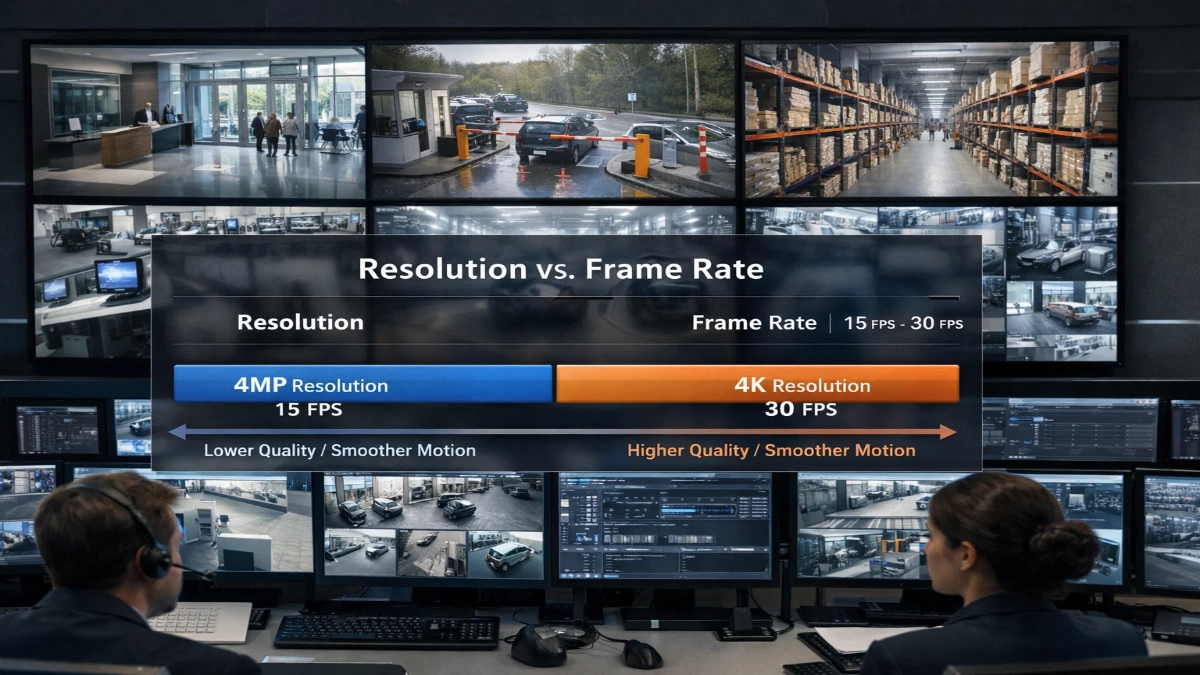
This guide breaks it down clearly with practical engineering logic, real enterprise use cases and decision frameworks you can actually apply. If you manage CCTV for corporate offices, IT parks, industrial facilities, warehouses or multi-building campuses, this is the roadmap you need.
Why This Debate Matters in Enterprise CCTV
Enterprise CCTV is not the same as home surveillance. Your requirements are tougher:
- Multiple buildings and floors
- Hundreds or thousands of cameras
- Mixed lighting conditions and long corridors
- Compliance and audit needs
- Centralised monitoring + remote access
- High storage retention policies (30/60/90+ days)
- Integration with VMS, access control, SOC, SIEM and analytics
So when you choose between resolution and frame rate, you are not only choosing “video quality.” You are choosing:
- Bandwidth consumption
- Storage retention duration
- CPU/GPU load on the VMS
- Playback usability during incident review
- Analytics accuracy and false alarms
- Evidence value during investigations
Quick Definitions (In Simple Words)
What is Resolution?
Resolution = the amount of detail in each frame.
It is measured in pixels, such as:
- 1080p (2MP) → 1920 × 1080
- 1440p (4MP)
- 4K (8MP) → 3840 × 2160
Higher resolution means:
- You can zoom in more
- You can identify faces or plate numbers more easily
- Fine details become clearer
What is Frame Rate (FPS)?
Frame rate = how many frames the camera captures per second.
Common CCTV frame rates include:
- 10 FPS
- 15 FPS
- 20 FPS
- 25 FPS
- 30 FPS
Higher frame rate means:
- Motion looks smoother
- Fast movement is captured better
- You can track actions more reliably
The Real Question: What Are You Trying to Capture?
Instead of asking “which is better?”, ask:
“What evidence do I need from this camera?”
Most enterprise incidents fall into these categories:
- Identification (Who is it?)
- Observation (What happened?)
- Tracking (Where did they go?)
- Forensic timeline (What sequence of actions occurred?)
Resolution helps identification.
Frame rate helps with tracking and motion clarity.
Resolution vs Frame Rate: The Core Trade-Off
Here’s the truth, engineers love:
You can’t maximise everything without increasing cost.
When you increase resolution or frame rate, you typically increase:
- Bitrate
- Storage usage
- Network load
- Processing overhead
So the goal is optimised evidence per GB.
When Resolution Matters More Than Frame Rate
Choose a higher resolution when your camera’s job is recognition.
Best examples:
- Main entry doors
- Reception and lobby counters
- Turnstiles and access control lanes
- Cash handling counters (if applicable)
- Server room entrance
- Parking entrances (for LPR or vehicle ID)
- Visitor management checkpoints
Why resolution wins here:
If your footage is meant to answer:
- “Who entered?”
- “Was it this person?”
- “Can we read the ID badge?”
- “Can we see the object in their hand?”
Then, more pixels per face/object matter far more than smoother motion.
What works well in practice:
- 4MP or 8MP
- 15-20 FPS
- Strong lighting + WDR
- Proper mounting height and angle
Pro tip for engineers:
Even 4K will fail if the camera is too high and faces are small. Proper placement beats raw resolution.
When Frame Rate Matters More Than Resolution
Frame rate becomes critical when your camera’s job is capturing fast movement and maintaining continuity of actions.
Best examples:
- Vehicle gates and boom barriers
- Corridors with fast walking traffic
- Warehouses with forklifts
- Loading docks
- Industrial areas with moving machinery
- Areas prone to snatching or quick incidents
- Staircases and emergency exits
Why frame rate wins here:
If your footage is meant to answer:
- “Which direction did they run?”
- “What exactly happened during the incident?”
- “Did someone take the item or drop it?”
- “Which vehicle crossed the gate at that moment?”
Then smooth motion + less blur helps your investigation more.
What works well in practice:
- 1080p or 4MP
- 25–30 FPS
- Fast shutter settings (if lighting allows)
- Good IR illumination at night
Motion Blur: The Hidden Enemy in CCTV
Many people blame “low resolution” when the real culprit is motion blur.
Motion blur occurs when:
- The subject moves quickly
- Lighting is poor
- The camera uses a slow shutter speed to brighten the image
So even a 4K camera can produce useless footage if:
- The corridor is dim
- People move fast
- Shutter speed is too slow
Engineer-grade fix:
- Improve lighting
- Use cameras with better low-light sensors
- Enable smart IR / true WDR
- Tune shutter speed (trade-off: noise increases)
The Enterprise Truth: Bitrate Is the Actual Cost Driver
Resolution and FPS are not your real enemy.
Your real enemy is the uncontrolled bitrate.
Because bitrate determines:
- Network bandwidth consumption
- Storage requirement per day
- Retention feasibility (30/60/90 days)
Example idea (not exact math, but practical reality):
- A 4K camera at 25 FPS may need 2–4x storage compared to 1080p at 15 FPS
- Multiply that across 300 cameras → your storage budget explodes
That’s why engineers design CCTV based on:
- Evidence goal
- Bitrate control
- Retention policy
- Critical zones vs general zones
Best CCTV Settings for Most Enterprises (Recommended Baseline)
If you want a proven baseline for enterprise environments:
For Most Indoor Areas:
- 1080p or 4MP
- 15 FPS
- H.265 encoding
- VBR (Variable Bitrate) with a max cap
- Motion recording + pre/post buffering
This setup balances:
- Good clarity
- Manageable storage
- Smooth enough motion
- Easier scaling across large deployments
For Critical Identification Cameras:
- 4MP or 8MP
- 15–20 FPS
- Tight field of view
- Good lighting and WDR
For Fast-Motion Zones:
- 1080p / 4MP
- 25–30 FPS
- Shutter optimised for motion
- Strong IR and anti-blur
Don’t Ignore This: Lens, Angle and Field of View Matter More Than 4K vs 30 FPS
This is where real CCTV engineering begins.
Why a cheap “high spec” camera fails:
If your camera covers a wide area, your face becomes a tiny part of the image.
Even 8MP will not help if:
- The camera is mounted too high
- The lens is too wide
- The subject is far away
Better strategy:
Use multiple cameras with correct lens selection
Instead of one wide 4K camera trying to cover everything.
This improves:
- Identification reliability
- Analytics accuracy
- Incident investigation speed
Frame Rate Benchmarks That Actually Make Sense
Engineers don’t need cinematic CCTV. They need usable evidence.
Here’s a practical FPS guide:
- 10 FPS → Low-activity zones, storage-saving mode
- 15 FPS → Best for general enterprise coverage
- 20 FPS → Balanced for semi-fast movement zones
- 25–30 FPS → High-motion zones (vehicles, fast actions)
In many enterprise deployments, 15 FPS is the best ROI setting.
Resolution Benchmarks That Actually Make Sense
Resolution choices should follow coverage goals:
- 2MP (1080p) → Best for large deployments and general monitoring
- 4MP → Best all-round option for indoor + outdoor
- 8MP (4K) → Best for identification zones and long-range detail
- 12MP+ → Rarely worth it unless an extremely specific need exists
Most enterprises succeed with a mix like:
70% cameras = 1080p/4MP
30% cameras = 8MP for critical locations
Storage & Retention Planning: A Practical Rule
Retention is where leadership gets serious.
Common retention requirements:
- Corporate offices: 30–45 days
- IT parks/campuses: 60–90 days
- Critical facilities: 90–180 days (sometimes more)
To maintain long retention:
- Don’t set every camera to 4K + 30 FPS
- Use tiering:
- Critical cameras at a higher quality
- General cameras at optimised settings
Enterprise storage optimisation checklist:
- H.265 enabled
- VBR with bitrate cap
- Motion-based recording
- Smart codec / ROI encoding if supported
- Scheduled recording profiles
- Multi-stream for viewing vs recording
Analytics & AI: Resolution Helps, But Stability Helps More
If you run analytics like:
- People counting
- Intrusion detection
- Line crossing
- Face detection
- Object detection
- Vehicle detection
Then a stable, noise-free image matters more than raw specs.
Best analytics-friendly setup:
- 4MP at 15 FPS
- Balanced exposure
- Minimal IR glare
- Clean mounting (no shake/vibration)
- Correct scene framing (subject size matters)
Pro tip:
A shaky 4K camera with IR glare will trigger false alarms all day.
Real Use Case Scenarios (Enterprise Ready)
Scenario 1: Office Reception
Goal: identify visitors
- 4MP/8MP
- 15–20 FPS
- Face-level angle
- Good WDR
Scenario 2: Parking Exit Gate
Goal: record vehicle movement + plate clarity
- 1080p/4MP
- 25–30 FPS
- Fast shutter + dedicated IR
- Correct mounting distance
Scenario 3: Warehouse Floor
Goal: monitor operations + safety incidents
- 1080p/4MP
- 15–20 FPS
- Wide lens but not too wide
- Good lighting
Scenario 4: Campus Perimeter
Goal: detect intrusion and track movement
- 4MP
- 15–20 FPS
- IR range + analytics tuning
- Avoid overexposure from headlights
What Really Matters: The Evidence Score (Simple Framework)
When deciding settings, ask these 5 questions:
- Do I need to identify a face or object clearly?
→ Increase resolution, tighten angle - Is motion fast and critical?
→ Increase FPS + reduce motion blur - Is the lighting poor?
→ Improve lighting + sensor quality beats increasing resolution - What is my retention requirement?
→ Bitrate control matters more than spec numbers - How many cameras will scale on my network?
→ Plan bandwidth using real bitrate estimates
Best Practice Recommendation for Enterprises
If you want one clean recommendation that works for most enterprise CCTV projects:
Use 4MP @ 15 FPS as the default baseline
Then upgrade specific cameras based on purpose:
- Upgrade to 8MP for identification points
- Upgrade to 25–30 FPS for fast-motion zones
- Never upgrade everything blindly
This strategy delivers:
- Better evidence quality
- Lower storage and network cost
- Faster incident investigation
- Easy scalability for future expansion
Common Mistakes Enterprises Make
Mistake 1: Setting every camera to 4K at 30 FPS
This destroys storage and bandwidth and still doesn’t guarantee usable footage.
Mistake 2: Using wide-angle cameras everywhere
Wide angles reduce pixel density on faces and objects.
Mistake 3: Ignoring lighting
Low-light performance decides the real quality at night.
Mistake 4: Not optimising recording profiles
A good VMS setup can cut storage by 30–60% while improving usability.
Resolution vs Frame Rate: What Should You Choose?
Here’s the simplest truth:
- If you need identity and detail, choose a higher resolution.
- If you need motion clarity and tracking, choose a higher frame rate.
- If you want enterprise efficiency, optimise bitrate + placement + lighting first.
Because the best enterprise CCTV is not about max specs.
It’s about max evidence per rupee, per GB, per camera.
Bottom Line for Engineers and Decision Makers
If you want CCTV footage that actually helps during incidents:
- Design per zone
- Optimise bitrate, not just specs
- Use resolution for identity
- Use FPS for motion
- Fix lighting and angles first
That’s how enterprise CCTV delivers real-world value, not marketing numbers.
Read Also: CCTV Planning for Corporate Offices, IT Parks & Campuses
Read Also: Enterprise CCTV Network Architecture: What IT Teams Expect