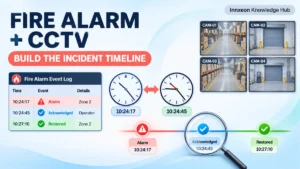
At 10:42 AM, a fire alarm control panel logs an alarm in a warehouse zone. The control room operator acknowledges it. Later, the investigation team retrieves CCTV footage, and the recording shows activity several minutes before the alarm entry. Was the gap caused by an incorrect camera clock, a recording delay, event-processing time, or a real sequence of events?
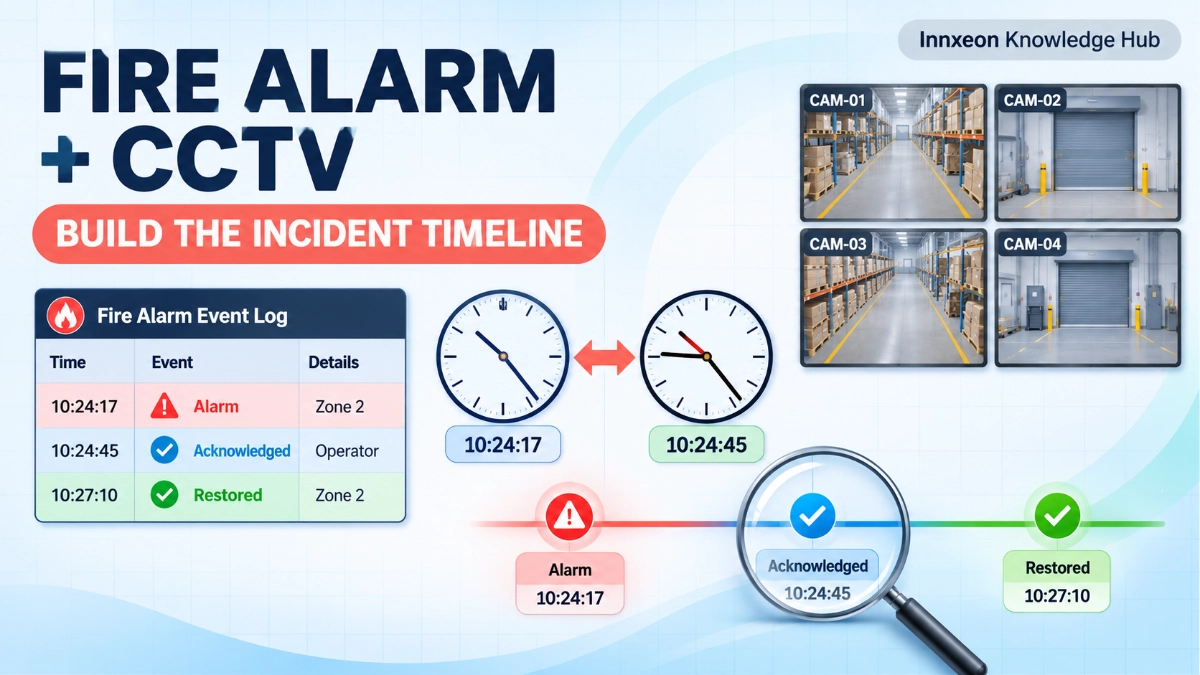
Fire alarm logs and video recordings usually live in separate systems, are managed by different teams, and are reviewed separately. Combined, they can show when, where, and in what order an incident unfolded. But a mismatched timestamp or an uncovered area can produce a confident and wrong conclusion. Correlation takes more than matching two clock times. It needs verified time sources, mapped locations, consistent naming, and preserved evidence.
Fire alarm and CCTV event correlation compares records from two independent systems to reconstruct an incident. Engineers collect alarm event records, map the alarm zone to relevant cameras, verify timestamp offsets, retrieve video around the event, compare the event sequence, and document a timeline that separates confirmed observations from assumptions. The timeline supports investigation but does not prove cause on its own.
What Is Fire Alarm and CCTV Event Correlation?
Fire alarm systems record events such as alarm, supervisory, fault, and restoration conditions. CCTV systems record visual activity within camera coverage. Correlation compares these records using time, location, event type, and whatever system information is available, to reconstruct a more complete sequence.
Three concepts are often confused:
- Event correlation: Comparing records from different systems, often manually, after the fact.
- System integration: Configuring systems to exchange selected information or trigger approved actions.
- Incident causation: Establishing what actually caused the event, which needs evidence beyond timestamp matching.
Why a Single System Cannot Explain the Whole Incident
| Fire Alarm System | CCTV System |
|---|---|
| Records alarm and fault events | Records visual activity |
| Identifies configured zones or devices | Shows activity within camera coverage |
| Provides event timestamps and system status | Provides video timestamps and recording sequences |
| Supports fire detection and life safety functions | Supports visual review and security investigation |
| Does not necessarily show what physically happened | Cannot independently confirm every fire condition |
The two complement each other without replacing each other. The panel log gives a structured, device-level record. Video adds context, such as people, vehicles, or visible conditions, but only where a camera was looking.
The Four Data Elements Needed to Build an Incident Timeline
1. Time
Collect timestamps from the fire alarm panel (EST3 or EST4, for example), cameras, NVRs, and, where relevant, BMS or access-control systems. Check time zone and daylight-saving settings, then assess clock drift and synchronisation.
Also establish what each timestamp represents. Event occurrence, panel processing, transmission, and display on a remote screen are different moments. Never assume all systems stamp the same instant.
2. Location
Gather fire alarm zones and device addresses, building and floor identifiers, camera names, coverage areas, and a camera-to-zone map. Note overlapping and missing coverage.
A camera near an alarm zone may not see the originating event. It may face an aisle, a doorway, or a different level.
3. Event Identity
Record alarm type, initiating device or zone, event sequence, acknowledgement and restoration records, and camera recording references. Naming consistency matters here. If the fire alarm drawings say “Zone 12 – Storage B,” the camera schedule says “WH-CAM-07,” and the operator screen says “Warehouse East,” investigators lose time reconciling them.
4. Evidence Integrity
Preserve original recordings and event logs. Record export timestamps and metadata, retention status, access permissions, and who handled the evidence. Document any clock correction applied. Investigators should be able to show how each piece of evidence was obtained and that the original remains unaltered.
How to Build an Incident Timeline Step by Step
Step 1: Collect the fire alarm event records. Capture the first alarm indication, device or zone, event type, acknowledgement time, subsequent alarms, supervisory or fault conditions, and restoration or reset records where available.
Step 2: Identify relevant CCTV cameras. Use zone drawings, device locations, camera layouts, and coverage maps. Review adjacent areas and access routes, not only the nearest camera, because the earliest visible activity may be outside the alarm zone.
Step 3: Verify time accuracy. Compare panel, camera, NVR, and other relevant clocks against a reference, such as a verified network time source or a time-stamped test event. Record each offset and how it was measured. Do not assume all devices share a time source, or that an apparent offset means a recording defect.
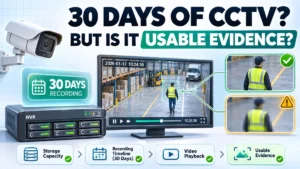
Step 4: Retrieve the relevant video window. Cover pre-event activity, alarm time, and post-event activity. No universal window applies. Base it on the incident, recording settings, and investigation needs. Check for recording gaps, frame rate, image quality, and retention limits.
Step 5: Compare the event sequence. Line up initial CCTV activity, alarm activation, operator acknowledgement, response movement, subsequent alarms, and restoration. Label each item as a confirmed observation or an assumption.
Step 6: Build a unified timeline. An illustrative example (hypothetical):
| Reference Time | Fire Alarm Record | CCTV Observation | Interpretation |
|---|---|---|---|
| 10:36:40 | None | Forklift enters aisle | Context only |
| 10:41:50 | Alarm, Zone 12 | Not yet visible | Panel time, offset not yet applied |
| 10:42:10 | Operator acknowledges | Staff movement near aisle | Acknowledgement is not an occurrence |
Step 7: Document findings and uncertainties. Record confirmed events, approximate timings, unavailable footage, clock offsets, unverified assumptions, conflicting evidence, and follow-up actions. Correlation supports the investigation but does not establish cause.
Practical Example: Investigating a Warehouse Fire Alarm Event
This scenario is hypothetical.
A warehouse panel records an alarm from a designated storage zone. The team:
- Identifies the originating zone and device from the panel history.
- Uses the approved layout to select two aisle cameras and one dock-door camera.
- Compares panel and NVR clocks against a common reference.
- Finds the NVR runs 2 minutes 20 seconds ahead of the panel, and documents the method and result.
- Reviews video before and after the alarm, applying the offset.
- Compares visible activity with recorded system events.
- Builds a unified timeline.
- Records findings.
| Reference Time (offset applied) | Source | Entry |
|---|---|---|
| 10:41:50 | Panel | Alarm, storage zone device |
| 10:41:35 | NVR (corrected) | Aisle camera shows no visible smoke or flame |
| 10:42:10 | Panel | Alarm acknowledged |
| 10:43:00 | NVR (corrected) | Staff enter aisle |
The evidence confirms the alarm sequence and staff response. It does not confirm what activated the detector, because the camera did not show the device location. That stays an open item for physical inspection.
Common Problems That Make Event Correlation Unreliable
| Problem | Effect on Investigation | What to Check |
|---|---|---|
| Different clocks across systems | Events appear out of order | Offsets against a reference |
| Incorrect time zone settings | Fixed multi-hour shift | Time zone and DST configuration |
| Camera names not matching drawings | Wrong camera reviewed | Camera schedule vs. drawings |
| Missing coverage around alarm zones | No visual context | Coverage map, adjacent cameras |
| NVR recording gaps | Missing key moments | Recording mode, storage health logs |
| Incomplete fire alarm logs | Sequence uncertain | Log capacity, archived history |
| Incorrect zone or device descriptions | Wrong location assumed | Panel programming vs. site records |
| Video retention expiry | Footage overwritten | Retention settings, export status |
| Exports without context | Footage cannot be defended | Metadata, export record |
| Occurrence confused with acknowledgement | Response time misjudged | Event type and source field |
Can Fire Alarm and CCTV Systems Be Automatically Integrated?
Manual correlation reviews records after the event. Automated integration configures systems to exchange information in real time. Depending on the approved architecture and manufacturer support, options may include operator-assisted video retrieval, alarm-triggered camera bookmarks or recording actions, event notifications to a security management platform, shared dashboards, or BMS and central monitoring integration.
Do not assume that every EST panel or CCTV platform supports native integration, or that EST3 and EST4 installations are configured identically. Automated actions depend on the selected interface, approved design, and manufacturer support. CCTV integration must never interfere with the independent operation of the fire alarm system.
When selecting compatible fire alarm infrastructure or planning an integrated ELV project, an EST Fire Alarm System Distributor in India can help confirm what interfaces are supported for a given panel and project.
Best Practices for Reliable Correlation
- Maintain accurate time synchronisation and document the time sources.
- Use consistent building, floor, zone, and camera naming.
- Keep fire alarm and CCTV drawings current.
- Create a camera-to-zone reference map.
- Confirm recording retention policies.
- Test event-triggered recording or notifications where implemented.
- Preserve original event logs and footage.
- Document clock offsets and adjustments.
- Define evidence access and export procedures.
- Train control room and investigation teams.
- Review gaps after incidents and commissioning exercises.
Key Takeaways
- Fire alarm logs and CCTV footage provide different types of evidence.
- Accurate timestamps are essential, and each timestamp’s meaning must be known.
- Location mapping matters as much as time matching.
- Camera proximity does not guarantee visual coverage.
- Event occurrence and operator acknowledgement are different records.
- Preserve original records and document exports.
- Automated integration is not the same as confirmed event correlation.
- A timeline should separate facts from assumptions.
- Correlation supports investigation but does not independently prove causation.
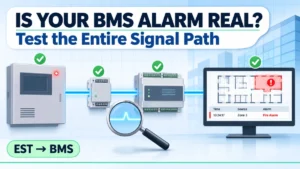
Read Also: EST-to-BMS Integration Testing: How to Verify the Entire Signal Path
Read Also: EST Network Expansion: What Must Be Evaluated Before Adding Another Building or Node?