Most CCTV Failures Are Not Camera Failures — They Are Network Failures
When a surveillance camera goes offline, the first instinct is to blame the camera. When recordings are choppy or missing, people often point fingers at the NVR. But here is the uncomfortable truth that every experienced CCTV engineer knows: in most cases, the real culprit is the network, specifically the switches, cables and infrastructure holding everything together.
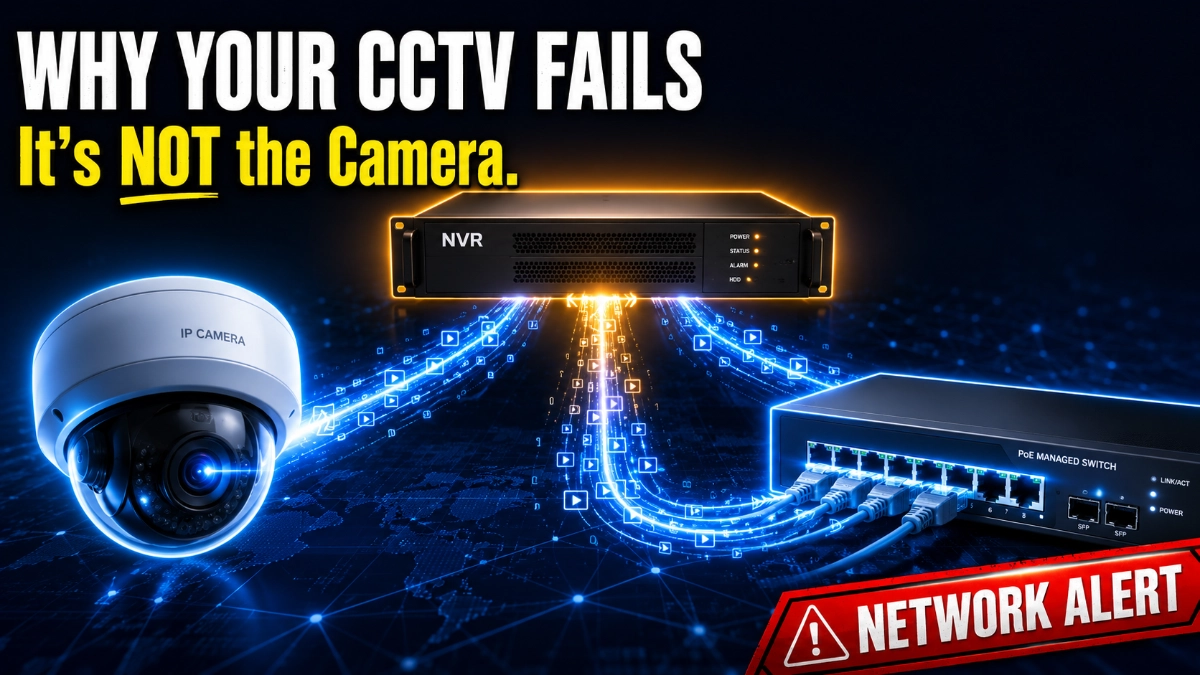
A modern IP CCTV system is not just a collection of cameras and a recorder. It is a tightly interdependent network where cameras, NVRs and network switches must communicate flawlessly every second, every day, without interruption. When one component fails to do its part, the entire surveillance system suffers.
This guide explains exactly how these three components depend on each other, what goes wrong when that dependency breaks, and how to design a surveillance network that works reliably, whether you are protecting a small office or a large industrial plant.
Whether you are a system integrator, IT manager, or CCTV professional, understanding this dependency is what separates a system that works from one that becomes a liability.
| Expert Tip: Treat your CCTV network the same way you treat your enterprise IT network. The cameras are endpoints, the NVR is a server, and the switch is your backbone. Neglect the backbone, and everything else breaks. |
How Cameras, NVRs and Switches Actually Communicate
To understand the dependency, you first need to understand how these three devices talk to each other in a real IP CCTV system.
The Camera: Your Network Endpoint
An IP camera captures video, compresses it using codecs like H.264 or H.265, and transmits the data as IP packets across the network. Each camera has its own IP address and communicates using standard protocols, primarily RTSP (Real-Time Streaming Protocol) and ONVIF, to send live video to the NVR.
Cameras do not store video themselves (except in SD card-equipped models). They depend entirely on the network to deliver their stream to the NVR for storage. If the network fails, the camera’s video goes nowhere.
The NVR: Your Recording and Management Hub
The Network Video Recorder (NVR) is essentially a dedicated server that receives video streams from cameras, decodes them and writes them to storage (HDDs or SSDs). The NVR also handles camera configuration, playback, motion detection triggers and remote access for monitoring.
The NVR depends on the network switch to receive data from every camera connected to the system. It has no direct physical link to the cameras; it can only communicate with them through the switch.
The Network Switch: The Silent Backbone
The network switch is the device that physically connects cameras and NVRs. Every packet of video data from every camera travels through the switch before reaching the NVR. A switch failure does not take down one camera; it takes down every camera connected to it simultaneously.
This is why the network switch is the most critical and most underestimated component in any IP CCTV deployment.
| Expert Tip: ONVIF compliance ensures your cameras and NVRs from different manufacturers communicate using a common standard. Always verify ONVIF Profile S or Profile T compatibility before designing a mixed-brand system. |
Cameras vs NVR vs Network Switch: Responsibility Breakdown
Use the table below to understand what each component is responsible for in an IP CCTV system:
| Aspect | IP Camera | NVR | Network Switch |
| Primary Role | Capture & encode video | Store & manage recordings | Connect & route data packets |
| Layer (OSI) | Application / Layer 7 | Application / Layer 7 | Data Link / Layer 2-3 |
| Power Source | PoE or external adapter | Direct AC power | AC power (provides PoE) |
| IP Address | Yes (each camera) | Yes (NVR itself) | Management IP (managed) |
| Bandwidth Impact | Generates traffic | Receives traffic | Routes & manages traffic |
| Failure Effect | Single camera goes offline | All recordings stop | All cameras go offline |
| Key Protocol | RTSP, ONVIF, H.264/H.265 | RTSP, ONVIF, NFS, iSCSI | IGMP, STP, VLAN, QoS |
| Configuration | Web UI / ONVIF | Web UI / Client Software | CLI / Web UI / SNMP |
As you can see, the network switch is the single component whose failure affects all cameras and the NVR simultaneously. This asymmetry makes proper switch selection and configuration the most important design decision in surveillance network design.
| Expert Tip: Always budget for switch redundancy in mission-critical installations. A managed switch with dual power inputs and port-level diagnostics can mean the difference between a minor alert and a complete surveillance blackout. |
The Role of PoE Switches in CCTV Systems
Power over Ethernet (PoE) switches have transformed CCTV deployment by eliminating the need for separate power supplies at each camera location. A PoE switch for CCTV simultaneously delivers data and electrical power over a single Ethernet cable, following IEEE 802.3af (15.4W) or 802.3at (30W) standards.
Why PoE Switches Matter Beyond Just Power
PoE switches do more than power cameras; they centralise power management. When a PoE switch loses power, every camera it powers goes offline immediately. This makes the PoE switch a dual dependency point: both for data transmission and for camera operation.
In large surveillance installations, such as warehouses, factories and campuses, a single PoE switch may power 24 or 48 cameras. Installing such switches without UPS (Uninterruptible Power Supply) backup is a critical mistake that many installers make.
PoE Budget Calculation: A Practical Example
A 24-port PoE switch with a total PoE budget of 370W needs to power 20 cameras at 12W each. Total load: 20 × 12W = 240W — safely within budget. But add PTZ cameras at 25W each, and the math changes rapidly. Always calculate your PoE budget before finalising switch selection.
| Expert Tip: Always use PoE switches with a PoE budget at least 25% higher than your calculated load. Cameras draw surge current on startup, and this headroom prevents unexpected port shutdowns that look like camera failures. |
Why Bandwidth Matters More Than You Think
CCTV bandwidth calculation is not just a technical formality; it is what determines whether your recordings are sharp and continuous or pixelated and gapped.
Understanding Surveillance Bandwidth Requirements
Each IP camera generates a constant stream of data. The bitrate depends on resolution, frame rate, compression codec, and scene complexity. Here are typical examples:
- A 4MP camera at H.264, 15fps: approximately 4–6 Mbps
- A 4MP camera at H.265, 15fps: approximately 2–3 Mbps
- A 8MP (4K) camera at H.265, 25fps: approximately 8–12 Mbps
Now multiply that by the number of cameras in your system. A 32-camera system using 4MP H.264 cameras could generate up to 192 Mbps of sustained traffic, and that traffic all flows through your switch to the NVR.
What Happens When Bandwidth Is Insufficient
When a network switch is undersized, overloaded, or configured without Quality of Service (QoS) rules, video packets compete with other traffic on the network. The results are immediately visible:
- Frame drops and choppy video playback
- Gaps in recorded footage
- Cameras are appearing offline intermittently
- NVR showing ‘network error’ or disconnection alerts
- Delayed live view in monitoring stations
| Expert Tip: Always design for at least 1.5x your current bandwidth requirement. Cameras get upgraded, zones get expanded, and analytics get added. A switch that is full today will be a bottleneck next year. |
What Happens When Network Switches Fail
Network switch dependency in CCTV systems becomes brutally obvious the moment a switch fails. Unlike a camera failure that takes down one video channel, a switch failure is catastrophic; it silently kills every camera behind it.
Types of Switch Failures and Their Impact
- Complete power failure: All cameras go offline instantly, NVR loses all streams
- Port failure: Single camera loses connection while others remain functional
- Spanning Tree loop: The network floods with broadcast traffic, causing all cameras to lag or disconnect
- Switch overheating: Intermittent packet loss and random disconnections across all cameras
- Firmware crash: Switch stops forwarding packets, cameras go offline without power loss
The Hidden Cost of Switch Failures in Industrial Environments
In factories, warehouses, and industrial plants, switch failures carry operational risk beyond just lost footage. In a manufacturing plant where cameras monitor production lines, a switch failure can mean hours of unmonitored operations, regulatory non-compliance, or worse, unrecorded safety incidents.
This is why industrial CCTV infrastructure demands industrial-grade switches with IP-rated enclosures, extended temperature ranges, redundant power inputs, and Mean Time Between Failures (MTBF) specifications, not standard commercial-grade hardware.
| Expert Tip: In industrial environments, always specify DIN-rail mounted, fanless switches with operating temperature ranges of at least -40°C to +75°C. Commercial switches fail under vibration, dust and temperature extremes common in factories. |
How CCTV Packet Loss Destroys Recording Quality
CCTV packet loss is one of the most misunderstood causes of poor surveillance footage quality. Video transmitted over a network travels as thousands of small IP packets. When even a fraction of those packets fail to arrive at the NVR, the consequences are visible and operationally significant.
What Packet Loss Looks Like in CCTV
- Macroblocking: Large pixelated squares appear in video frames
- Frame freezing: Video appears to freeze for 1–3 seconds intermittently
- Audio desync: In cameras with audio, sound drifts out of sync with video
- Recording gaps: NVR fails to write complete segments, creating missing footage
- Artifacts: Green or black frames appear randomly in playback
Root Causes of Packet Loss in CCTV Networks
Packet loss in surveillance networks is almost always caused by infrastructure problems, not camera problems. The most common causes are:
- Overloaded switch CPU or memory buffers
- Faulty Ethernet cables or connectors with intermittent continuity
- Duplex mismatch between switch ports and camera NICs
- Broadcast storms caused by an improperly configured spanning tree
- EMI interference on unshielded cable runs near industrial equipment
| Expert Tip: Use a network packet analyser like Wireshark on the switch mirror port to identify packet loss patterns. More than 0.1% sustained packet loss on a CCTV network will cause visible video degradation. Address it immediately. |
Managed vs Unmanaged Switches for CCTV: Which One Do You Actually Need?
The choice between managed and unmanaged switches is one of the most consequential decisions in surveillance network design. Many installers choose unmanaged switches to save cost and pay for it later in troubleshooting time and system failures.
| Feature | Unmanaged Switch | Managed Switch |
| VLAN Support | No | Yes |
| QoS / Traffic Priority | No | Yes |
| Remote Monitoring | No | Yes (SNMP, Web UI) |
| Port Security | No | Yes |
| IGMP Snooping | No | Yes |
| Loop Prevention (STP) | Basic | Full (RSTP/MSTP) |
| Recommended For | Small home/office setups | Commercial & industrial CCTV |
| Cost | Low | Medium to High |
| Scalability | Limited | High |
When Unmanaged Switches Work
Unmanaged switches are acceptable only for very small, isolated CCTV deployments, typically fewer than 8 cameras in a simple, single-subnet environment with no IT integration requirements. A standalone retail shop or a small office with a few indoor cameras might get away with an unmanaged switch, assuming reliable power and clean cable runs.
When You Need Managed Switches
For any deployment with more than 8 cameras, multi-floor installations, integration with enterprise IT networks, industrial environments, or remote monitoring requirements, managed switches are non-negotiable. Managed switches give you the ability to:
- Create VLANs to isolate camera traffic from corporate data traffic
- Enable QoS to prioritise video packets over less critical data
- Monitor port-level statistics to detect cable faults before they become outages
- Enable IGMP snooping to control multicast video streams efficiently
- Receive SNMP alerts when a camera port goes down, or a PoE device draws abnormal power
| Expert Tip: In enterprise surveillance systems, always place cameras on a dedicated VLAN. This isolates surveillance traffic from corporate traffic, improves security, and makes troubleshooting dramatically easier. |
Industrial vs Commercial CCTV Network Architecture
The architecture of an industrial CCTV infrastructure is fundamentally different from a commercial office deployment in terms of hardware specifications, redundancy requirements, and environmental challenges.
Commercial Office Deployments
Office and retail environments typically have clean power, controlled temperatures, and manageable cable runs. Standard commercial-grade PoE switches work well here. The primary design concerns are sufficient bandwidth, VLAN segmentation from IT traffic, and clean cable installation with proper terminations.
- Switch location: Server room or IT cabinet with structured cabling
- Typical scale: 8–64 cameras per location
- Key requirement: Reliable uptime, integration with access control systems
- Recommended: Commercial managed PoE switches with 1Gbps uplinks
Warehouse and Factory Deployments
Warehouses and manufacturing facilities introduce environmental challenges that commercial hardware cannot handle. Temperature swings, vibration, dust, and electromagnetic interference from heavy machinery all degrade standard switches rapidly.
- Switch location: Industrial enclosures, DIN-rail mounting near production areas
- Typical scale: 32–200+ cameras across large floor areas
- Key requirement: IP66-rated enclosures, fanless cooling, redundant power
- Recommended: Industrial managed PoE switches, fibre uplinks for long runs
Industrial Plants and Critical Infrastructure
Power plants, chemical facilities, and critical infrastructure deployments require the highest level of network resilience. Ring topology networks with rapid spanning tree protocols ensure that a single cable or switch failure does not interrupt surveillance coverage. Fibre optic backbone connections eliminate EMI sensitivity across long distances.
- Architecture: Ring topology with fibre backbone, redundant switches
- Typical scale: 100–500+ cameras across campus or multi-site
- Key requirement: Zero single point of failure, SCADA network integration
- Recommended: Industrial Layer 3 managed switches with IEC 61850 compliance
| Expert Tip: For runs longer than 90 meters in any environment, switch to fibre optic Ethernet. PoE over fibre media converters at each camera keep the benefits of PoE while eliminating copper cable limitations in large industrial sites. |
Signs Your CCTV Network Infrastructure Is Failing
Surveillance network degradation rarely happens all at once. It usually creeps in gradually, and by the time it is obvious, significant footage may already be compromised. Watch for these warning signs:
| Warning Signs Checklist If you observe three or more of these symptoms simultaneously, treat it as a network infrastructure emergency that requires immediate investigation. |
- Cameras randomly go offline and come back without physical intervention.
- NVR logs showing frequent ‘stream lost’ or ‘camera disconnected’ entries.
- Video quality degrades at specific times of day (often correlates with peak network traffic).
- Intermittent macroblocking or frame freezing in recorded footage.
- Some cameras show normal video, while others on the same switch show degraded quality.
- NVR hard drives are filling slower than expected (packet loss causing recording gaps).
- Switch management interface showing high CPU utilisation or port error counters climbing.
- PoE switch rebooting cameras spontaneously (power budget exceeded).
- Increased latency in remote video access through monitoring software.
- Spanning tree topology changes occur frequently in switch logs.
| Expert Tip: Configure your managed switch to send SNMP traps to a monitoring system. This gives you proactive alerts for port errors, PoE anomalies, and temperature warnings before they become outages, not after. |
Real-World Troubleshooting: CCTV Network Problems Engineers Actually Face
Scenario 1: Factory Floor — 12 Cameras Offline Simultaneously
A manufacturing facility reports 12 cameras offline. On-site investigation reveals all 12 cameras are connected to the same 24-port unmanaged switch. The switch, mounted in a metal enclosure near a welding station, has no ventilation and has reached internal temperatures exceeding 70°C. The fix: replace with an industrial-grade fanless switch rated for high-temperature operation, relocate the enclosure away from heat sources, and add temperature monitoring.
Scenario 2: Warehouse — Intermittent Recording Gaps at Night
A distribution warehouse reports 10–15 minute recording gaps occurring between 2 AM and 4 AM daily. Investigation reveals a scheduled network backup job running on the corporate network floods the CCTV VLAN (incorrectly configured). The fix: properly isolate the CCTV VLAN, configure QoS to prioritise video traffic, and schedule backup jobs during lower-traffic periods. Result: zero recording gaps after implementation.
Scenario 3: Office Building — Cameras Online but Video Is Pixelated
A 6-floor office building has cameras showing live video, but with severe macroblocking. Cable testing reveals multiple Cat5e runs with bad terminations showing high error rates. The switch port error counters confirm sustained packet loss averaging 3.2%. The fix: re-terminate all Ethernet cables using proper RJ45 keystone jacks with cable testing verification, reducing packet loss to under 0.01%.
| Expert Tip: Always test cable continuity AND transmission quality after installation. A cable can pass a continuity test and still fail under high-bandwidth video traffic. Use a proper Ethernet cable certifier (not just a tester) for critical runs. |
Common Mistakes CCTV Installers Make with Network Infrastructure
- Using unmanaged switches for commercial or industrial deployments to save cost.
- Ignoring PoE budget calculations and overloading switch power capacity.
- Running camera cables alongside high-voltage power cables without shielding.
- Failing to install UPS protection on network switches and NVRs.
- Not configuring VLANs to isolate camera traffic from corporate networks.
- Mixing 10/100Mbps and 1Gbps devices without considering bandwidth bottlenecks.
- Installing switches in environments outside their rated temperature range.
- Skipping cable certification and relying on visual inspection alone.
- Not documenting IP address schemes is causing conflicts during system expansion.
- Forgetting to enable IGMP snooping when using multicast streaming can cause network floods.
| Expert Tip: Document everything. IP address assignments, switch port mappings, cable run lengths, and PoE allocations. A well-documented CCTV network reduces troubleshooting time by 60% and makes future expansions significantly easier. |
Best Practices for Scalable CCTV Deployment
Design for 2x Current Capacity
Size your switches, NVR storage, and uplink bandwidth for twice your current requirements. Camera counts grow, resolutions increase, and retention periods extend. Infrastructure that is ‘just enough’ today will be a bottleneck within 18 months.
Implement a Hierarchical Network Architecture
For deployments with more than 16 cameras, use a hierarchical design: edge switches at camera locations connect via fibre to a core distribution switch, which then connects to the NVR and monitoring systems. This design isolates faults, simplifies troubleshooting, and supports unlimited expansion.
Protect Every Switch with UPS
Power interruptions that bypass UPS protection destroy NVR recordings and can corrupt storage. Budget for UPS at every switch and NVR location, sized for at least 30 minutes of runtime.
Standardise on a Single Manufacturer’s Ecosystem
Mixing camera, NVR, and switch vendors from different manufacturers creates compatibility headaches. Where possible, deploy cameras and NVRs that share ONVIF compliance and pair them with switches from vendors with proven CCTV integration, such as solutions available through Impact by Honeywell, India’s trusted CCTV distributor and integration partner.
Implement Remote Health Monitoring
Managed switches support SNMP monitoring. Configure your NVR software or a network monitoring tool to receive alerts for port failures, power anomalies and traffic spikes. Proactive monitoring eliminates surprise outages.
| Expert Tip: Impact by Honeywell offers end-to-end IP CCTV system design, from camera selection through switch specification, NVR sizing, and network architecture, ensuring all components are validated together before deployment. |
Future Trends in IP Surveillance Networking
The CCTV networking landscape is evolving rapidly. Understanding where technology is heading helps engineers design infrastructure that stays relevant.
AI-Driven Video Analytics at the Edge
Next-generation IP cameras increasingly process AI analytics on board, detecting objects, tracking movement, and triggering alerts without sending full video streams to the NVR. This reduces network bandwidth requirements significantly but increases CPU demand on cameras and their PoE power draw.
Multi-Gigabit PoE Switches
As 4K and 8K camera adoption grows and AI analytics increase data volumes, 1Gbps switch ports are becoming bottlenecks. Multi-gigabit PoE standards (2.5G, 5G, 10G) are appearing in enterprise surveillance switches, providing bandwidth headroom for next-generation camera deployments.
Software-Defined Networking for CCTV
Large enterprise surveillance systems are beginning to adopt Software-Defined Networking (SDN) principles, where network behaviour is controlled centrally via software rather than individual switch configuration. This enables dynamic QoS adjustment, automated VLAN provisioning, and real-time traffic engineering, all critical for large-scale surveillance operations.
Zero-Trust Network Architecture for Surveillance
As IP cameras become increasingly connected and potentially exploitable, Zero-Trust principles are entering CCTV network design. Every camera is treated as an untrusted endpoint requiring authentication, network access control, and micro-segmentation, preventing a compromised camera from being used as a pivot point for broader network attacks.
| Expert Tip: Start future-proofing your switch infrastructure today by selecting managed switches with at least 10Gbps fibre uplink capacity, even if you only need 1Gbps now. Upgrading uplinks is far cheaper than replacing entire switch deployments. |
Conclusion: The Network Is Your Surveillance System
The dependency between cameras, NVRs, and network switches is not a technical footnote; it is the foundation that determines whether your surveillance system works when it matters most. Every camera failure that is ‘actually a network failure,’ every recording gap that ‘must be the NVR,’ and every pixelated image that ‘might be the camera’ tells the same story: the network was not designed with the same care as the cameras and recorders.
A great IP CCTV system starts with great network design. The right PoE switch, properly configured with VLANs and QoS, sized for future growth, installed with certified cables, protected with UPS, and monitored proactively, that is the infrastructure that keeps surveillance systems running 24 hours a day, 365 days a year.
Whether you are deploying 8 cameras in an office or 500 cameras across an industrial plant, the principles are the same. Design the network first. Then add the cameras.
Read Also: Network Packet Loss in CCTV Systems: Impact on Video Reliability & How to Fix It
Read Also: CAPEX vs OPEX in CCTV Infrastructure | Smart Investing Guide