A security camera can record video. But recording video is not the same as building a useful security system.
That difference matters when you are designing surveillance for a factory, warehouse, office, commercial building, campus, or critical infrastructure site. A camera may produce clear footage, yet the overall system can still fail to answer the questions that matter most: What happened? When did it happen? Where did it happen? Who needs to respond? And can the team find the evidence quickly?
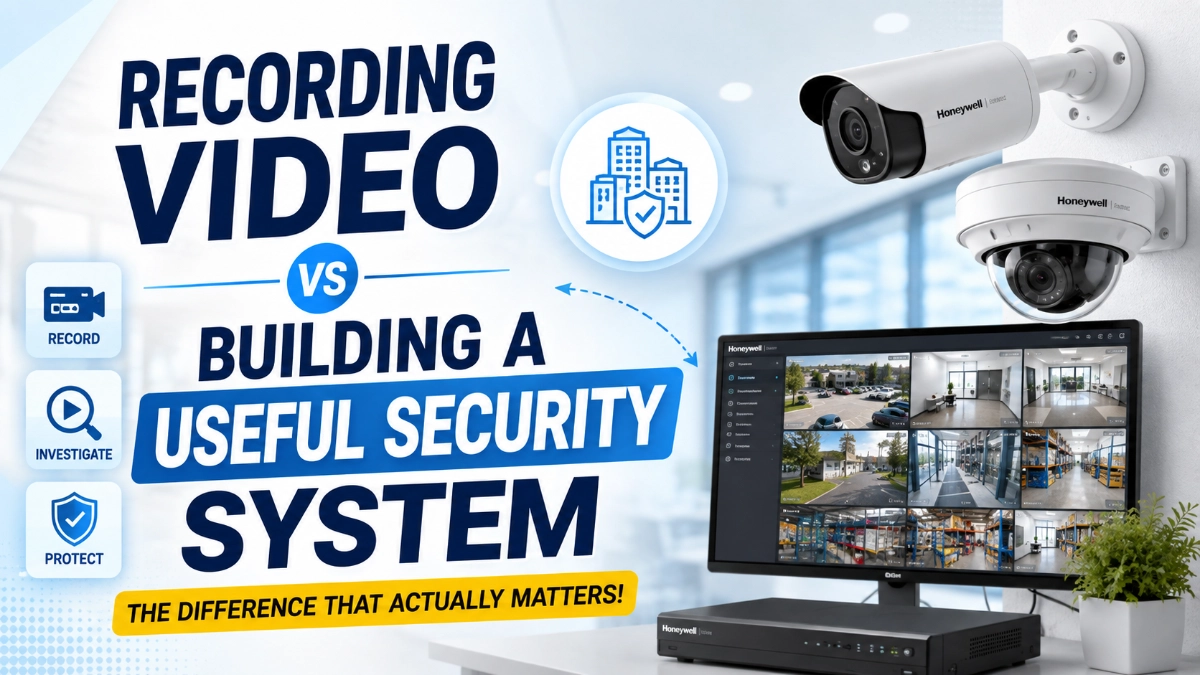
A useful security system goes beyond cameras. It combines camera selection, coverage, storage, networking, monitoring, alerts, system reliability, cybersecurity, and operational planning.
This article explains the difference and shows how engineers can approach CCTV design as a complete security solution rather than simply a video-recording project.
Recording Video Is Only the Starting Point
The easiest way to understand the difference is to look at the objective.
A basic recording setup asks:
“Can we record what the camera sees?”
A useful security system asks:
“Can we detect, understand, verify, investigate, and respond to a security event?”
These are very different goals.
For example, imagine a warehouse has 30 cameras. Every camera records continuously. The footage looks acceptable during normal conditions.
However, a theft occurs at 2:15 AM.
The security team now needs to identify the correct camera, locate the right time, review several minutes of footage, understand what happened, and potentially track the person’s movement across the facility.
If the system makes that process difficult, the number of cameras does not automatically translate into better security.
More recording does not always mean better security. Better-designed information does.
What Makes a Security System Actually Useful?
A useful CCTV system should support several functions.
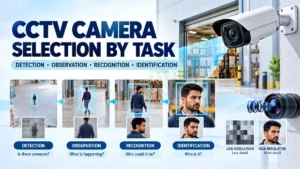
1. Detection
The system should help identify activity that deserves attention.
This could include:
- Movement in restricted areas
- Entry outside working hours
- Perimeter intrusion
- Unauthorized access
- Suspicious activity
- Vehicle movement
- Crowd formation
- Activity around critical equipment
Detection becomes especially important when security teams cannot continuously watch every camera.
2. Verification
After an event occurs, security personnel need enough visual information to understand what happened.
This is where camera positioning, image quality, lighting, lens selection, and field of view become critical.
A 4K camera does not automatically provide useful evidence if it points in the wrong direction.
Likewise, a high-resolution camera may struggle if the scene has poor lighting or excessive glare.
3. Investigation
A good system should make recorded footage easy to search.
The security team may need to answer questions such as:
- Which camera covered the area?
- What happened before the incident?
- Where did the person go afterwards?
- Was a vehicle involved?
- What time did the event occur?
- Can the footage be exported for further investigation?
This is where the NVR, recording configuration, time synchronisation, camera naming, and system organisation become important.
4. Response
The ultimate purpose of security technology is not simply to store evidence.
It should help people respond.
Depending on the system, security teams may receive alerts, verify events, communicate with personnel, or take action based on what the cameras show.
Therefore, a useful security system connects technology with an operational response process.
CCTV Design Should Start With the Risk, Not the Camera
One of the most common mistakes in surveillance projects is starting with a camera model.
A better approach starts with the site.
Engineers should first identify:
- Critical assets
- Entry and exit points
- Restricted zones
- High-value equipment
- Loading and unloading areas
- Perimeters
- Parking areas
- Blind spots
- Employee and visitor movement
- Lighting conditions
- Potential security risks
Once these areas are understood, the designer can determine what each camera needs to accomplish.
For example, a camera at a gate may need to identify a vehicle or person.
A camera covering a large warehouse floor may primarily need to provide situational awareness.
A camera monitoring a cash counter or access point may require much more detailed facial or object-level information.
The required security outcome should determine the camera specification.
Camera Resolution Is Not the Same as Security Performance
Resolution often becomes the headline specification during CCTV selection.
However, resolution is only one part of the equation.
Engineers should also consider:
- Lens and focal length
- Field of view
- Sensor performance
- Low-light capability
- Dynamic range
- Lighting conditions
- Camera mounting height
- Viewing distance
- Scene movement
- Compression
- Network bandwidth
- Recording settings
Consider two cameras with identical resolution.
One camera may provide a useful view of a doorway because it has the correct lens and mounting position.
The other may show a large area but provide insufficient detail to identify a person.
Therefore, camera placement and optical design can matter as much as the resolution number on the datasheet.
For organisations evaluating different surveillance configurations, a platform such as Impact by Honeywell CCTV can be considered as part of a broader system design rather than treating individual cameras as isolated products.
Bullet Cameras and Dome Cameras Serve Different Purposes
Camera form factor should also support the application.
Impact by Honeywell bullet cameras can be useful where a visible, directional camera installation suits the environment. Their form factor can work well for perimeter areas, outdoor coverage, entrances, and locations where the camera needs a defined viewing direction.
Impact by Honeywell dome cameras, meanwhile, can be suitable for indoor environments and locations where a more compact or discreet camera design is preferred.
The important point is simple:
Do not select a camera only because it looks suitable. Select it because its optical and environmental characteristics match the security objective.
Engineers should evaluate the complete installation, including mounting position, viewing angle, lighting, environmental conditions, maintenance access, and required identification distance.
The NVR Is More Than a Storage Box
Another common misconception is that the NVR’s only job is to store video.
In reality, the NVR can become a central component of the surveillance architecture.
Impact by Honeywell NVRs can form part of a system that brings cameras, recording, playback, management, and other surveillance functions together.
When evaluating an NVR, engineers should consider:
- Number of supported cameras
- Recording resolution
- Recording frame rate
- Storage capacity
- Retention requirements
- Network throughput
- Camera compatibility
- Playback performance
- User management
- Remote access
- Backup requirements
- System expansion
Storage planning deserves particular attention.
Suppose a project requires 30 days of recording. The designer needs to consider the number of cameras, resolution, frame rate, compression, recording mode, and expected activity.
Continuous recording will produce a different storage requirement from event-based recording.
Therefore, storage should be calculated as part of the design instead of being added after the cameras have already been selected.
Useful Security Systems Reduce the Time Between Event and Action
A security system creates more value when it reduces the time required to understand an event.
Imagine two systems.
System A
The system records 100 cameras.
An incident occurs.
The operator searches through multiple screens and manually reviews hours of footage.
System B
The system records the same type of environment but provides organised camera views, synchronised timestamps, useful event information, and an efficient search workflow.
Both systems may technically “record video.”
But System B provides much more operational value.
This is why engineers should think about investigation workflow, not only recording capacity.
A useful question during system design is:
“How quickly can an operator find and understand an incident?”
That question often reveals weaknesses that a basic camera specification will not.
Networking Is Part of the Security System
IP-based surveillance depends heavily on network infrastructure.
A camera can have excellent image quality, but network problems can still affect system performance.
Engineers should evaluate:
- Network bandwidth
- PoE requirements
- Switch capacity
- Uplink bandwidth
- VLAN architecture
- Network redundancy
- Cable distances
- Fiber requirements
- Network monitoring
- Power backup
For larger facilities, network architecture becomes particularly important.
A system with dozens or hundreds of cameras generates a significant amount of traffic. Poor network planning can create congestion, packet loss, connectivity problems, or difficult troubleshooting.
Therefore, CCTV design and network design should work together.
Power and Redundancy Matter When Security Matters
A surveillance system is most important when something goes wrong.
That means engineers should consider what happens during:
- Power failures
- Network failures
- Storage failures
- Camera failures
- Switch failures
- Communication failures
UPS systems, appropriate power distribution, redundant network paths, backup storage, and health monitoring can improve system resilience.
The exact redundancy level should depend on the site’s risk profile.
A small office and a critical industrial facility do not necessarily require the same architecture.
However, every project should answer one question:
“What happens to security visibility when one component fails?”
If the answer is unclear, the system design needs more work.
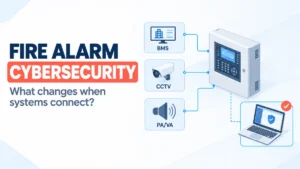
Cybersecurity Should Be Part of CCTV Design
Modern CCTV systems are connected devices.
That means cybersecurity should not become an afterthought.
Engineers should consider:
- Strong passwords
- Role-based user access
- Firmware management
- Network segmentation
- Secure remote access
- User activity logging
- Device hardening
- Regular maintenance
- Removal of unused accounts
A security camera that becomes an entry point into the network creates a completely different type of risk.
Therefore, physical security and cybersecurity increasingly overlap.
A useful security system protects the site without creating unnecessary digital exposure.
Recording Retention Should Follow the Requirement
More storage is not automatically better.
A project should define how long footage needs to remain available.
For example, a site may require different retention periods for:
- General surveillance
- Critical areas
- Incident footage
- Access points
- High-risk zones
The organisation should also define who can access recorded footage and how important footage should be preserved or exported.
This creates a clear chain between recording, investigation, evidence handling, and governance.
Design for the Operator, Not Just the Equipment Room
Engineers sometimes focus heavily on cameras, switches, storage, and specifications.
However, someone eventually has to operate the system.
The user interface should allow security personnel to:
- View important cameras quickly
- Identify alarms
- Search footage
- Review incidents
- Export relevant clips
- Understand camera status
- Manage users appropriately
A technically impressive system can still perform poorly if operators find it confusing.
That is why usability belongs in the engineering discussion.
A Simple Framework for Building a Useful Security System
A practical design process can follow six steps.
Step 1: Define the security objective
Ask what the system needs to achieve.
Is the priority:
- Deterrence?
- Detection?
- Identification?
- Investigation?
- Monitoring?
- Evidence collection?
Step 2: Map the site
Identify critical areas, entrances, exits, assets, movement paths, and potential blind spots.
Step 3: Define camera requirements
Select the camera type, lens, resolution, lighting performance, mounting position, and environmental protection based on the application.
Step 4: Design the network and power
Calculate bandwidth, PoE requirements, switching capacity, uplinks, power backup, and redundancy.
Step 5: Design recording and storage
Determine recording modes, retention periods, storage capacity, NVR performance, and backup requirements.
Step 6: Design the response workflow
Finally, ask how operators will detect, verify, investigate, and respond to incidents.
This last step often separates a camera installation from a genuine security system.
Recording Video vs. Building a Useful Security System
| Recording Video | Useful Security System |
|---|---|
| Focuses on cameras | Focuses on security objectives |
| Stores footage | Helps detect and investigate events |
| Measures resolution | Measures useful coverage and evidence |
| Treats NVR as storage | Uses recording as part of the workflow |
| Focuses on installation | Considers operation and maintenance |
| May ignore network design | Integrates networking and power |
| Often reacts after an incident | Supports detection and response |
| Can create large amounts of footage | Makes important information easier to find |
| Focuses on equipment | Focuses on outcomes |
The difference is therefore not simply technical.
It is architectural and operational.
The Engineer’s Checklist Before Approving a CCTV Project
Before finalising a security system, ask:
Coverage
- Does every critical area have appropriate coverage?
- Are there blind spots?
- Is the camera positioned correctly?
Image quality
- Can the camera provide the required level of detail?
- Have lighting and glare been considered?
- Is the lens appropriate for the distance?
Recording
- Is the retention period defined?
- Is storage capacity sufficient?
- Can operators find footage quickly?
Network
- Is bandwidth sufficient?
- Have PoE and uplink requirements been calculated?
- Is the network architecture resilient?
Reliability
- What happens during a power failure?
- What happens if a camera or switch fails?
- How will the system report faults?
Cybersecurity
- Are user permissions controlled?
- Is remote access secure?
- Is firmware maintained?
Operations
- Can security personnel use the system easily?
- Can they investigate incidents efficiently?
- Is there a defined response process?
If these questions have clear answers, the project is moving beyond simple video recording.
Final Thoughts: Build for Security Outcomes, Not Camera Counts
A CCTV system should never be judged only by the number of cameras installed or the amount of footage stored.
The real value comes from what the system helps an organisation see, understand, investigate, and act upon.
A successful surveillance project connects the right cameras with appropriate lenses, recording infrastructure, networking, storage, cybersecurity, monitoring, and operational procedures.
That is the real difference between recording video and building a useful security system.
For engineers and security professionals, the best approach is simple: start with the risk, define the required outcome, and then select the technology that supports it.
When the architecture follows that principle, CCTV stops being just a collection of cameras and becomes a practical security tool that people can rely on when it matters most.
Read Also: Why Industrial CCTV Needs to Be Designed Around Risk, Not Just Coverage
Read Also: The Hidden Engineering Behind a Reliable Enterprise CCTV Network