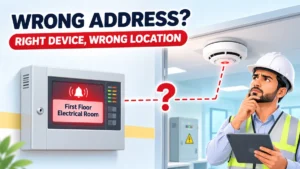
During a routine weekly test, the control panel shows a smoke detector activation labelled “First Floor Electrical Room.” The maintenance engineer walks to that room and finds no detector. The device that actually operated is two rooms away, above a storage area.
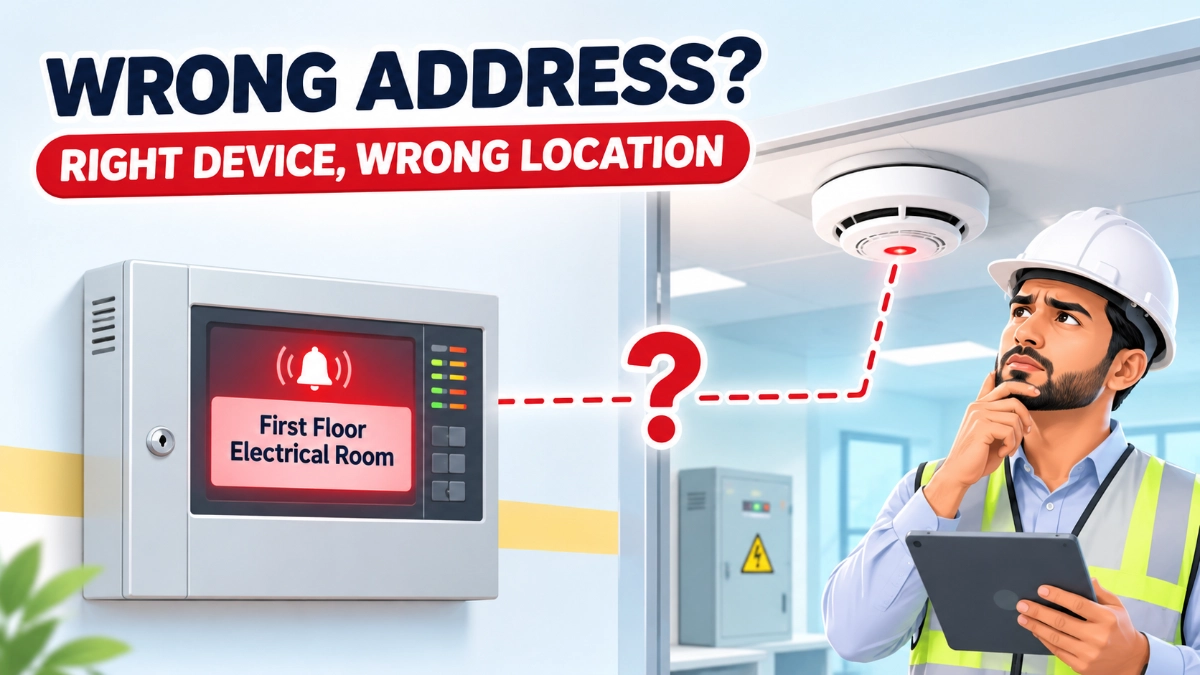
Nothing is faulty here. The detector works, and the panel received its signal. The problem is identification: the address record, the panel description or the drawings point to the wrong place.
Fire alarm device addressing errors create this kind of mismatch. An addressable system relies on several pieces of information that must agree with each other:
- Device address: The electronic identity the panel uses to distinguish the device.
- Physical location: Where the device is actually installed.
- Device type: Smoke detector, heat detector, manual call point or module.
- Panel description: The text label shown on the display and event log.
- Loop identification: The loop or circuit the device is connected to.
- Zone assignment: The zone the device belongs to for indication and control.
- As-built documentation: The drawings and schedules that record what was installed.
A device can communicate with the fire alarm control panel while its displayed identification or documented location is still wrong. Exact behaviour depends on panel architecture, device protocol, configuration and manufacturer.
What Is Device Addressing in an Addressable Fire Alarm System?
Device addressing is the method an addressable fire alarm system uses to give each connected device a unique identity, so the panel can recognise it individually. Addressing methods vary between manufacturers and product families, so the programming procedure for one system does not apply automatically to another.
In practice, an addressable fire alarm panel communicates with detectors, manual call points and input/output modules over loop circuits. Each device responds under its own identity. The panel then links that identity to stored configuration: device type, description, zone and cause-and-effect behaviour.
Two ideas must stay separate:
- Electronic address: How the panel recognises the device.
- Descriptive label: The text a person reads, such as “Level 2 Corridor Detector.”
The address identifies the device to the panel. The description identifies the location to people. When the address is right, but the description is wrong, the panel still reports reliably, but it tells people the wrong thing.
This is why addressable detectors are only as useful as the mapping behind them. Device address + device description + physical location = accurate device identification.
Common Types of Fire Alarm Device Addressing Errors
What happens when a fire alarm device has an incorrect address? The device may be linked to the wrong configuration entry, or to none at all. The result depends on the system, but a mismatch between the installed device and panel record is the usual outcome.
1. Duplicate Device Addresses
In systems that require unique addresses on a loop, two devices sharing one address can cause identification or communication conflicts. Some panels raise a fault or diagnostic message. Others may behave differently. Check the manufacturer’s documentation for the specific panel and protocol.
2. Incorrect Device Address Assignment
A detector set to the wrong address no longer matches its configuration entry. The panel may show another device’s description or type, or flag a mismatch.
3. Incorrect Device Descriptions
The address is correct, but the label is not. The panel reads “First Floor Electrical Room Smoke Detector” while the device sits in a different room. Communication is healthy, and the information is misleading.
4. Incorrect Loop or Circuit Identification
Errors in loop references or device records make it harder to trace a device during loop testing, fault finding or expansion.
5. Outdated Device Mapping
Site changes during installation or later modification can leave old schedules and drawings inaccurate.
6. Device Replacement Without Configuration Updates
A replacement device may need correct addressing, a compatibility check, a configuration review and updated records. The required steps vary by manufacturer and device type.
How Addressing Errors Affect Fire Alarm Commissioning
Addressing errors affect commissioning because commissioning must confirm more than communication. It must confirm that each device is the right type, at the right address, in the right place, shown with the right description.
Commissioning → device verification + functional testing + location confirmation + record validation.
Identification checks usually sit alongside these activities:
- Device discovery and address verification
- Device type verification
- Fire alarm loop testing
- Panel indication and description checks
- Alarm activation and fault reporting tests
- Cause-and-effect verification
- As-built drawing validation
- Commissioning documentation
Consider a practical case. A commissioning engineer operates a manual call point. The panel receives the alarm, but displays the description of a different floor. The device works, yet the mismatch must be investigated and corrected before the documentation can be considered accurate.
Successful communication does not confirm correct identification or complete commissioning.
How Incorrect Identification Complicates Maintenance and Troubleshooting
Incorrect device mapping → misleading panel information → more difficult troubleshooting.
Inaccurate mapping can affect:
- Fault investigation and fault history interpretation
- Detector inspection and periodic testing
- Device replacement
- Maintenance scheduling
- Panel event identification
- Service records and maintenance handovers
Imagine a smoke detector that repeatedly reports a fault with a description reading “Plant Room 2.” The technician checks Plant Room 2 and finds the detectors healthy. The faulty unit is in an adjacent corridor. Time goes into searching, and the fault history is attached to the wrong location.
Not every addressing error causes delays or failures. But when panel information and site records disagree, every later task becomes harder to do with confidence.
Addressing Errors vs Device Communication Faults: Understanding the Difference
An addressing error is a wrong or conflicting identity or configuration. A communication fault is a problem in the link between the device and the panel. They can appear together, but they are different problems.
| Issue | Definition | Short example |
|---|---|---|
| Addressing error | Incorrect or conflicting device identification or configuration | Two devices on one loop share an address (where unique addresses are required) |
| Communication fault | A problem affecting communication between device and panel | A damaged loop cable stops a device from responding |
| Device fault | The device reports an internal malfunction or abnormal condition | A detector reports an internal fault |
| Documentation error | The installed device and its records do not match | The drawing shows a detector in a room where none exists |
Treating one as another wastes effort. Replacing a healthy detector will not fix a wrong description. Rewriting a label will not fix a damaged cable.
Why Device Replacement and System Modifications Need Careful Verification
Device mapping should be updated after replacement because the panel and the records describe the old device, not necessarily the new one.
Device replacement → address verification + compatibility check + configuration review + documentation update.
The same discipline applies when:
- A manual call point is relocated.
- A new module is added, or a loop is expanded.
- A device is removed.
- A floor layout changes or a room changes function.
- Panel configuration is modified.
Verify device compatibility, address, device type, physical location, panel description, loop mapping, updated drawings and commissioning records. Follow manufacturer instructions and approved project documentation throughout.
When sourcing devices for a GST fire alarm system, buyers often work through a GST fire alarm system distributor in India. Whatever the channel, confirm compatibility with the installed panel before fitting.
Addressable vs Conventional Fire Alarm Systems: Does Device Identification Work Differently?
Yes. Addressable systems generally identify individual devices, while conventional systems generally report at the circuit or zone level.
| Aspect | Addressable | Conventional |
|---|---|---|
| Identification | Individual device address | Circuit or zone |
| Panel indication | Often device-specific description | Zone indication |
| Troubleshooting | Starts from a specific device, if mapping is correct | Starts from a zone, then narrows on site |
| Mapping risk | Wrong address or label misdirects the search | Wrong zone records misdirect the search |
A GST fire alarm system with addressable detectors depends on accurate address and description records. A conventional fire alarm panel with conventional detectors depends on accurate zone and circuit records.
Conventional systems still need identification and documentation. They simply apply it at a different level. Always check the specific panel’s documentation for its behaviour.
How to Prevent Fire Alarm Device Addressing Errors
Prevention needs coordination between design, installation, commissioning and maintenance teams.
- Establish a consistent device identification plan.
- Verify device addresses during installation.
- Maintain accurate loop schedules.
- Use clear, consistent device descriptions.
- Match panel descriptions to physical locations.
- Verify device types and compatibility.
- Update configuration after approved modifications.
- Cross-check as-built drawings.
- Conduct functional testing.
- Keep configuration backups and revision records.
- Document every device replacement.
- Follow manufacturer-specific programming procedures.
Fire Alarm Device Addressing Verification Checklist
Follow the relevant manufacturer’s procedures and applicable fire alarm standards.
- Confirm each device’s assigned address.
- Check for duplicate or conflicting addresses where unique addressing is required.
- Verify device type.
- Confirm loop or circuit identification.
- Match panel descriptions with physical locations.
- Test detector and manual call point indications.
- Verify input and output module identification.
- Review zone mapping.
- Check event descriptions at the panel.
- Update as-built drawings.
- Record approved configuration changes.
- Maintain updated device schedules.
- Document final commissioning results.
Why Accurate Device Identification Is Important Throughout the System Lifecycle
Addressing is not a one-time commissioning task. Accurate identification supports initial commissioning, periodic inspection, fault investigation, device replacement, system expansion, maintenance handovers, future modifications and audit documentation.
It connects three things: the physical installation, the control panel configuration and the maintenance documentation. When all three agree, fault finding is faster, and records can be trusted. Fire alarm device addressing errors break that link.
Quick Reference: Error Types and Verification
| Error Type | Possible System or Documentation Impact | Recommended Verification |
|---|---|---|
| Duplicate address | Device identification or communication conflict, depending on architecture | Check address allocation and panel diagnostics |
| Incorrect address | Mismatch between device and configuration | Verify installed address and configuration |
| Wrong description | Incorrect location displayed at the panel | Compare physical location with panel label |
| Incorrect loop reference | Confusing device mapping | Check loop schedules and drawings |
| Outdated records | Maintenance personnel may locate the wrong device | Update as-built documentation |
| Replacement mismatch | Incorrect identification or configuration | Verify compatibility, address and device details |
Not every error produces the same symptoms.
Read Also: GST Fire Alarm Power Budgeting: How to Assess Panel, Loop and Notification Loads
Read Also: Shared IT vs Dedicated ELV Networks: How to Evaluate Operational Dependencies