
When Your CCTV Lies to You
Picture this: a retail store manager reviews footage after a theft incident. The timestamp shows 11:42 PM. But right at the critical moment when the suspect enters the frame, the video pixelates, freezes and skips ahead by four seconds. The evidence is gone. The suspect walks free.
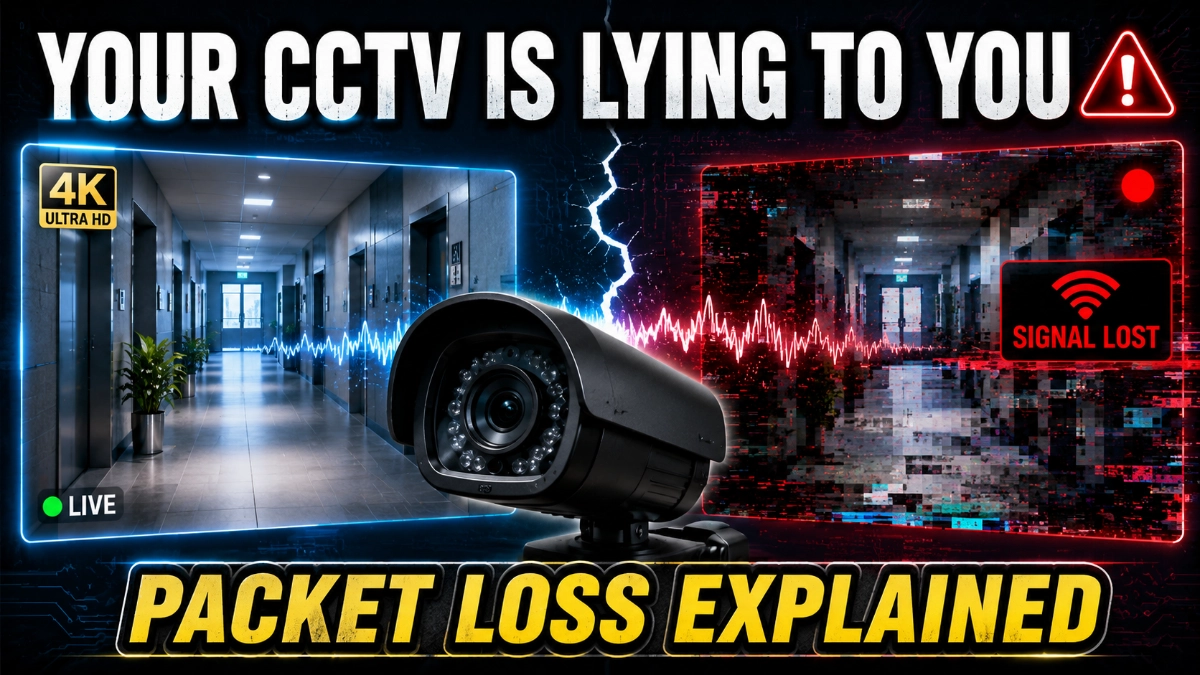
This is not a camera malfunction. This is network packet loss at work.
In modern IP-based CCTV systems, video doesn’t travel as a continuous stream. It breaks into thousands of tiny data packets, each carrying a fragment of the image. When even a small percentage of those packets fail to arrive or arrive too late, your surveillance system begins to crack. Frames drop. Video stutters. Recording gaps appear. And in a security context, those gaps can be catastrophic.
This guide explains what packet loss is, why it happens in CCTV networks, how it damages video reliability and most importantly, what you can do to stop it.
What Is Packet Loss in CCTV Systems?
Packet loss occurs when one or more data packets travelling across a computer network fail to reach their destination.
| Simple Definition: In a CCTV system, video data from an IP camera is split into small chunks called “packets.” Each packet travels independently through the network to the NVR (Network Video Recorder) or VMS (Video Management System). When any of these packets are lost in transit, the receiving device can’t fully reconstruct the video, resulting in visual defects, freezes, or recording gaps. |
The Postal Analogy
Think of it like posting a 1,000-piece jigsaw puzzle across the country. Each piece goes in a separate envelope. If even 20 envelopes get lost in the mail, the puzzle is incomplete. You’ll never see the full picture and in surveillance, that missing piece could be the face of an intruder.
In networking terms, packet loss is measured as a percentage. Even 1% packet loss on a high-definition video stream can cause visible degradation. At 5% or above, the footage often becomes practically unusable for forensic or evidentiary purposes.
| Packet Loss Level | Impact on Video | Acceptable for CCTV? |
| 0 – 0.1% | No visible impact | Yes — Ideal |
| 0.1 – 1% | Minor pixelation, rare frame drops | Acceptable |
| 1 – 3% | Noticeable freezing, blurring, audio sync issues | Poor — Needs fixing |
| 3 – 5% | Significant video degradation, frequent gaps | Unacceptable |
| > 5% | Severe loss, recording failures, unusable footage | Critical Failure |
Why Does Packet Loss Happen in CCTV Networks?
Several factors cause packet loss in IP surveillance networks. Understanding them is the first step to prevention.
1. Network Congestion
This is the most common cause. When too many devices share the same network bandwidth simultaneously, routers and switches become overwhelmed. They start dropping packets to manage the load. In a busy office or retail environment where cameras share the network with computers, VoIP phones and POS systems, congestion is a constant risk.
2. Faulty or Low-Quality Network Hardware
Cheap switches, ageing routers and degraded cables are silent killers of CCTV reliability. A failing switch port might drop packets intermittently, making the issue very hard to diagnose. Similarly, Cat5e cables running at the edge of their rated distance introduce signal errors that result in packet loss.
3. Wireless (Wi-Fi) Interference
Wireless IP cameras are particularly vulnerable. Radio-frequency interference from neighbouring Wi-Fi networks, Bluetooth devices, and microwave ovens can disrupt the signal and cause significant packet loss. This is why security professionals generally recommend wired connections for mission-critical CCTV infrastructure.
4. Bandwidth Miscalculation
Many installers underestimate the bandwidth requirements of modern HD and 4K cameras. A single 4K camera streaming at H.264 can consume 8–20 Mbps. Multiply that by 32 cameras, and you need a network built to handle 640 Mbps of sustained video traffic plus headroom for spikes.
5. MTU Mismatch and Configuration Errors
Maximum Transmission Unit (MTU) settings that don’t match across network devices can cause packets to be fragmented or dropped. Misconfigured VLANs, incorrect duplex settings and firmware bugs in network devices also contribute to packet loss.
| Common Causes at a Glance: Network congestion from shared infrastructure • Faulty cables, switches, or NIC cards • Wireless interference and weak Wi-Fi signal • Insufficient bandwidth allocation for cameras • MTU mismatches and network misconfiguration • Overloaded NVR or VMS processing capacity • Power fluctuations affecting network hardware |
How Does Packet Loss Affect Video Surveillance Reliability?
Packet loss in CCTV networks doesn’t just look bad; it fundamentally undermines the purpose of a surveillance system. Here’s how it manifests across different dimensions.
1. Frame Drops — The Missing Evidence Problem
Video is essentially a series of still images (frames) displayed in rapid succession. When packets carrying frame data are lost, those frames are not rendered. The result is a “jump” in the footage; the video leaps from one moment to the next, skipping what happened in between.
In a security investigation, even a two-second frame drop can mean the difference between identifying a perpetrator and losing critical evidence.
2. Pixelation and Macroblocking
Modern video compression (H.264, H.265) uses reference frames. When an intermediate packet is lost, the decoder can’t reconstruct the image correctly. This produces macroblocking, large blocky distortions across the image, or pixelation that makes faces, license plates and other identifying features unreadable.
3. Recording Gaps — The Silent Audit Failure
This is arguably the most dangerous effect. When packet loss is severe or sustained, the NVR fails to record continuous footage. Instead, it saves fragmented clips with unexplained gaps. These gaps are often not flagged as errors; the system simply records what it receives and presents it as a complete recording.
For organisations subject to compliance requirements (retail CCTV regulations, banking security standards, or data protection laws), undetected recording gaps can create serious legal and audit liabilities.
4. Delayed Live Feeds — Real-Time Response Failures
When packets arrive out of order or late, the video management system buffers them to reassemble the correct sequence. This creates latency in the live view. In a physical security scenario requiring real-time operator response to an active intrusion, a medical emergency, or even a 3–5 second delay in the live feed can have serious consequences.
5. Audio Sync Issues
Many IP cameras include built-in microphones. When video packets are lost, but audio packets arrive intact (or vice versa), the audio and video fall out of sync. This further degrades the evidentiary value of the footage.
| Key Takeaway: Packet loss doesn’t just degrade video quality, it creates silent gaps in your security record that are often invisible until you need the footage most. A CCTV system experiencing chronic packet loss is a false sense of security. |
Real-World CCTV Failure Scenarios
Understanding packet loss in theory is one thing. Seeing how it plays out in the field is another.
Scenario 1: The Retail Theft That Wasn’t Recorded
A mid-sized supermarket installs 24 IP cameras on a shared network alongside its POS system, staff tablets and customer Wi-Fi. During peak shopping hours, the network becomes congested. The cameras drop to 2–4% packet loss. That evening, a shoplifting incident occurs, but the footage for that camera shows only 14 seconds of corrupted, pixelated video before cutting out entirely. The incident remains unresolved.
Scenario 2: The Bank That Failed Its Compliance Audit
A regional bank installs an NVR-based surveillance system but doesn’t implement Quality of Service (QoS) on its network. Routine compliance checks reveal that 6 out of 16 cameras have unexplained recording gaps of 30–90 minutes on various nights. The bank fails its security audit and faces regulatory penalties.
Scenario 3: The Warehouse with a Wireless Blind Spot
A logistics company uses wireless IP cameras in a large metal-clad warehouse. The metal structure causes severe Wi-Fi multipath interference. Cameras in two key zones, the loading bay and the packing area, experience chronic packet loss exceeding 8%. Both zones have been effectively unmonitored for months, despite the system appearing operational.
How to Detect Packet Loss in Surveillance Systems
The challenge with packet loss is that it’s often silent; the system appears to be running normally until you need the footage. Proactive detection is essential.
Method 1: Ping Tests
The simplest diagnostic tool. Use continuous ping from the NVR or management PC to each IP camera. A response rate below 100% indicates packet loss. Look for patterns of loss at specific times of day typically points to congestion.
Command example: ping -t [camera IP] -n 1000 Monitor for lost packets over time.
Method 2: Network Monitoring Tools
Professional tools like PRTG Network Monitor, SolarWinds, Wireshark and Zabbix provide continuous visibility into packet loss, latency and bandwidth utilisation across all network segments. Setting threshold alerts means you’ll know about packet loss before it causes recording failures.
Method 3: NVR/VMS Diagnostic Logs
Most enterprise-grade NVR systems and Video Management Software platforms (including those distributed by specialist security technology partners like Impact by Honeywell, a CCTV distributor in India with a strong focus on professional-grade IP surveillance infrastructure) log connection status, frame loss events and recording integrity metrics. Reviewing these logs regularly can reveal chronic packet loss issues that visual monitoring misses.
Method 4: iPerf Bandwidth Testing
iPerf is a free tool that actively tests UDP throughput between network points. Running an iPerf test on your camera network segments gives you a precise measurement of actual vs. theoretical bandwidth. A drop in real-world throughput is a strong indicator of packet loss.
Best Practices to Prevent Packet Loss in IP Camera Networks
1. Design a Dedicated Surveillance Network
The single most effective prevention strategy is network segregation. Put your CCTV cameras on a dedicated VLAN (Virtual Local Area Network) or a completely separate physical network. This eliminates congestion from non-security traffic and gives you full control over bandwidth allocation.
2. Calculate Bandwidth Requirements Correctly
| Camera Type | Codec | Resolution | Typical Bandwidth |
| IP Bullet Camera | H.265 | 2MP (1080p) | 1.5 – 3 Mbps |
| IP PTZ Camera | H.265 | 2MP (1080p) | 3 – 6 Mbps |
| IP Dome Camera | H.264 | 4MP | 4 – 8 Mbps |
| IP Fisheye Camera | H.265 | 8MP (4K) | 8 – 16 Mbps |
| Thermal Camera | H.264 | 640 x 480 | 2 – 4 Mbps |
Always add 30% headroom above your calculated bandwidth total. Networks perform poorly when running above 70–80% capacity.
3. Implement Quality of Service (QoS)
QoS is a network configuration that prioritises certain types of traffic over others. By marking video surveillance traffic with a high priority (DSCP marking), you ensure that even during periods of congestion, camera packets get through first. This is particularly important in shared-network environments.
4. Use Gigabit Infrastructure Throughout
Never use Fast Ethernet (100 Mbps) switches for modern IP CCTV networks. A single 32-camera system can easily saturate a 100 Mbps link. Gigabit (1000 Mbps) switches are now commodity hardware and should be the minimum standard for any surveillance network.
5. Choose Enterprise-Grade Cabling
Cat6 or Cat6A cabling significantly outperforms Cat5e in terms of signal integrity, especially over longer runs. For outdoor or high-interference environments, consider shielded twisted pair (STP) cable. Regularly test cable runs with a cable certifier, not just a simple tester.
6. Avoid Wireless Where Possible
If wireless IP cameras are unavoidable (e.g., in historic buildings or temporary installations), use dedicated 5 GHz Wi-Fi access points reserved exclusively for camera traffic. Keep camera APs separate from general-purpose Wi-Fi networks, and ensure strong signal strength (RSSI above -65 dBm) at every camera location.
Advanced Solutions for Security Professionals
Edge Storage as a Buffer
Modern IP cameras with built-in SD card slots can store footage locally when the network connection is degraded. When connectivity is restored, the camera syncs the locally-stored video to the NVR. This “edge storage” capability effectively eliminates recording gaps caused by packet loss, and is available in many professional camera lines distributed through specialist channels like Impact by Honeywell.
Adaptive Bitrate Streaming
Some advanced cameras and NVR systems support adaptive bitrate encoding. The camera automatically reduces video quality when it detects network congestion, then restores full quality when bandwidth is available. This ensures continuous recording rather than total frame loss.
Network Redundancy
For mission-critical installations, banks, airports, and data centres consider redundant network paths. Dual-homed switches with failover capabilities mean that if one network path experiences packet loss, traffic automatically reroutes to the secondary path with zero interruption to recording.
Multicast vs. Unicast Streaming
In large deployments where multiple workstations simultaneously view the same camera feed, unicast streaming creates multiple identical data streams, multiplying bandwidth consumption. Switching to IGMP-managed multicast distributes a single stream to multiple viewers, dramatically reducing bandwidth load and the risk of congestion-related packet loss.
| Pro Tips for Installers • Always run a network assessment before deploying IP cameras. Measure real available bandwidth, not theoretical link speed. • Label and document every network port, switch, and VLAN during installation. Troubleshooting unnamed hardware wastes hours. • Test packet loss at peak usage times, not just during off-hours commissioning. • Update switch and camera firmware regularly, as many packet loss issues are resolved in firmware patches. • Commission a baseline network performance report and keep it on file for future comparison. |
Common Mistakes to Avoid
| What NOT to Do: • Sharing camera networks with general IT traffic without QoS, this is the #1 cause of CCTV packet loss in SME environments. • Using unmanaged switches, you can’t configure VLANs, QoS, or monitor traffic on unmanaged switches. • Relying solely on visual inspection to detect packet loss, many incidents produce no visible artefacts until reviewed under forensic scrutiny. • Ignoring cable quality, a Cat5e cable with a crimped connector introduces packet errors that no software can fix. • Over-provisioning camera count without recalculating bandwidth, adding 8 cameras to an existing system without a bandwidth review, is a recipe for congestion. • Assuming wireless cameras are “good enough” for exterior perimeter monitoring, they rarely are. |
CCTV Network Health Checklist
Use this checklist to assess and improve packet loss resilience in your surveillance network.
- Cameras are on a dedicated VLAN or separate physical network.
- Bandwidth calculation includes 30% headroom above the calculated load.
- QoS is configured to prioritise surveillance traffic (DSCP EF or AF41).
- All switches are gigabit managed switches.
- Cabling is Cat6 or Cat6A, professionally terminated and tested.
- Network monitoring tool is deployed with packet loss alerts.
- NVR/VMS logs are reviewed monthly for recording integrity.
- Edge storage (SD card) is enabled on all cameras.
- Firmware on cameras and switches is current.
- iPerf or equivalent bandwidth test has been run on all segments.
- Wireless cameras use dedicated APs with RSSI > -65 dBm.
- Multicast is configured where multiple live-view workstations exist.
A CCTV System Is Only as Reliable as Its Network
Surveillance cameras have become dramatically more capable in recent years. Resolution, analytics and AI-powered features have transformed what IP cameras can see and understand. But none of that capability matters if the network carrying the video is unreliable.
Network packet loss in CCTV systems remains one of the most underestimated and underdiagnosed threats to video surveillance reliability. It’s invisible to the untrained eye, it silently corrupts recordings, and it only reveals itself when you need footage most.
The good news is that packet loss is largely preventable. With proper network design, dedicated infrastructure, QoS configuration, and proactive monitoring, you can build a surveillance network that delivers the recording integrity your security operations depend on.
For security professionals sourcing professional-grade IP surveillance hardware and NVR infrastructure in India, working with established distributors such as Impact by Honeywell, which specialises in end-to-end CCTV distribution and system integration support, provides access to not just the cameras, but the technical expertise and ecosystem to build networks that minimise packet loss from day one.
The camera is only as good as the network it sits on. Build the network right, and your CCTV system will deliver the reliability and the evidence when it counts.
Read Also: CAPEX vs OPEX in CCTV Infrastructure | Smart Investing Guide
Read Also: How Enterprises Standardise Surveillance Infrastructure Across Multiple Plants in India