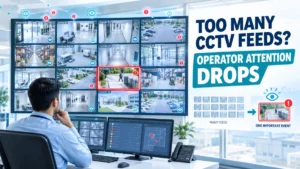
A modern CCTV control room can display dozens or even hundreds of camera feeds. More cameras can improve physical coverage, but they do not automatically improve security.
In fact, when too many feeds compete for an operator’s attention, the surveillance system can become harder to monitor effectively.
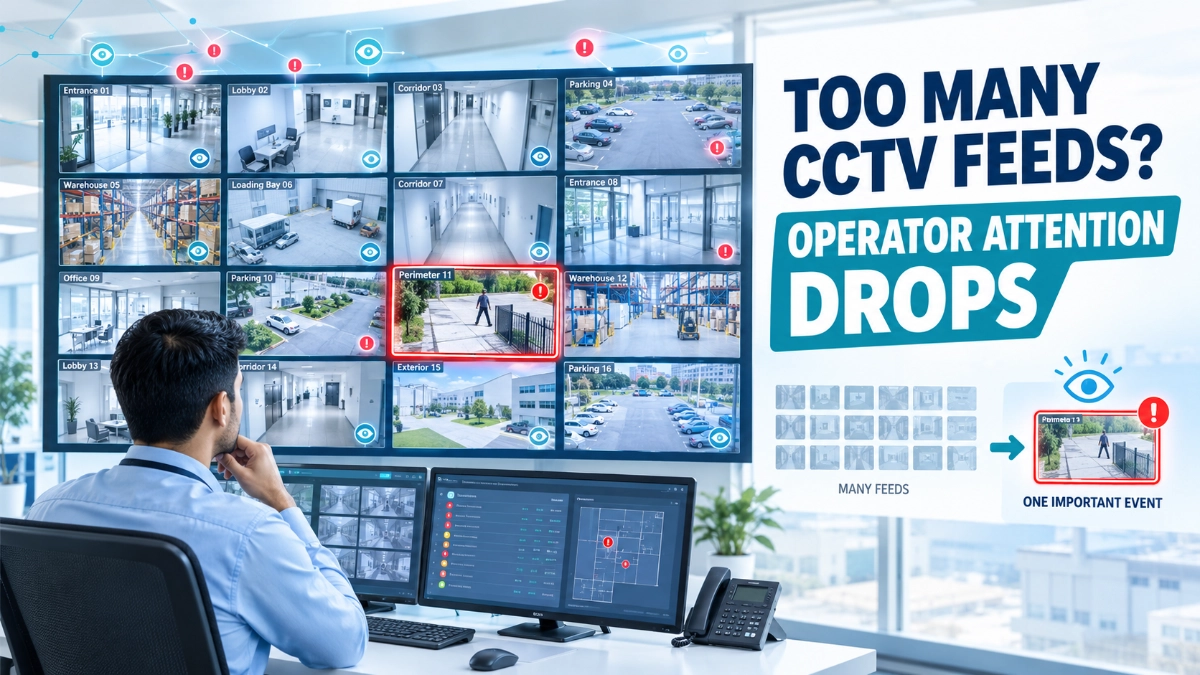
This is a human-factors problem as much as a technology problem. Research on CCTV monitoring has identified visual search, cognitive overload, distraction and attentional failures as important challenges for operators. Studies have also found that operators monitoring multiple feeds may adopt different scanning priorities, sometimes without fully realising how they distribute their attention.
The engineering objective should therefore be simple:
Do not design a CCTV system only to maximise the number of views. Design it so operators can identify and respond to important events.
Can Too Many CCTV Feeds Reduce Operator Attention?
Yes. Too many simultaneous CCTV feeds can make it harder for operators to notice, interpret and respond to important events.
When operators must continuously scan many similar-looking video feeds, their attention is divided across multiple visual sources. Important activity can become less noticeable, particularly when an event is brief, occurs in an unexpected location, or does not produce an obvious visual cue.
The solution is not necessarily to reduce the total number of cameras. Instead, engineers should design the camera architecture, monitoring interface, display layout, alert strategy and operator workflow together.
This can include:
- Prioritising critical cameras
- Using event-based alerts
- Grouping cameras by location or risk
- Reducing unnecessary duplicate views
- Using sub-streams for multi-camera monitoring
- Displaying high-priority events prominently
- Designing operator workflows around actual security tasks
- Using analytics carefully to bring attention to relevant events
Why More CCTV Cameras Do Not Always Mean Better Monitoring
Adding cameras solves one problem: visibility.
It does not automatically solve another: attention.
A large commercial facility may have cameras covering:
- Entrances
- Exits
- Corridors
- Parking areas
- Loading bays
- Elevators
- Staircases
- Reception areas
- Server rooms
- Warehouses
- Perimeter zones
Each additional camera creates another potential source of information.
If an operator must manually scan every feed, the workload can grow quickly.
Research into CCTV control rooms has documented situations where the number of cameras exceeds the number of available screens and has examined how operators adapt their scanning strategies to this visual overload.
This leads to an important design principle:
Camera coverage and operator visibility are two different engineering problems.
A facility can have excellent camera coverage and still have an inefficient monitoring workflow.
1. Human Attention Is a Limited Resource
An operator cannot consciously analyse every pixel of every camera feed at the same time.
The operator must continuously:
- Look at a feed
- Detect something unusual
- Decide whether it matters
- Understand what is happening
- Check related cameras
- Decide what action is required
- Record or communicate the event
When dozens of feeds compete for attention, this process becomes more demanding.
Research reviewing CCTV monitoring describes challenges including visual search, cognitive and perceptual overload, attentional failures, distraction and decision-making in changing environments.
This does not mean operators cannot monitor multiple cameras.
It means the interface and workflow should account for human limitations instead of assuming that more simultaneous information is always better.
2. A Video Wall Can Create an Information Overload Problem
Large video walls look impressive.
However, displaying 30, 40 or 50 camera feeds simultaneously does not guarantee that an operator will effectively monitor all of them.
Many feeds may contain relatively static scenes:
- Empty corridors
- Quiet parking areas
- Office entrances
- Storage rooms
- Building exteriors
Meanwhile, an important event may occur briefly on just one screen.
The challenge becomes:
How quickly can the operator notice the relevant change?
A 2026 study on surveillance interface design reported that displaying a single feed at a time improved situation awareness in its experimental setting compared with a multi-feed interface, without increasing workload. The finding does not mean every control room should use one camera at a time, but it does challenge the assumption that more simultaneous feeds automatically improve monitoring.
3. Similar Camera Views Make Monitoring Harder
Consider a control room with 20 cameras showing similar corridors.
The operator sees:
- Corridor 1
- Corridor 2
- Corridor 3
- Corridor 4
- Corridor 5
and so on.
If the scenes are visually similar, a short event may not immediately stand out.
This is why camera placement and monitoring design should consider visual differentiation.
For example, important cameras can be grouped according to:
- Building
- Floor
- Security zone
- Entrance
- Critical asset
- Risk level
- Operational function
This gives the operator a meaningful mental structure instead of presenting an undifferentiated collection of video feeds.
4. Not Every Camera Needs Equal Operator Attention
One of the most useful concepts in CCTV control-room design is camera prioritisation.
A server-room entrance and an empty office corridor do not necessarily have the same operational importance.
Likewise:
- Main entrance ≠ storage corridor
- Loading dock ≠ meeting room
- Perimeter gate ≠ low-risk office area
This does not mean lower-priority cameras should be ignored.
Instead, the monitoring system can assign different levels of attention.
Example
High priority
- Main entrances
- Restricted areas
- Cash-handling zones
- Critical infrastructure
- Perimeter intrusion zones
Medium priority
- General corridors
- Parking areas
- Loading areas
Lower priority
- Low-risk common areas
- Static service areas
The exact classification should come from the site’s security assessment rather than a universal formula.
5. Camera Placement Should Consider the Operator, Not Just the Scene
Engineers often focus on whether a camera can see an area.
A second question should be:
Can an operator realistically use that video feed effectively?
For example, a camera may have a very wide field of view and technically cover an entire warehouse.
But if people appear extremely small within the image, the feed may provide limited value for identification.
Similarly, installing several cameras with almost identical views can increase monitoring workload without providing proportional operational value.
Camera design should therefore consider:
- Field of view
- Target size
- Viewing distance
- Lighting
- Scene complexity
- Camera priority
- Operator workflow
6. Use Different Streams for Different Monitoring Tasks
Modern IP cameras can often provide multiple video streams.
A practical architecture can use:
Main stream → Recording
Sub-stream → Multi-camera live monitoring
This can reduce the amount of data required for routine multi-camera viewing while retaining higher-quality video for recording, where supported by the camera and recording platform.
However, engineers should verify the actual capabilities of the selected equipment.
For example, when evaluating Impact by Honeywell CCTV, the camera configuration should be considered alongside the monitoring architecture rather than viewed only as an image-quality decision.
Similarly, Impact by Honeywell bullet cameras or Impact by Honeywell dome cameras should be selected according to the scene, mounting conditions, viewing objective and operational requirements.
7. Event-Based Monitoring Can Reduce Unnecessary Attention
One effective approach is to allow the system to draw attention to events instead of requiring operators to continuously scan every feed.
Potential events may include:
- Motion in a restricted area
- Line crossing
- Intrusion
- Camera tampering
- Loitering
- Object detection
- Access-control events
- Door activity
However, alerts should be designed carefully.
If the system generates too many false or low-value alerts, the operator can become overwhelmed again.
This creates a critical engineering principle:
An alert is useful only when it helps the operator focus on something that deserves attention.
8. Too Many Alerts Can Create the Same Problem as Too Many Cameras
Imagine a control room receiving hundreds of notifications every hour.
The technology is working.
The analytics are working.
The alerts are working.
But the operator cannot investigate every notification.
This is sometimes called alert fatigue.
The solution is not simply to disable analytics.
Instead, engineers should review:
- Detection zones
- Sensitivity
- Object filters
- Schedules
- Minimum object size
- Event duration
- Alert priorities
- Escalation rules
A well-designed system should distinguish between an event that requires immediate attention and one that can simply be logged.
9. AI Analytics Can Help Direct Attention
Video analytics can potentially help operators by identifying events that deserve closer inspection.
Research into AI-based visual cueing in CCTV control rooms has reported that automated visual cueing can reduce cognitive load and improve monitoring task performance in experimental settings.
However, analytics should be treated as operator support, not an automatic replacement for human judgment.
A practical workflow might look like:
Camera detects event → Analytics classify event → System highlights relevant feed → Operator verifies event → Operator responds
This approach changes the operator’s role from continuously searching every screen toward investigating meaningful events.
10. NVR Design Influences Monitoring Efficiency
The NVR is not only a recording device.
Depending on the system, it may also support:
- Live viewing
- Camera grouping
- Event management
- Playback
- User permissions
- Recording schedules
- Analytics
- Alerts
When evaluating Impact by Honeywell NVR’s, engineers should therefore consider the complete monitoring requirement.
Questions should include:
- How many cameras need to be viewed simultaneously?
- How many operators will use the system?
- What resolution is required?
- How much incoming bandwidth is expected?
- What recording retention is required?
- Which analytics are required?
- How will cameras be grouped?
- How will important events be displayed?
This is more useful than selecting an NVR based only on the maximum number of supported cameras.
11. More Cameras Can Also Increase Storage and Network Requirements
Every additional camera can affect the technical infrastructure.
Increasing camera count can increase:
- Network traffic
- NVR processing requirements
- Storage requirements
- Recording capacity
- Backup requirements
- Monitoring complexity
The impact becomes greater when cameras use higher resolutions, higher frame rates or higher bitrates.
For example, adding 20 cameras does not only mean adding 20 views.
It can also mean:
20 additional streams → more bandwidth → more recording data → more storage → more monitoring decisions
This is why CCTV expansion should be reviewed as a complete system change.
12. Camera Redundancy Should Have a Purpose
Some overlap between cameras is useful.
For example, two cameras may observe a critical entrance from different angles.
One camera might capture the overall movement while another provides a closer view.
But unnecessary duplication can increase:
- Equipment cost
- Network usage
- Storage
- NVR capacity
- Operator workload
A good CCTV design asks:
What additional information does this second camera provide?
If the answer is unclear, the camera placement should be reviewed.
13. Design Camera Groups Around How Operators Work
Camera grouping should reflect the operator’s tasks.
Instead of arranging feeds randomly by camera number, consider groups such as:
Building A — Ground Floor
- Main entrance
- Reception
- Lift lobby
- Staircase
Building A — Perimeter
- North gate
- South gate
- Parking
- Loading area
Critical Areas
- Server room
- Control room
- Restricted access
This reduces the mental effort required to understand where an event is happening.
14. Use PTZ Cameras Carefully
PTZ cameras can cover large areas because they can move between viewing positions.
However, a PTZ camera cannot simultaneously provide detailed views of multiple directions.
If the camera is looking toward one area, another area may temporarily fall outside its active view.
Therefore, PTZ cameras should not automatically be treated as replacements for fixed cameras.
A practical design may use:
Fixed cameras → continuous coverage
PTZ camera → additional investigation or situational awareness
The exact architecture depends on the application.
15. Operator Interface Design Matters
The CCTV camera itself may be perfectly capable, but the user interface can still affect monitoring performance.
Useful interface features can include:
- Camera grouping
- Event pop-ups
- Priority indicators
- Map-based navigation
- Camera labels
- Time synchronization
- Quick playback
- Bookmarking
- Alarm acknowledgement
- Related-camera switching
The objective is to reduce unnecessary navigation.
When an operator sees an event, they should be able to quickly answer:
Where is it? What happened? Which nearby cameras should I check? What happened immediately before and after?
16. A Practical CCTV Operator Workload Strategy
Engineers and security managers can use a simple layered approach.
Layer 1: Continuous Monitoring
Display selected high-value cameras continuously.
Layer 2: Event Monitoring
Use analytics or system events to highlight unusual activity.
Layer 3: Investigation
Allow the operator to quickly open related cameras and playback footage.
Layer 4: Response
Provide the information required for security personnel to take appropriate action.
This approach can make a large CCTV system more manageable than simply displaying every available camera at the same size.
17. What Engineers Should Review Before Expanding a CCTV System
Before adding more cameras, ask:
Coverage
- What area is currently missing?
- Is the gap genuinely important?
Camera
- What viewing objective is required?
- Is identification necessary?
- What lens and mounting position are appropriate?
Network
- Can the network handle the additional streams?
Recording
- Can the NVR/VMS handle the additional cameras?
Storage
- What additional retention capacity is required?
Monitoring
- Who will monitor the new feeds?
- How will the new cameras be prioritised?
Alerts
- Will the additional cameras generate more events?
- Are those events useful?
This final question is often overlooked.
A camera that creates another screen but does not improve decision-making may not provide the expected operational value.
CCTV Operator Attention Checklist
Before finalising a surveillance control-room design, review:
- Critical cameras identified
- Camera groups organised logically
- Unnecessary duplicate views removed
- High-priority areas clearly identified
- Multi-stream configuration reviewed
- Alert priorities defined
- False-alert sources evaluated
- NVR capacity verified
- Network bandwidth verified
- Storage requirements calculated
- Operator workflow documented
- Event investigation process tested
- Related-camera navigation available
- Periodic operator feedback incorporated
Final Takeaway
The goal of CCTV design is not to show operators more video. It is to help them notice the right video at the right time.
A large camera deployment can provide excellent physical coverage while still creating an inefficient monitoring environment.
The strongest designs connect five elements:
Camera coverage → Network architecture → Recording system → Analytics → Human attention
When these elements work together, operators can spend less time searching through repetitive feeds and more time investigating meaningful events.
For engineers designing systems around Impact by Honeywell CCTV, the same principle applies: evaluate cameras, NVRs, network infrastructure and monitoring workflows as one system.
The choice between Impact by Honeywell bullet cameras and Impact by Honeywell dome cameras, for example, should start with the surveillance environment and viewing objective. Likewise, the selection of Impact by Honeywell NVR’s should consider not only camera capacity but also recording, viewing and event-management requirements.
For projects requiring local product sourcing, an Impact by Honeywell distributor in India can be considered as part of the procurement process, while the engineering team should retain responsibility for defining the required system architecture and performance criteria.
Ultimately, more cameras should create more useful information, not simply more screens to watch.
Read Also: How Commercial Building Layouts Create CCTV Coverage Conflicts
Read Also: How Firmware, Network and Configuration Changes Can Affect CCTV Reliability