
A CCTV system may promise 30 days of recording, but does that guarantee 30 days of usable evidence?
Not necessarily.
A storage calculation can look correct on paper and still fail in practice. Engineers may estimate disk capacity using the number of cameras, average bitrate, and retention period. However, real-world performance also depends on scene activity, frame rate, recording schedules, storage configuration, and unexpected recording gaps.
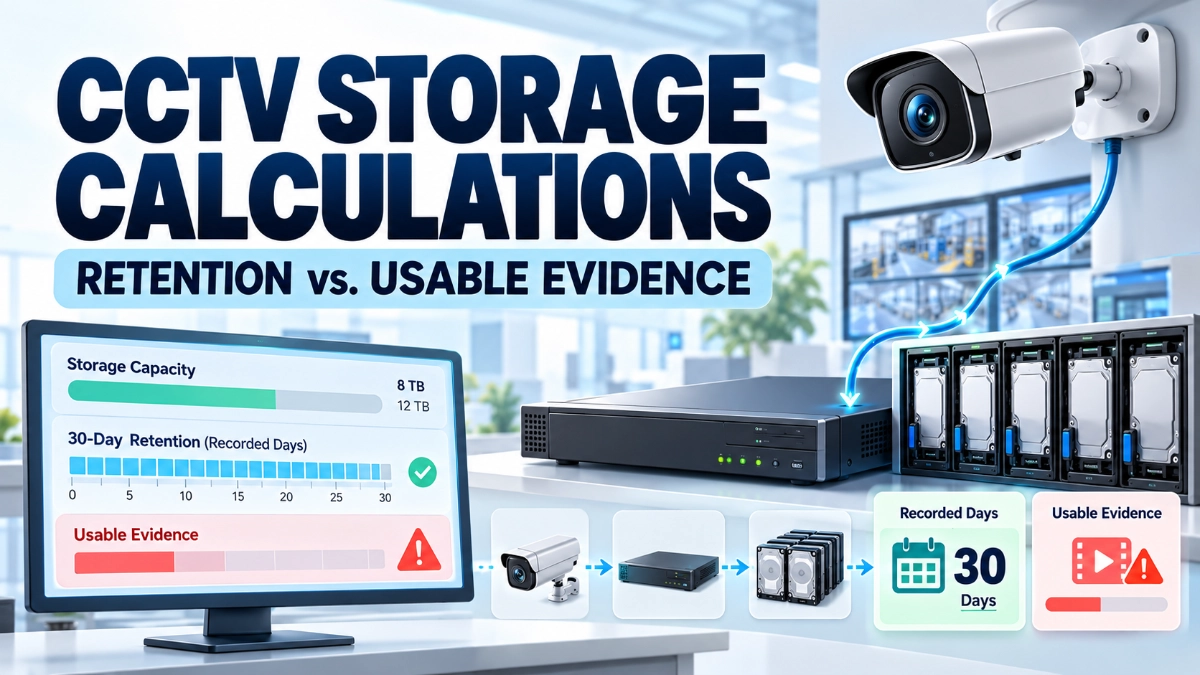
The bigger problem is that recording days do not automatically translate into usable evidence. Footage must exist, cover the required time, show sufficient detail, and remain accessible when an incident occurs.
For CCTV engineers, system integrators, security consultants, and facility managers, accurate storage planning requires more than calculating hard disk capacity. It requires understanding how the complete surveillance system records, stores, and retrieves video.
How Do You Calculate CCTV Storage?
CCTV storage depends primarily on the number of cameras, recording bitrate, hours recorded per day, and retention period.
For continuous recording, engineers can use this formula:
Storage (GB) = Cameras × Bitrate (Mbps) × 10.8 × Recording days
This simplified formula assumes continuous 24-hour recording and uses decimal gigabytes. It estimates the raw video storage requirement before additional allowances for system overhead, usable RAID capacity, filesystem requirements, or design headroom.
For example, 16 cameras recording continuously at 4 Mbps for 30 days require approximately 55.3 TB of raw storage.
However, this estimate does not guarantee 30 days of usable evidence. Engineers must also verify recording continuity, image quality, retention policies, storage health, and playback availability.
1. Why CCTV Storage Calculations Fail in Practice
Many storage estimates begin with three inputs:
- Number of cameras
- Average bitrate per camera
- Required retention period
These inputs provide a useful starting point, but they do not describe the complete recording environment.
A warehouse camera may capture moving forklifts, changing lighting, and busy loading bays. A camera covering an empty corridor may capture very little activity. Both cameras might use the same resolution, yet their actual storage consumption can differ.
Other problems can include incorrectly configured recording schedules, unavailable disk capacity, failed drives, network interruptions, and retention settings that do not match operational requirements.
Therefore, engineers should separate three questions:
- Capacity: How much video can the system store?
- Continuity: Does the system record throughout the required period?
- Evidence quality: Can investigators retrieve footage that clearly shows the relevant event?
A reliable CCTV design must address all three.
2. Bitrate: The Biggest Storage Variable
Bitrate measures how much video data a camera generates per second. It directly affects storage consumption when recording continues over time.
For example, a camera recording at 2 Mbps generates approximately 21.6 GB per day under continuous recording. At 6 Mbps, it generates approximately 64.8 GB per day.
The second camera therefore requires three times as much storage under these assumptions.
Several factors influence bitrate:
- Resolution
- Frame rate
- Video codec
- Image complexity
- Movement within the scene
- Lighting conditions
- Noise in the image
- Compression settings
A camera monitoring a busy production line may generate more data than one monitoring a static entrance.
Engineers should therefore avoid relying only on a manufacturer’s typical bitrate estimate. Where possible, measure actual stream bitrate during representative operating conditions.
Practical recommendation: Calculate storage using measured bitrate or a conservative design value, then validate the result during a pilot deployment.
3. Frame Rate and Resolution Affect Usable Evidence
Higher resolution can capture more detail, while a higher frame rate can represent motion more smoothly.
However, these improvements can increase storage demand.
Consider a vehicle moving quickly through a warehouse entrance. A low frame rate may capture the vehicle but miss the precise moment when a person enters or an object changes hands. Similarly, a high-resolution image may still fail to identify a person if the camera angle, lighting, focus, or field of view is unsuitable.
Storage planning must therefore consider the purpose of each camera.
Ask:
- Does the camera need to detect activity or identify a person?
- Must it capture fast-moving objects?
- Does the scene require continuous high-quality recording?
- Can a lower-bitrate secondary stream serve remote viewing?
- Will compression preserve the details needed for investigation?
Do not reduce frame rate or bitrate simply to meet a storage target without checking the impact on evidence quality.
4. Scene Activity and Compression Can Change Storage Demand
Modern IP cameras often use H.264 or H.265 compression. Some also support smart encoding features that adjust compression according to scene conditions.
These technologies can reduce storage consumption, but the results depend on the scene and configuration.
A quiet office corridor may require relatively little data. A busy factory floor with moving machinery, people, and changing lighting may require more.
Variable bitrate (VBR) allows the bitrate to change with scene complexity. Constant bitrate (CBR) aims to maintain a configured bitrate within the encoder’s operating limits.
Neither approach removes the need for testing.
For VBR systems, engineers should measure consumption over representative periods, including busy shifts and difficult lighting conditions. For CBR systems, they should confirm that the selected bitrate delivers acceptable image quality during complex scenes.
5. Transparent Worked Example: 16 Cameras and 30-Day Retention
Consider a warehouse surveillance system with the following requirements.
| Design parameter | Assumption |
|---|---|
| Number of cameras | 16 |
| Average recording bitrate per camera | 4 Mbps |
| Recording schedule | 24 hours per day |
| Retention target | 30 days |
| Recording method | Continuous |
| Storage units | Decimal GB and TB |
Step 1: Calculate daily storage per camera
One Mbps of continuous recording generates approximately 10.8 GB per day.
Therefore:
4 Mbps × 10.8 GB = 43.2 GB per camera per day
Step 2: Calculate daily storage for all cameras
16 cameras × 43.2 GB = 691.2 GB per day
Step 3: Calculate storage for 30 days
691.2 GB × 30 days = 20,736 GB
20,736 GB ÷ 1,000 = 20.736 TB
The system therefore requires approximately 20.74 TB of raw video storage under the stated assumptions.
Step 4: Add a 20% planning allowance
A planning allowance can help accommodate bitrate variation, future growth, and uncertainty. It does not replace a proper storage design.
20.736 TB × 1.20 = 24.88 TB
The initial design target becomes approximately 24.88 TB before accounting for RAID overhead, reserved capacity, or other platform-specific requirements.
Step 5: Account for usable disk capacity
Suppose the proposed storage system provides 32 TB of nominal raw disk capacity.
If the system uses RAID, engineers must calculate the capacity remaining after parity or mirroring. They must also consider formatting, system reservations, and the NVR’s supported storage architecture.
For illustration, a four-drive RAID 5 array using four 8 TB drives provides approximately 24 TB of decimal capacity before filesystem and other platform overhead. That is less than the 24.88 TB planning target.
Important: These figures are illustrative. Actual usable capacity depends on the drive arrangement, RAID implementation, recording platform, and manufacturer specifications.
This is where storage calculations can fail: engineers may select drives based on their combined advertised capacity rather than the capacity available for video recording.
6. Motion Recording Can Reduce Storage but Introduce Risks
Motion-triggered recording can reduce storage consumption because the system records only when configured conditions are met.
However, the savings depend on actual scene activity and the quality of event configuration.
A busy loading bay may trigger recording for much of the day. A quiet storage room may trigger it infrequently.
Poorly configured motion detection can also miss important events or begin recording too late. Pre-event and post-event recording buffers can help preserve context, provided the system supports them and engineers configure them correctly.
For critical areas, evaluate whether continuous recording is more appropriate.
If you use motion recording, test representative events under different conditions. Check whether the recording captures the approach, the event itself, and what happens immediately afterwards.
Lower storage consumption is not an improvement if the system misses the evidence it was designed to capture.
7. Recording Gaps Can Make Retention Figures Misleading
Retention calculations estimate how much video the system can hold. They do not prove that the system recorded every required moment.
Recording gaps can occur because of:
- Network interruptions
- Camera power failures
- PoE switch problems
- Camera or NVR reboots
- Disk failures
- Incorrect recording schedules
- Storage allocation errors
- Camera disconnections
- Configuration changes
Imagine an NVR retains 30 days of video, but a camera loses connectivity for 45 minutes during a security incident.
The system may still meet its nominal retention target, yet the relevant event is missing.
Engineers should monitor camera connection status, recording health, storage alarms, and system event logs. They should also verify whether the NVR records locally during network interruptions and whether it can recover missing footage afterwards.
Local edge recording can help in supported architectures, but it requires correct configuration and a tested recovery process.
8. Retention Policies Must Match Operational Requirements
A retention policy defines how long recordings remain available before the system overwrites or deletes them.
Different areas may require different retention periods based on business needs, contractual requirements, applicable law, or internal policy.
For example, an organisation might require longer retention for access points and loading bays than for general circulation areas. The exact period should follow the organization’s documented requirements rather than a universal assumption.
Engineers should confirm:
- Required retention by camera or area
- Continuous versus event-based recording
- Automatic overwrite behaviour
- Protection of incident-related footage
- Export and evidence-preservation procedures
- Access permissions
- Applicable privacy and data-retention rules
When an incident occurs, staff should follow an established process to preserve relevant footage before normal overwrite removes it.
9. RAID, Disk Health, and Usable Capacity
RAID can improve storage availability or performance, depending on the selected configuration. However, RAID is not a substitute for backup, monitoring, or evidence-preservation procedures.
A failed disk can reduce available capacity or place the array in a degraded state. Multiple failures may cause data loss, depending on the RAID level and failure pattern.
Engineers should check the following during storage design:
- Total raw disk capacity
- Usable capacity after RAID
- NVR-supported RAID levels
- Disk compatibility
- Rebuild behavior
- Disk health alerts
- Spare-drive arrangements
- Expected storage growth
- Recording performance during rebuilds
Do not assume that a healthy RAID status guarantees uninterrupted recording. Test the platform’s alerts and recovery procedures, and verify that video remains accessible during supported failure scenarios.
10. How to Validate CCTV Storage Before Handover
A storage calculation should be the beginning of verification, not the final acceptance test.
Before handover, engineers should:
- Measure actual camera bitrate under representative conditions.
- Confirm resolution, frame rate, codec, and recording schedule.
- Calculate retention using the measured or approved design bitrate.
- Verify usable storage after RAID and system reservations.
- Confirm the overwrite and retention policies.
- Inspect recording timelines for gaps.
- Test playback across multiple dates and cameras.
- Export sample footage and confirm that it opens correctly.
- Check timestamps and time synchronisation.
- Verify disk, camera, and NVR alarms.
Where practical, run a pilot long enough to capture both quiet and busy operating periods. Use those results to refine the final storage estimate.
11. Choosing CCTV Equipment With Storage in Mind
Storage planning should begin with the surveillance objective and the system architecture, not just the number of cameras.
When evaluating Impact by Honeywell CCTV, engineers should verify the relevant camera stream specifications, recording compatibility, supported resolutions, and NVR capacity against the project requirements.
Impact by Honeywell bullet cameras may suit directional monitoring applications, while Impact by Honeywell dome cameras may fit other mounting and coverage requirements. In either case, camera placement and the required level of detail affect the recording profile and storage demand.
Likewise, Impact by Honeywell NVR’s should be assessed for supported camera counts, incoming bandwidth, recording capacity, storage expansion, and the required retention period.
Organisations sourcing equipment can consult an Impact by Honeywell distributor in India to verify current product specifications and availability before finalising a design.
The objective is to select a compatible system that can maintain the required recording quality and retention under real operating conditions.
Final Takeaway
CCTV storage calculations fail when engineers treat theoretical capacity as proof of recording reliability.
Bitrate, frame rate, scene activity, compression, recording schedules, RAID configuration, retention rules, and recording gaps all influence the footage a system can preserve.
The worked example shows why engineers must calculate raw storage, add a justified planning allowance, and then verify the usable capacity available to the recording platform.
Ultimately, the real measure of CCTV storage performance is not simply how many days the system claims to retain. It is whether the required footage remains complete, accessible, and clear enough to serve as usable evidence when an incident occurs.
Read Also: From Video Recording to Searchable Evidence: The Role of CCTV Metadata
Read Also: CCTV Cybersecurity Beyond Passwords: Cameras as Connected Network Endpoints