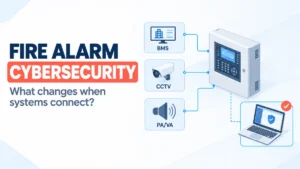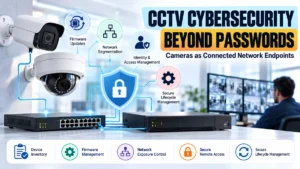
Networked CCTV cameras do more than capture video. They communicate with switches, NVRs, video management systems (VMS), cloud platforms, and remote monitoring applications. This connectivity makes modern surveillance more flexible, but it also introduces cybersecurity risks that engineers must address.
A strong password alone cannot protect a CCTV system from every threat. An outdated camera may contain an unpatched vulnerability. An exposed management interface may provide an attacker with an entry point. Poor network segmentation may allow a compromised camera to communicate with other devices across the organisation.
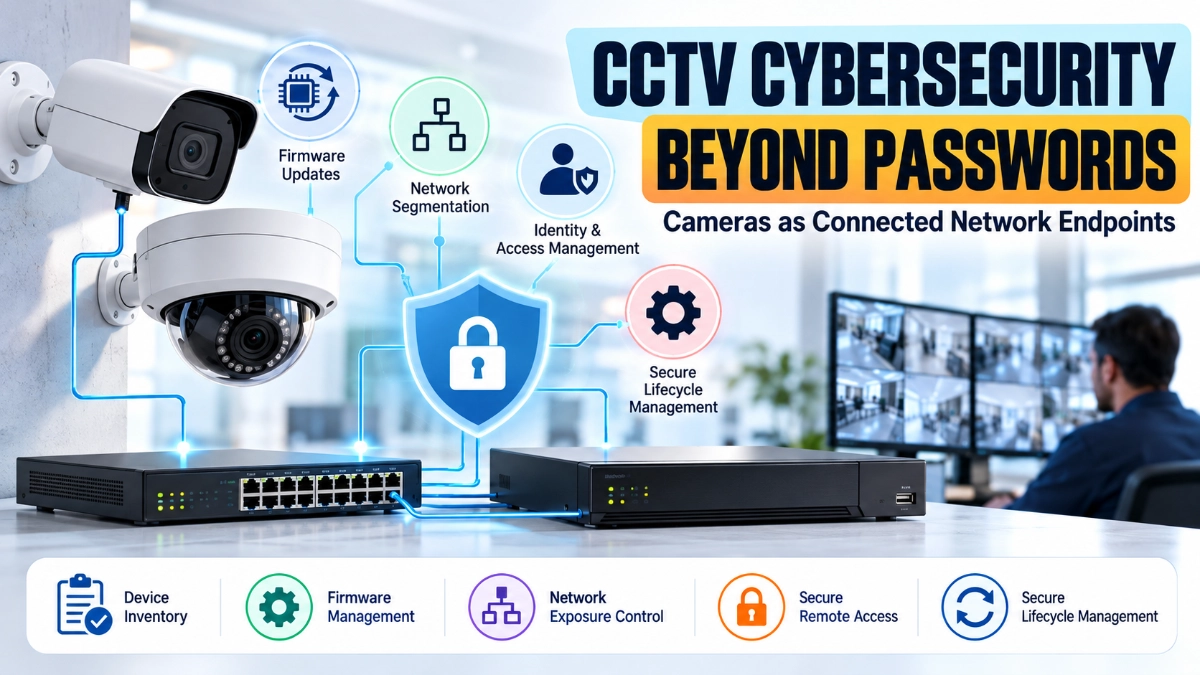
CCTV cybersecurity requires a complete approach that combines device inventory, firmware management, network segmentation, identity and access management, controlled remote access, and secure lifecycle management.
For security engineers, IT administrators, system integrators, and facility managers, the objective is clear: protect surveillance devices without compromising video availability, recording performance, or operational visibility.
How Can Organisations Secure CCTV Cameras Beyond Passwords?
Organisations can improve CCTV cybersecurity by treating every IP camera and NVR as a connected network endpoint. Maintain an accurate device inventory, install verified security updates, separate CCTV traffic from business networks, restrict management access, use unique credentials and multifactor authentication where supported, and monitor unusual network activity.
Security must continue throughout the device lifecycle, from procurement and installation to maintenance, replacement, and decommissioning.
1. Why CCTV Cameras Should Be Treated as Network Endpoints
An IP camera is effectively a specialised network device. It has firmware, network interfaces, administrative settings, communication services, and sometimes local storage or analytics capabilities.
Depending on the model and deployment, it may communicate with:
- Network video recorders (NVRs)
- Video management systems
- Ethernet switches and routers
- DNS and NTP servers
- Remote monitoring platforms
- Mobile applications
- Vendor maintenance services
Each connection creates a dependency that engineers must understand and secure.
Consider a warehouse with 80 IP cameras connected to a common network. If an attacker compromises one poorly secured camera, the consequences may extend beyond that device when network controls allow unnecessary communication with other systems.
The camera might become a target for unauthorised access, an entry point for lateral movement, or a source of suspicious network traffic.
The engineering principle is simple: every connected camera needs an identifiable owner, a known configuration, a supported software version, and a clearly defined communication path.
2. Build and Maintain an Accurate CCTV Device Inventory
You cannot effectively secure devices that you cannot identify.
A CCTV device inventory helps engineers understand what equipment exists, where it operates, who manages it, and whether it receives security updates.
For every camera and NVR, record the following information:
- Manufacturer and model
- Serial number or unique asset identifier
- Physical location
- IP and MAC addresses
- Firmware version
- Installation date
- Network segment or VLAN
- Device owner
- Administrative access method
- Support status and end-of-life date
- Connected NVR or VMS
- Known vulnerabilities and required updates
Keep the inventory current whenever technicians replace equipment, change IP addresses, update firmware, or modify network architecture.
Why does this matter?
Imagine an organisation operating cameras across several buildings. A technician replaces a camera but does not update the inventory. Months later, the security team identifies a vulnerability affecting a particular firmware version.
The team may overlook the replacement device because its actual configuration differs from the recorded information.
Automated network discovery, configuration management tools, and periodic audits can help identify these gaps.
CISA recommends maintaining accurate device and firmware inventories as part of effective network visibility and hardening.
3. Firmware Management: Reduce Vulnerabilities Before Attackers Exploit Them
Firmware controls how a camera operates. Like other software, it may contain vulnerabilities that attackers can exploit.
Manufacturers release firmware updates to address security issues, fix defects, improve stability, or introduce features. However, organisations should not install updates blindly across an entire surveillance network.
A structured firmware management process should include:
- Check the manufacturer’s security advisories and release notes.
- Identify affected camera and NVR models.
- Review the severity and relevance of each vulnerability.
- Verify firmware authenticity and compatibility.
- Test the update on representative devices.
- Schedule deployment during an approved maintenance window.
- Confirm live viewing, recording, playback, and event functions.
- Document the installed version and retain a recovery plan.
Prioritise known exploited vulnerabilities and critical issues according to risk, exposure, and operational impact.
If a device cannot receive a necessary security patch, restrict its network access and evaluate replacement options.
An unsupported camera is not automatically compromised, but it can become increasingly difficult to secure as new vulnerabilities emerge.
Never assume that every camera uses the same update procedure. Follow the manufacturer’s instructions and avoid interrupting critical recording operations.
4. Network Segmentation: Contain the Impact of a Compromised Camera
Network segmentation is one of the most valuable controls for protecting IP surveillance infrastructure.
Instead of placing cameras, employee computers, servers, and administrative devices on one unrestricted network, engineers can separate them into logical or physical security zones.
A typical architecture may include:
- CCTV device VLAN: IP cameras and related surveillance endpoints
- Recording VLAN: NVRs and recording infrastructure, where appropriate
- Management network: Authorised administrative workstations and device management interfaces
- Corporate network: Employee computers and business applications
The exact design depends on the system architecture and communication requirements.
Segmentation alone is not enough. Firewall rules and access control lists should permit only the communication required for video streaming, device management, time synchronisation, name resolution, and other approved services.
For example, a camera may need to send video to a designated NVR. It generally does not need unrestricted access to employee laptops, finance servers, or unrelated internet destinations.
Practical engineering checks
- Assign cameras to the intended VLAN.
- Restrict management interfaces to authorised systems.
- Permit only required traffic between cameras and recorders.
- Block unnecessary outbound internet connections.
- Review inter-VLAN routing and firewall rules.
- Monitor unexpected connections and configuration changes.
A segmented design helps limit lateral movement if an endpoint becomes compromised. It also makes network monitoring and troubleshooting easier.
5. Identity and Access Management: Control Who Can Do What
Strong credentials remain important, but CCTV cybersecurity also requires careful management of user identities and permissions.
Many surveillance environments involve several users: administrators, security operators, maintenance technicians, contractors, and remote monitoring teams. These users do not need identical access.
Apply role-based access control (RBAC) wherever the platform supports it.
For example:
| User role | Appropriate access |
|---|---|
| Security operator | Live viewing and authorised playback |
| CCTV administrator | Device configuration and system management |
| Auditor | Read-only access to relevant logs and settings |
| Maintenance technician | Time-limited access to assigned equipment |
Use unique accounts instead of sharing administrator credentials across the team.
Additional controls should include:
- Change default credentials during commissioning.
- Use long, unique passwords or passphrases.
- Enable multifactor authentication (MFA) where supported, especially for remote and administrative access.
- Remove inactive accounts promptly.
- Review permissions when employees change roles.
- Restrict service accounts to necessary permissions.
- Store credentials in an approved password manager.
- Record important administrative actions.
If a camera does not support MFA, protect its management interface through network restrictions and a more secure administrative access layer.
The goal is to make every important action attributable to an authorised identity, rather than relying on one shared password to protect the entire system.
6. Remote Access: Avoid Exposing Cameras Directly to the Internet
Remote viewing allows authorised users to monitor facilities from another location. However, poorly configured remote access can expose cameras and NVRs to unnecessary risk.
Directly exposing device management interfaces through public IP addresses or unrestricted port forwarding increases the attack surface.
A safer approach uses an approved remote access architecture, such as a properly secured VPN or controlled access gateway.
Organisations should:
- Avoid direct public exposure of camera administration interfaces.
- Use MFA on remote access systems where possible.
- Restrict access to approved users and devices.
- Limit access to the required cameras, services, and network segments.
- Review remote access logs.
- Remove temporary contractor access after the work ends.
- Keep VPN gateways and access software updated.
- Disable unused remote access features.
Cloud-connected cameras may use vendor-managed connectivity rather than conventional port forwarding. In those cases, review the vendor’s security documentation, account protections, data flows, and remote access controls.
A VPN is not a complete security solution by itself. The devices, accounts, gateways, and internal network paths behind it must also be protected.
7. Reduce Network Exposure and Disable Unnecessary Services
Every enabled service can create additional maintenance and security requirements.
Depending on the camera model, network services may include web administration, remote management protocols, discovery services, streaming protocols, and diagnostic interfaces.
Engineers should review which services are necessary for the intended deployment.
For example, disable unused services and insecure protocols where the manufacturer supports doing so safely. Restrict administrative interfaces to trusted management systems. Use encrypted communication for management whenever supported.
Also review outbound traffic. A camera should not be allowed to contact arbitrary external destinations simply because internet access is available.
Use firewall policies to define approved destinations and investigate unexpected connections.
However, do not disable services without checking their operational dependencies. A service that appears unnecessary may support recording, discovery, monitoring, or a required integration.
Document each security change and test the resulting system.
8. Monitor CCTV Networks for Unusual Activity
Preventive controls reduce risk, but they cannot guarantee that every attack will be blocked.
Continuous monitoring helps teams identify suspicious activity before it causes prolonged disruption.
Useful monitoring signals include:
- Repeated failed login attempts
- Unexpected administrative logins
- Changes to device configuration
- Cameras communicating with unknown external addresses
- Unusual outbound traffic
- New or unidentified devices on CCTV VLANs
- Unexpected firmware or account changes
- Sudden camera disconnections
- Abnormal network traffic patterns
Collect logs from cameras, NVRs, switches, firewalls, and remote access systems where supported.
Centralised logging can help security teams correlate events. For example, a series of failed camera logins followed by an unexpected configuration change may deserve immediate investigation.
Not every alert indicates an attack. Network maintenance, power interruptions, and legitimate configuration changes can generate similar symptoms. Establish a baseline of normal activity and investigate deviations in context.
9. Secure the Complete CCTV Lifecycle
CCTV cybersecurity should begin before installation and continue until equipment leaves service.
Procurement
Evaluate firmware support, security update availability, access controls, encryption options, vulnerability disclosure practices, and end-of-life policies before purchasing devices.
Installation and commissioning
Change default credentials, assign approved network settings, disable unnecessary services, document device details, and test required communication paths.
Operation and maintenance
Review vulnerabilities, apply updates, audit accounts, monitor traffic, back up configurations securely, and maintain accurate network diagrams.
Replacement and decommissioning
Revoke device credentials, remove firewall and access rules, update inventories, and securely erase local storage or reset devices according to the manufacturer’s procedures before disposal or reuse.
This lifecycle approach prevents forgotten cameras, obsolete firmware, temporary accounts, and abandoned network rules from becoming long-term security weaknesses.
10. What Engineers Should Check Before Approving a CCTV Deployment
Use this practical checklist during design reviews, commissioning, and periodic security audits.
- Every camera and NVR appears in the asset inventory.
- Firmware versions and support status are documented.
- Default credentials have been replaced.
- User accounts follow least-privilege principles.
- MFA protects remote and administrative access where supported.
- Cameras use approved network segments.
- Firewall rules restrict unnecessary communication.
- Camera management interfaces are not unnecessarily internet-accessible.
- Unused services have been reviewed.
- Security updates follow a documented process.
- Logs and relevant security events are monitored.
- Configurations and network diagrams are securely backed up.
- A vulnerability response and device replacement process exists.
- Decommissioned equipment is removed from the network and inventory.
11. How Camera and NVR Selection Supports Cybersecurity
Cybersecurity starts with network architecture, but equipment selection also matters.
When evaluating Impact by Honeywell CCTV, engineers should review the specifications and security capabilities of the exact models under consideration. Important questions include firmware support, account management, available encryption, access restrictions, update procedures, and compatibility with the intended NVR or VMS.
Impact by Honeywell bullet cameras and Impact by Honeywell dome cameras may suit different physical applications, but their cybersecurity requirements should be assessed using the same principles: secure configuration, restricted access, supported firmware, and controlled network communication.
Likewise, Impact by Honeywell NVR’s should be assessed for administrative access controls, recording security, firmware maintenance, network interfaces, and compatibility with the overall surveillance architecture.
Organisations sourcing products through an Impact by Honeywell distributor in India should verify current model-specific specifications and available manufacturer documentation before finalising procurement.
Product selection alone does not guarantee a secure installation. Network design, commissioning, maintenance, and access management remain essential.
Conclusion: Build CCTV Security Around the Entire Network
Modern CCTV cybersecurity extends far beyond passwords. Cameras, NVRs, network switches, remote access gateways, and management platforms form an interconnected environment that requires consistent protection.
Accurate device inventories help teams identify what needs protection. Firmware management reduces known vulnerabilities. Network segmentation limits the impact of compromise. Identity and access management controls who can perform sensitive actions. Restricted remote access and continuous monitoring help reduce exposure and detect suspicious behaviour.
The strongest approach is to treat CCTV as an operational technology and IT security responsibility, with clear ownership and documented procedures throughout the device lifecycle.
For engineers, the objective is not simply to keep cameras online. It is to ensure that every connected surveillance device remains identifiable, supported, appropriately isolated, and accessible only through authorised paths.
Read Also: A Camera Can Be Working Perfectly and Still Fail Its Security Objective
Read Also: How Security Zones Should Influence Commercial CCTV Design