A pharmaceutical plant’s fire alarm network passes every routine test. The maintenance supervisor still sees a pattern. A repaired module took weeks to come back, the original programming files sit on one retired laptop, and a planned warehouse extension may exceed the network’s capacity. Nothing has failed, but the options are narrowing.
Waiting for a critical failure turns a manageable lifecycle decision into a constrained project. Procurement becomes urgent, design time shrinks, shutdown windows tighten, and compatibility checks get rushed. An older system is not automatically unsafe, and not every ageing platform needs immediate replacement. The goal is to decide early, using evidence.
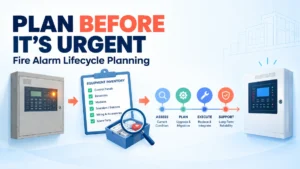
Fire alarm platform lifecycle planning means reviewing the installed equipment base, verifying current manufacturer support, assessing spare-parts availability, mapping dependencies, evaluating operational risk and choosing a controlled maintenance, retrofit or migration strategy. The right decision depends on verified support information, equipment condition, applicable requirements, system criticality, future needs and migration feasibility. Age alone does not decide it. Start while the system is stable, and there is time to compare options.
Why Fire Alarm Lifecycle Planning Must Begin Before Replacement Is Urgent
Four things are easy to conflate: equipment age, actual condition, support status and the risk of continued operation. A well-maintained panel can serve reliably for years. A younger installation can carry real exposure if its documentation is missing or its parts are hard to source. Treat each factor separately.
Lifecycle planning should begin while the system is operational because several pressures build quietly:
- Parts availability: Replacement parts may become harder to source.
- Support arrangements: Manufacturer support or service arrangements can change.
- Repair lead times: Repairs may take longer, or the same faults may recur.
- Documentation and specialists: Technical documentation and specialist support can become harder to obtain.
- Expansion: New buildings or zones may exceed the original design assumptions.
- Interfaces: Connected systems complicate any replacement.
- Budget and procurement cycles: Major infrastructure spending often needs long approval and procurement lead times.
Planning early does not commit anyone to replacement. It buys time to choose between continued maintenance, a supported retrofit and full migration.
Six Indicators That Lifecycle Planning Should Start
These are planning triggers, not automatic replacement criteria.
- Support uncertainty: Nobody can confirm the current manufacturer support status, repair options or software and configuration support arrangements.
- Spare-parts constraints: Critical components have long lead times, few alternatives or uncertain availability.
- Recurring reliability issues: Repeated faults or repairs are consuming maintenance effort and eroding operational confidence.
- Expansion limitations: Planned changes may exceed existing system capabilities or force a broader redesign.
- Documentation and skills gaps: Configuration records, drawings, specialist knowledge or maintenance procedures are incomplete.
- Increasing migration complexity: Legacy interfaces, connected systems or site dependencies could make a future replacement harder with each passing year.
One indicator warrants a closer look. Several together justify a formal assessment.
How to Conduct an Installed-Base Lifecycle Assessment
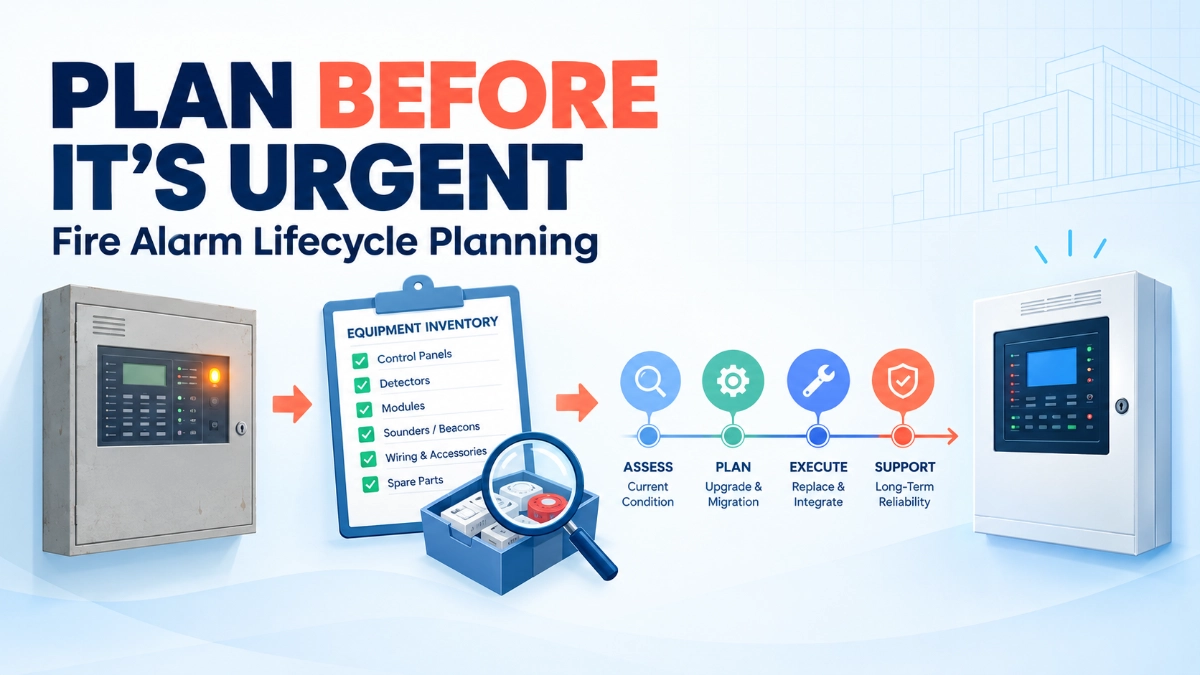
A fire alarm lifecycle assessment gives the evidence base for every later decision. Work through four steps.
Establish the Installed Equipment Inventory
Record the installed panel families, controllers, networked nodes, detection devices, notification equipment, interfaces, power supplies and other significant components, as applicable. For each item, capture model identifiers, quantities, locations, available documentation and known configuration dependencies. Walk the site to confirm it. Inventories built only from old drawings routinely miss later modifications.
Verify Support and Product Status
Confirm current lifecycle information directly with the manufacturer or an authorised support channel. Check published support announcements, service availability, repair options and any official replacement or migration guidance.
Do not assume a product is discontinued because it is old, and do not rely on hearsay about end-of-life dates. Where the status is unknown, log it as an information gap and assign someone to close it.
Review Reliability and Maintenance History
Look for recurring faults, repair frequency, component replacement history, unresolved issues and the effort needed to keep the system healthy. Trends matter more than events. A single fault or isolated repair does not make a case for replacing a platform, but repeated failures of the same component type deserve a root-cause review.
Map Dependencies and Constraints
Identify connected panels and network nodes, building management system (BMS) connections, emergency voice communication links, monitoring arrangements and the approved cause-and-effect sequences a migration could affect. Replacement scope cannot be set from the main control panel alone. A panel swap that ignores a graphics workstation, a lift recall signal or a smoke-control interface is not a complete scope.
Spare-Parts Strategy: What Should Organisations Plan For?
Spare-parts planning should follow evidence, not indiscriminate stockpiling. Stock that is incompatible, badly stored or irrelevant to real failure modes wastes budget and creates false confidence. Consider:
- How critical the component is to system operation.
- Verified availability and expected procurement lead times.
- Manufacturer-approved replacement options.
- Repairability and authorised service arrangements.
- Storage, shelf-life and environmental conditions where applicable.
- The risk of unverified substitutions.
- How far spare-parts investment supports, or delays, a longer-term migration decision.
| Planning factor | What engineers should establish | Why it matters |
|---|---|---|
| Component criticality | Operational significance and dependencies | Helps prioritise assessment |
| Availability | Verified sourcing options and lead times | Identifies procurement exposure |
| Compatibility | Manufacturer-approved replacement suitability | Reduces substitution risk |
| Repair options | Documented service and repair routes | Supports maintenance planning |
| Lifecycle outlook | Available support and migration information | Helps determine whether further investment is justified |
Select critical spares using site-specific risk, manufacturer guidance and maintenance requirements. Never assume parts are interchangeable across product families.
Continue Maintaining, Retrofit or Replace? How to Evaluate the Options
No strategy is universally superior. A platform can remain serviceable despite its age, while a newer platform can still demand heavy engineering if its migration dependencies are poorly understood.
| Criterion | Continue maintaining | Supported retrofit or phased upgrade | Broader replacement or migration |
|---|---|---|---|
| Current equipment condition | Suits stable, well-maintained equipment | Suits mixed condition across areas | Suits widespread condition or capacity problems |
| Verified support and parts | Needs confirmed ongoing support and parts | Needs approved upgrade routes | Reduces reliance on legacy support |
| Compatibility and feasibility | Lowest change risk | Depends on manufacturer-approved compatibility | Needs full verification of the new platform |
| Design and engineering work | Minimal | Moderate, scoped to affected areas | Significant, covering architecture and interfaces |
| Interface and integration | Existing links remain | Selected interfaces revalidated | Most interfaces reviewed or rebuilt |
| Implementation disruption | Low | Moderate, phased | Highest, needs careful staging |
| Long-term maintainability | Depends on future support | Extends life where supported | Strongest outlook, once verified |
| Documentation and acceptance | Existing records updated | Revised records and targeted testing | Full documentation and acceptance cycle |
Continued maintenance is reasonable when support is verified, parts are obtainable, and reliability is stable. Accelerate replacement planning when support is lost or unclear, critical parts are constrained, or expansion needs exceed what the platform can deliver.
Migration Planning: What Must Be Checked Before Selecting a Replacement?
Choosing a replacement panel is only one part of the lifecycle decision. The wider project depends on five checks. No two migrations are identical, and none should be scoped by assumption.
Existing Device and System Compatibility
Establish which devices, circuits, network arrangements and accessories can be retained, replaced or revalidated. Verify compatibility against the proposed platform’s approved documentation. Do not assume existing devices can be reused.
Network Architecture and System Boundaries
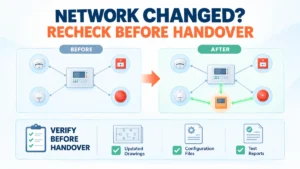
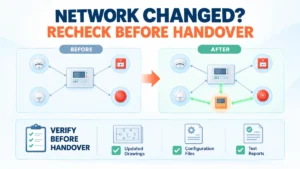
Review network relationships, system segmentation, connected buildings, node dependencies and any resilience arrangements. A change at one node can affect behaviour across the network.
Cause-and-Effect and Connected Interfaces
Identify the sequences and interfaces a migration could affect, including approved links to BMS, emergency voice communication, monitoring systems and other equipment. Each one needs an owner and a test.
Configuration and Documentation
Assess configuration records, device schedules, programming dependencies, as-built drawings and the reliability of baseline information. Where records are weak, budget time to reconstruct them before design.
Testing and Acceptance
Prepare a project-specific verification and acceptance plan based on the approved design, manufacturer requirements and applicable codes and standards. Successful installation is not acceptance.
How to Execute a Fire Alarm Platform Replacement in Stages
A structured workflow keeps the project controlled:
- Survey: Establish the installed base, equipment condition and documentation quality.
- Verify: Confirm manufacturer support, component availability and relevant technical constraints.
- Assess: Identify operational risks, dependencies and future facility requirements.
- Compare: Evaluate maintenance, retrofit and replacement scenarios.
- Design: Develop the proposed architecture, migration scope and interface requirements.
- Plan: Establish procurement, responsibilities, project phases and operational controls.
- Implement: Execute the approved work using competent personnel and site-specific procedures.
- Verify: Complete the required functional, interface and acceptance testing.
- Handover: Update drawings, inventories, configuration records, test results and maintenance documentation.
Staging must follow the approved project design and applicable safety requirements. Interim protection arrangements belong to the project’s approved operational controls and the site’s responsible persons. This article does not offer guidance on bypassing fire protection or changing live systems without authorisation.
Common Lifecycle Planning Mistakes
- Waiting until a critical component becomes unavailable: The consequence is emergency procurement and limited choice. Prevent it by tracking lead times and support status on a schedule.
- Assuming support status without verification: Decisions rest on rumour. Confirm in writing with the manufacturer or an authorised channel.
- Buying spares without assessing compatibility or criticality: Budget goes to unusable stock. Base purchases on a documented risk review.
- Choosing a replacement panel before surveying the installed system: Scope gaps surface mid-project. Complete the survey and dependency map first.
- Assuming legacy devices or interfaces will work with the proposed platform: Retained devices may fail revalidation. Check approved compatibility documentation early.
- Underestimating documentation gaps and configuration dependencies: Programming must be rebuilt under time pressure. Secure and verify configuration backups now.
- Ignoring the effect on other building systems: BMS, voice evacuation or monitoring links may be disrupted. Involve those system owners from the design stage.
- Treating installation as proof of acceptance: Defects remain latent. Test against the agreed acceptance plan.
The Fire Alarm Lifecycle Readiness Checklist
Use this during periodic reviews:
- Installed equipment inventory is current.
- Manufacturer support status has been verified.
- Critical spare-parts availability and lead times are documented.
- Maintenance and recurring-fault history have been reviewed.
- Key system dependencies and interfaces are recorded.
- Drawings and configuration records are sufficiently reliable.
- Expansion and replacement constraints are understood.
- Maintenance, retrofit and migration options have been compared.
- Budgeting and procurement lead times have been considered.
- Migration and acceptance requirements are documented where applicable.
- A responsible owner and review date have been assigned.
This checklist supports lifecycle governance. It does not replace formal risk assessments, manufacturer instructions or applicable requirements.
Lifecycle Planning for Edwards EST3 and EST4 Systems
For sites running an EST Fire Alarm System, the same method applies. Start with the actual installed configuration, not the original design intent. Record which panels, nodes, devices and interfaces are present, and compare that against what the documents say.
EST3 and EST4 should be assessed separately. Do not assume they share identical architectures, support conditions, capabilities or compatibility. Retrieve current support information for each from the manufacturer or an authorised channel, and treat any gap as an item to confirm. This article does not state discontinuation dates, end-of-support announcements or migration guarantees, because those must come from current authoritative documentation.
Spare-parts and component decisions follow the same rules as above. Check EST Detectors and Devices against approved compatibility documentation before deciding what can be retained. Any migration or component-reuse decision, including moving between platforms, must be verified against manufacturer documentation and the actual project requirements.
Key Takeaways
- Start lifecycle planning while the system is operational and stable.
- Separate age, condition, support status and risk.
- Build the inventory from a site survey, not old drawings alone.
- Verify support status directly with the manufacturer, and log unknowns as gaps.
- Base spare-parts purchases on criticality, verified availability and approved compatibility.
- Map interfaces and dependencies before scoping any replacement.
- Compare maintenance, retrofit and migration without assuming a winner.
- Never assume legacy devices or interfaces will carry over.
- Plan testing and acceptance as part of design, not as an afterthought.
- Close with updated drawings, configuration records and an assigned review owner.
Read Also: When Fire Alarm Network Topology Changes: What Must Be Rechecked Before Handover?
Read Also: Fire Alarm Cybersecurity: What Changes When Safety Systems Become More Connected?