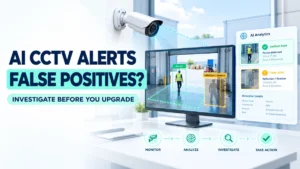
AI-powered CCTV systems help security teams detect people, vehicles, restricted-area entry, and unusual activity. However, even a well-designed surveillance system can generate false alerts.
A camera may detect a shadow as movement, mistake a reflection for a person, or trigger an intrusion alert when a tree moves in the wind. These events can overwhelm operators and reduce confidence in automated monitoring.
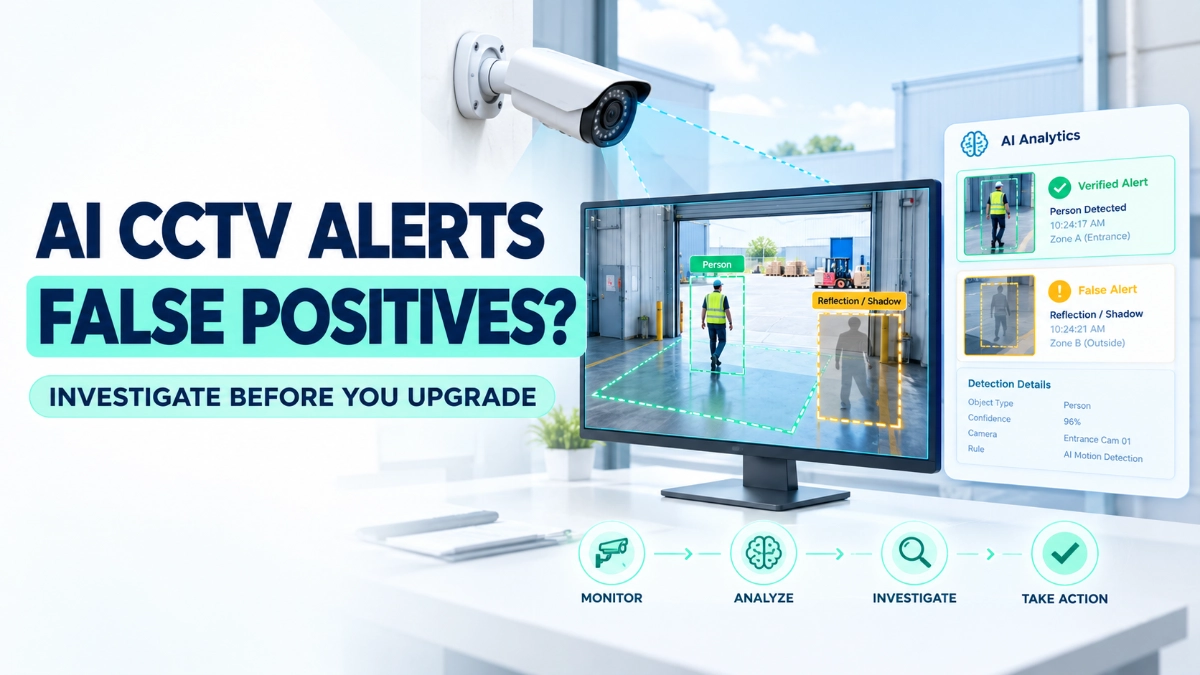
When this happens, replacing the camera or changing the AI model may seem like the obvious solution. But the actual cause could be a poorly positioned detection zone, an unsuitable camera angle, changing lighting conditions, or an incorrect event rule.
The most effective way to improve AI CCTV alert accuracy is to investigate the complete detection process before changing the hardware or analytics model.
This guide explains how engineers can identify the cause of false positives, validate AI detection performance, and make evidence-based improvements to surveillance systems.
What Is a False Positive in AI CCTV?
A false positive occurs when a CCTV analytics system generates an alert even though the event does not meet the intended detection criteria.
For example, a system configured to detect people entering a restricted area may trigger an alert when a shadow crosses the detection zone.
A false negative is the opposite: the system fails to detect an event that should have triggered an alert.
These two problems require different investigations.
- False positive: The system reports an event that did not meet the intended criteria.
- False negative: The system misses an event that should have been detected.
- Correct detection: The system identifies an event that matches the configured rule.
Engineers should distinguish between these outcomes before making changes. Reducing false positives by making detection rules too restrictive can increase false negatives and cause genuine security events to go unnoticed.
1. Check Detection Zones Before Blaming the AI Model
Detection zones define the parts of a camera’s view where the system should monitor activity. If an engineer draws these zones incorrectly, the analytics system may generate unnecessary alerts.
For example, a warehouse camera may monitor a loading bay. If the detection zone extends onto a public road, passing vehicles may trigger alerts even though they pose no security concern.
Common detection-zone problems include:
- Zones that overlap with roads or pedestrian walkways
- Detection areas that include moving machinery
- Boundaries that extend beyond the intended restricted area
- Incorrect tripwire or virtual-line placement
- Zones that include reflective glass or moving vegetation
How to Investigate
Open the camera’s live view and overlay the configured detection zones. Review recent alert snapshots and identify exactly where each event occurred.
Then ask three questions:
- Did the event occur inside the intended monitoring area?
- Did the object cross the correct boundary or satisfy the configured rule?
- Would adjusting the zone exclude the unwanted event without hiding genuine activity?
Practical example: If alerts repeatedly occur when vehicles pass outside a warehouse gate, adjust the detection zone to exclude the road while preserving visibility of the gate entrance.
Test the revised zone during normal operations before applying the same change to other cameras.
2. Review Camera Angle, Height and Field of View
Camera positioning directly affects what the analytics system can observe.
A camera installed too high may capture people as small shapes. A steep downward angle may hide important body features. A camera facing a bright window may struggle with subjects appearing against strong backlighting.
These conditions can reduce detection quality even when the camera and analytics software function correctly.
Review the following factors:
- Mounting height: Does the camera capture the subject at a useful scale?
- Viewing angle: Does the scene provide a clear view of people or vehicles?
- Field of view: Does the image include unnecessary background activity?
- Occlusion: Do shelves, vehicles, pillars or equipment block subjects?
- Lighting direction: Does glare or backlighting obscure important details?
- Image quality: Are motion blur, focus problems or excessive noise affecting the scene?
When Should You Change the Camera?
Consider repositioning or replacing a camera when evidence shows that its field of view, image quality or mounting position cannot support the required detection task.
However, do not change hardware simply because one detection rule produces too many alerts. First confirm that the current camera provides suitable images for the intended task.
3. Investigate Lighting and Environmental Conditions
AI CCTV analytics operates on video images, so changes in the scene can influence detection results.
A camera may perform differently during daylight, darkness, rain or fog. Headlights, reflections, shadows, dust, steam and moving foliage can also create challenging visual conditions.
For instance, a warehouse entrance may produce few false alerts during the day but generate frequent alerts at night when vehicle headlights sweep across the floor.
What Engineers Should Check
Compare false alerts against environmental conditions:
- Day versus night
- Direct sunlight versus shaded areas
- Dry weather versus rain or fog
- Stable lighting versus flickering lights
- Empty scenes versus crowded scenes
- Stationary backgrounds versus moving machinery
Review the original video around each event rather than relying only on an alert thumbnail.
If the problem appears only under specific conditions, investigate those conditions before changing the model.
For example, if false alerts occur mainly during sunset, check exposure, glare, camera orientation and the analytics zone before considering a different camera or detection model.
Important: Do not assume that every environmental problem can be fixed through software. Some scenes may require better lighting, improved camera positioning, or a more suitable imaging setup.
4. Verify Event Rules and Detection Thresholds
AI analytics does not operate independently of its configuration. The rules determine what the system should detect and when it should generate an alert.
Depending on the product, these rules may include object classes, confidence thresholds, dwell time, direction of movement, line crossing, intrusion duration, object size and schedules.
Incorrect settings can cause unnecessary notifications.
For example, a restricted-area rule may trigger whenever a person briefly enters a zone, even if the operational requirement is to alert only when someone remains there for a specified duration.
Review These Settings
| Setting | What to investigate |
|---|---|
| Object class | Is the system detecting the intended class, such as a person or vehicle? |
| Confidence threshold | Is the threshold appropriate for the scene and detection objective? |
| Dwell time | Does the rule trigger too quickly? |
| Direction | Does the system distinguish entry from exit where required? |
| Schedule | Are alerts enabled during periods when the area is normally occupied? |
| Object size | Is the minimum or maximum size suitable for the camera’s view? |
| Line crossing | Is the virtual line positioned and oriented correctly? |
Avoid increasing the confidence threshold simply to reduce alert volume. A higher threshold may suppress genuine events along with false positives.
Change one setting at a time, record the original value, and compare results using representative footage.
5. Review Actual Events, Not Just Alert Counts
An alert dashboard can show how frequently the system triggers, but it cannot explain every cause.
Engineers need to review the video evidence behind those alerts.
Start by collecting a sample of events from different times, lighting conditions and activity levels. Include both suspected false positives and confirmed detections.
For each event, record:
- Camera ID and location
- Date and time
- Configured detection rule
- Detected object class
- Environmental conditions
- Whether the alert was valid
- Likely cause of the error
- Corrective action taken
This creates a repeatable troubleshooting process rather than relying on guesswork.
Use a Simple Classification Method
Zone or rule error
The alert follows an incorrectly drawn zone, unsuitable line or overly broad event rule.
Scene or image problem
Lighting, reflections, shadows, occlusion or image quality contribute to the incorrect detection.
Analytics limitation
The system repeatedly misclassifies suitable footage despite appropriate scene setup and rule configuration.
If the third category remains after checking the first two, investigate model capabilities, supported object classes, firmware requirements and vendor-recommended settings.
Where possible, ask the vendor to review representative clips and explain any model-specific limitations.
6. Measure False Positives Before and After Changes
Engineers should evaluate alert accuracy using actual event evidence, not assumptions or vendor claims alone.
One useful metric is false positives per camera per day. It helps teams identify cameras that generate excessive alerts and compare performance before and after corrective action.
For example, if a camera generates 40 false alerts in one day, reducing that number to 10 under comparable operating conditions would represent a 75% reduction.
However, that result alone does not prove better overall detection. Engineers must also check whether the system missed genuine events.
Where ground-truth event labels are available, use these metrics:
- Precision: The proportion of generated positive detections that are correct.
- Recall: The proportion of actual positive events that the system detects.
- False-positive rate: The proportion of actual negative cases incorrectly classified as positive.
- False alerts per camera per day: A practical operational measure of unnecessary notifications.
For example, a system may achieve high precision by triggering very rarely, yet miss important events. That is why teams should assess both precision and recall against the site’s actual requirements.
7. Distinguish Product Claims from Site-Specific Performance
Manufacturers may publish AI detection capabilities, supported object classes, analytics features or performance figures. These specifications help engineers compare products, but they do not guarantee identical results at every installation.
Actual performance depends on several factors, including camera placement, scene complexity, lighting, target size, movement, configuration and the definition of a successful detection.
Before accepting a performance claim, ask:
- What detection task did the manufacturer test?
- Under what lighting and environmental conditions?
- What counted as a correct detection?
- How did the manufacturer measure false positives and missed events?
- Does the test environment resemble the intended site?
- Are the required analytics available on the selected camera or NVR?
- Does the feature require a particular firmware version, licence or processing platform?
A published accuracy figure should not be treated as a guaranteed result for a specific site unless the test conditions and measurement method support that conclusion.
Where possible, run a controlled site trial using representative footage and agreed acceptance criteria. This gives engineers a stronger basis for deciding whether the current system needs better configuration, different positioning or a different analytics capability.
8. Where CCTV Hardware Selection Fits In
Camera selection matters when the existing hardware cannot provide suitable images for the required analytics task.
When evaluating Impact by Honeywell CCTV, engineers should assess the available product specifications against the site’s actual surveillance requirements rather than assuming that a particular camera will eliminate false positives.
For example, Impact by Honeywell bullet cameras may be worth evaluating for directional views of gates, perimeter boundaries and access routes. Impact by Honeywell dome cameras may suit other indoor or outdoor applications, depending on the specific model and installation conditions.
The recording platform also matters. When assessing Impact by Honeywell NVR’s, verify the supported analytics functions, camera compatibility, event handling and recording requirements for the particular products under consideration.
For product sourcing, an Impact by Honeywell distributor in India can be a starting point for checking available models and specifications.
These product categories should be evaluated against verified technical documentation. Do not assume that every camera or NVR supports the same AI features, or that changing brands will automatically resolve an analytics problem.
Conclusion: Investigate First, Upgrade Second
AI CCTV false positives are not always a model problem. In many cases, the cause lies in the detection zone, camera angle, lighting, event rules or the way engineers evaluate alerts.
A disciplined investigation helps teams identify the actual source of errors, reduce unnecessary notifications and preserve the detection of genuine security events.
The best troubleshooting sequence is simple: review the evidence, check the scene, validate the rules, measure the results, and only then consider changing the model or camera.
For engineers, this approach supports better technical decisions, more reliable monitoring and a clearer understanding of what AI surveillance can realistically deliver.
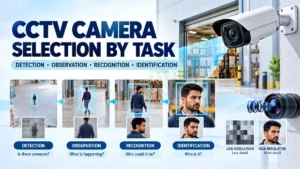
Read Also: CCTV Camera Selection by Task: Detection, Observation, Recognition or Identification?
Read Also: CCTV Storage Calculations That Fail in Practice: Recording Days vs. Usable Evidence