
An IP CCTV camera can show a live video feed while the NVR silently misses important recordings. This is one of the most frustrating problems in surveillance systems because everything may appear normal during routine monitoring.
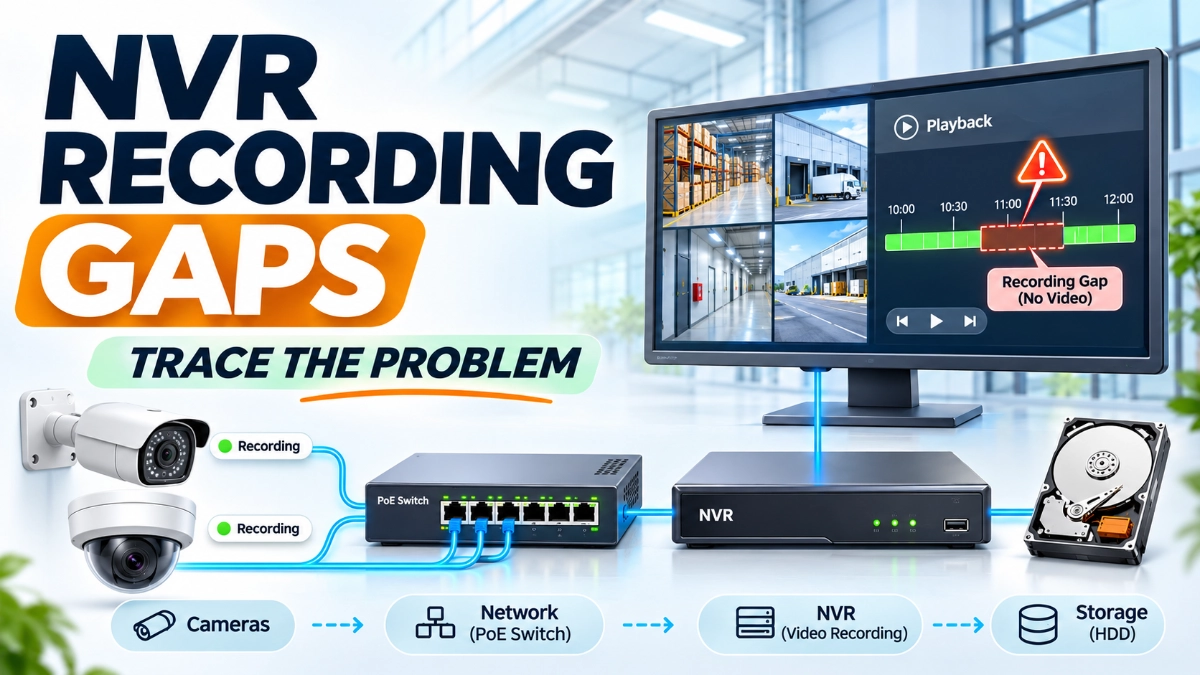
An operator might discover the issue only when trying to retrieve footage of an incident. The camera was online, the NVR was running, and the network appeared operational. Yet the recording timeline shows missing footage.
NVR recording gaps occur when a surveillance system fails to capture, transfer, process, or retain video for the required period. The cause may originate from the camera, network infrastructure, NVR configuration, storage device, or recording schedule.
For engineers, the challenge is not simply restoring the video feed. It is identifying exactly where the recording process failed and preventing the same problem from happening again.
This guide explains how to trace NVR recording gaps across cameras, networks and storage, with practical checks that engineers can apply during troubleshooting.
Why Does an NVR Miss Recordings?
An NVR may miss recordings because of camera disconnections, network packet loss, insufficient bandwidth, incorrect recording schedules, storage failures, overloaded processing resources, or configuration errors.
The most effective troubleshooting approach is to follow the complete video path:
Camera → Network Switch → Network Infrastructure → NVR → Storage → Playback
Check each stage independently instead of immediately replacing the camera or NVR.
1. Understand How an NVR Recording System Works
Before troubleshooting recording gaps, engineers should understand how video moves through an IP surveillance system.
A typical NVR-based CCTV architecture includes:
- IP cameras that capture and encode video.
- PoE switches that provide network connectivity and power.
- Network infrastructure that transports video streams.
- An NVR that receives and manages camera streams.
- Storage drives that retain recorded footage.
- Monitoring clients that allow operators to view and retrieve recordings.
The recording process involves several stages:
- The camera captures video.
- The camera encodes the video into a supported format.
- The network transfers the video stream.
- The NVR receives and processes the stream.
- The NVR writes video data to storage.
- The operator accesses the recording through playback.
A failure at any stage can create missing footage.
For example, a camera may generate video continuously, but network congestion can interrupt its delivery to the NVR. Similarly, the NVR may receive video correctly but fail to write it to a faulty storage drive.
Understanding this complete process helps engineers identify the actual failure point instead of relying on assumptions.
2. Start by Identifying Which Cameras Have Recording Gaps
The first step is to determine whether the issue affects one camera, multiple cameras, or the entire surveillance system.
This simple distinction can significantly reduce troubleshooting time.
| Recording problem | Possible cause |
|---|---|
| One camera has missing footage | Camera, cable, PoE port or individual configuration |
| Multiple cameras on one switch | Switch, uplink or network issue |
| Cameras across multiple switches | Core network, NVR or shared infrastructure |
| All cameras have missing recordings | NVR, storage, power or system-wide configuration |
| Recording stops at specific times | Schedule, network event or power interruption |
| Live view works but playback is missing | Recording configuration or storage issue |
Start by checking the NVR recording timeline for affected cameras.
Note the exact date and time of missing footage. Compare the timeline across multiple cameras.
If several cameras show gaps at the same time, investigate shared infrastructure first.
If only one camera shows the problem, begin with its connection, power, firmware and configuration.
3. Check Camera Connectivity and Power Supply
Once you identify the affected cameras, inspect their physical and logical connectivity.
A camera may disconnect temporarily because of unstable power, damaged cabling, loose Ethernet connections, or PoE switch limitations.
These interruptions can create gaps even if the camera reconnects automatically.
What Should Engineers Check?
- PoE power availability: Check whether the switch provides sufficient power for all connected cameras. Compare the total PoE budget with the power requirements of the connected devices.
- Ethernet cabling: Inspect cable termination, connectors, patch panels and cable routes. Damaged cables can cause intermittent connectivity.
- Switch port errors: Review port statistics for CRC errors, link flapping, packet drops and speed or duplex mismatches.
- Camera uptime: Check camera logs for unexpected restarts or repeated disconnections.
- IP address conflicts: Verify that another device is not using the same IP address.
Practical Example
Imagine a warehouse has 24 IP cameras connected to two PoE switches.
Four cameras connected to one switch show intermittent recording gaps, while the remaining cameras record normally.
Instead of replacing all four cameras, inspect the shared switch, uplink, PoE budget and port statistics.
A common infrastructure issue may be responsible for all four failures.
4. Investigate Network Bandwidth and Packet Loss
Network problems are among the most difficult causes of NVR recording gaps because cameras may remain visible even when video transmission becomes unstable.
An NVR needs a continuous and reliable flow of video data. Network congestion, packet loss, latency and insufficient uplink capacity can interrupt this process.
Check the Total Camera Bandwidth
Consider a system with 32 cameras, each transmitting at an average bitrate of 5 Mbps.
\[ 32 \times 5 = 160\text{ Mbps} \]
The NVR must receive approximately 160 Mbps of video traffic under these assumptions.
Additional traffic, stream overhead, and future expansion also require consideration.
If the cameras share a switch with a limited uplink, the available capacity may become insufficient during peak traffic.
Network Checks for Engineers
- Check switch uplink utilisation.
- Review packet drops and interface errors.
- Monitor latency and packet loss.
- Verify VLAN and routing configurations.
- Inspect firewall rules and access-control lists.
- Check whether multicast or unicast settings match the system design.
- Review network utilisation during the time recordings disappear.
Important: A successful ping test does not prove that video streaming is stable. Engineers should also test the actual camera stream and review NVR connection logs.
5. Inspect NVR Recording Schedules and Configuration
Sometimes the network and cameras work perfectly, but the NVR does not record because of an incorrect configuration.
This issue is particularly common after maintenance, system upgrades, camera replacement or changes to recording policies.
Check the following settings:
| NVR setting | What to verify |
|---|---|
| Continuous recording | Confirm the correct recording period |
| Motion recording | Verify detection zones and event rules |
| Recording schedule | Check for unintended gaps |
| Pre-recording | Confirm event buffer settings where supported |
| Post-recording | Verify the recording extension after an event |
| Camera assignment | Confirm each camera is assigned correctly |
| Stream selection | Check main-stream and sub-stream settings |
| Time synchronization | Verify camera and NVR timestamps |
Continuous vs Motion-Based Recording
Continuous recording captures video throughout the configured schedule.
Motion-based recording captures video when the configured detection conditions are met.
If an engineer expects continuous footage but the NVR uses motion-based recording, the timeline may contain apparent gaps.
However, these gaps may reflect the recording policy rather than a hardware failure.
Always compare the actual recording schedule with the customer’s operational requirements.
6. Storage Problems Can Cause Missing CCTV Footage
Storage is another critical part of NVR reliability.
Even when cameras transmit video correctly and the NVR receives the streams, faulty or insufficient storage can prevent footage from being retained.
Common storage-related causes include:
- Hard drive failure
- Disk errors
- Insufficient storage capacity
- Incorrect disk configuration
- RAID degradation, where applicable
- Unsupported drive models
- Overheating
- Loose SATA or power connections
- Incorrect overwrite settings
- Unexpected disk initialisation or formatting
Check Hard Drive Health
Review the NVR’s storage management interface for:
- Disk status
- SMART warnings, if available
- Read/write errors
- Temperature warnings
- Recording capacity
- RAID status, if configured
- Storage initialisation status
A drive showing an error should be investigated before the system continues operating without reliable recording.
Understand Storage Capacity
Storage planning should consider camera count, bitrate, recording duration, compression, frame rate and recording mode.
For example, assume a system has 16 cameras, each recording at 4 Mbps continuously.
Total bitrate:
\[ 16 \times 4 = 64\text{ Mbps} \]
Approximate daily storage:
\[ 64 \times 86400 \div 8 \]
\[ = 691,200\text{ MB/day} \]
This is approximately 691 GB per day using decimal units.
Actual storage requirements will vary with bitrate behaviour, overhead, recording schedules and the storage manufacturer’s capacity conventions.
If the available storage cannot support the required retention period, older footage may be overwritten sooner than expected.
Engineers should calculate storage requirements before deployment rather than relying only on the NVR’s advertised maximum capacity.
7. Check Time Synchronisation Across Cameras and NVR
Time synchronisation is often overlooked during CCTV troubleshooting.
Suppose an incident occurs at 3:30 PM, but the camera clock is five minutes behind the NVR.
The operator may search the wrong time range and assume that footage is missing.
This can create confusion during incident investigations.
Check:
- NVR date and time
- Camera date and time
- Time zone
- NTP server configuration
- Synchronization status
- Daylight-saving settings, where applicable
Use a consistent time source across the surveillance network.
Also compare timestamps in exported footage and the NVR playback interface before concluding that a recording gap exists.
8. Use a Structured Troubleshooting Process
The most effective way to identify recording gaps is to follow the video path systematically.
| Troubleshooting stage | Main checks |
|---|---|
| Camera | Power, uptime, video stream and logs |
| Network | Bandwidth, packet loss, VLAN and switch errors |
| NVR | Camera connection, schedules and recording status |
| Storage | Disk health, capacity and write errors |
| Playback | Timeline, timestamps and exported footage |
Follow this sequence:
Step 1: Identify the affected camera and the exact missing time period.
Step 2: Check whether live video was available during that period.
Step 3: Review camera logs for disconnections or restarts.
Step 4: Inspect switch ports, uplinks and network performance.
Step 5: Review NVR recording schedules and camera configurations.
Step 6: Check storage health and available capacity.
Step 7: Test playback and export footage from the affected period.
Step 8: Document the root cause and corrective action.
This approach helps prevent unnecessary equipment replacement and makes troubleshooting more efficient.
9. How to Prevent NVR Recording Gaps in Large CCTV Deployments
Preventive maintenance is more effective than waiting for missing footage to become visible during an incident investigation.
Engineers should establish a routine monitoring and maintenance process.
Recommended practices include:
- Monitor camera connectivity continuously.
- Enable available NVR disk-health alerts.
- Review recording status regularly.
- Maintain sufficient storage capacity.
- Use surveillance-rated storage drives recommended by the equipment manufacturer.
- Document camera IP addresses and network architecture.
- Maintain firmware and configuration records.
- Test recorded playback periodically.
- Monitor PoE switch power utilisation.
- Review bandwidth before adding cameras.
- Maintain backup configuration files.
- Establish a documented maintenance and change-management procedure.
For larger installations, centralised monitoring can help identify repeated disconnections, storage warnings and recording failures before operators need to retrieve footage.
10. How Camera and NVR Selection Supports Recording Reliability
Reliable recording starts with selecting equipment that matches the application and the overall surveillance architecture.
When evaluating Impact by Honeywell CCTV, engineers should consider camera resolution, bitrate, supported encoding formats, network compatibility, NVR capacity and required retention periods.
For different surveillance environments, Impact by Honeywell bullet cameras and Impact by Honeywell dome cameras can be evaluated according to mounting conditions, viewing direction, coverage requirements and installation environment.
The recording platform also deserves careful attention. When evaluating Impact by Honeywell NVR’s, consider supported camera channels, incoming bandwidth, decoding capabilities, storage capacity and recording features.
For equipment sourcing, an Impact by Honeywell distributor in India can be a useful point of contact for checking current product specifications and availability.
The important engineering principle is to evaluate the complete camera-to-storage system. A high-resolution camera alone cannot guarantee reliable recording if the network, NVR or storage infrastructure cannot support it.
Conclusion
NVR recording gaps are not always caused by faulty cameras or defective recording equipment. In many cases, the problem develops somewhere between video capture, network transmission, NVR processing and storage.
The most reliable troubleshooting method is to follow the full recording path and systematically investigate each component.
For engineers, checking camera connectivity alone is not enough. They must also verify network performance, recording schedules, storage health, time synchronisation, and playback functionality.
A CCTV system should not simply show live video. It should reliably capture, store, and retrieve footage whenever needed.
That is the real measure of surveillance system reliability.
Read Also: CCTV Network Segmentation: What Should Engineers Evaluate Before Separating Camera Traffic?
Read Also: CCTV Storage vs Usable Evidence: Why Recording Days Alone Do Not Prove Readiness