A fire alarm control panel can be physically healthy, its detectors operational, and its wiring intact. However, years of engineering knowledge can still disappear if the system’s configuration file is lost, outdated, or controlled by only one person.
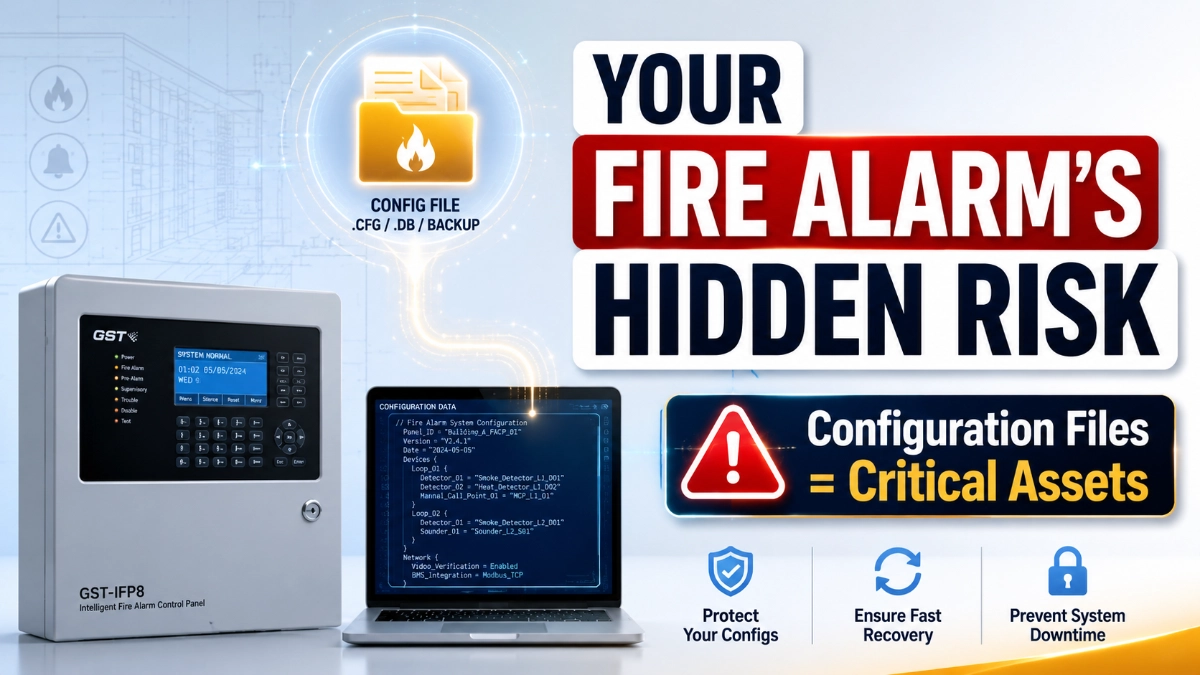
Most fire alarm teams focus on physical assets: panels, detectors, modules, wiring, batteries. Configuration files rarely get the same attention once commissioning ends. Yet a configuration file can represent the logic of the entire system: device identities, zoning, cause-and-effect relationships, and programming decisions made over years.
When that information is lost or held by a single technician, the system doesn’t stop being installed correctly; it stops being understood correctly. This article explains why configuration data deserves the same discipline as any other critical engineering asset.
Why Are Fire Alarm Configuration Files Important?
A fire alarm configuration file can represent how a system is logically structured: device identification, zoning, cause-and-effect logic, and programmed behaviour. Depending on the platform, this information supports future troubleshooting, modifications, commissioning verification, and modernisation. Losing or mismanaging it can force engineers to reconstruct system logic manually, increasing risk, cost, and downtime.
What Is a Fire Alarm Configuration File?
A fire alarm configuration file is the digital record that defines how an addressable or intelligent system is programmed to operate. Depending on the manufacturer and platform, it may include device addresses, types, names, and locations; zone and group assignments; cause-and-effect logic; supervisory functions; notification relationships; network information; and integration data.
The exact structure and content vary by manufacturer, software platform, and project design. No single description applies to every system, and engineers should confirm platform-specific behaviour against current manufacturer documentation rather than assuming uniformity.
Why Configuration Data Can Be More Valuable Than the File Itself
The real value isn’t the file itself; it’s the engineering information it represents: why devices were grouped a certain way, how cause-and-effect logic was structured, and what decisions were made during commissioning.
When that knowledge exists only on one laptop, it’s fragile. When documented, version-controlled, and understood by more than one person, it becomes a durable asset. Losing the underlying logic not just the file- is what makes future troubleshooting genuinely difficult.
What Can Go Wrong When Configuration Files Are Lost?
1. Difficult Modifications: Without a verified record, engineers may need to reconstruct existing programming before making even minor changes.
2. Longer Troubleshooting: Missing configuration extends investigation time, since technicians must rebuild zoning and logic from field observation alone.
3. Risk of Incorrect Programming: Recreating logic from incomplete information increases the chance of errors or inconsistencies with original intent.
4. Dependency on One Technician: When only one person understands the configuration, that person becomes a single point of failure.
5. Modernisation Complications: Replacements and migrations become more complex when historical data is incomplete.
6. Documentation Gaps: Configuration data and drawings should reinforce each other; when out of sync, neither can be trusted.
Why a Configuration File Should Have a Version-Control Strategy
Having “a backup” is not the same as a managed configuration record. A disciplined approach tracks version and date, project/panel identification, change description, responsible engineer, and approval/commissioning status.
A simple lifecycle framework helps: Create → Validate → Backup → Version → Modify → Test → Archive. A file created but never validated, or modified but never tested, breaks the chain of trust that makes configuration data useful later.
Backup vs. Verified Backup: Why Engineers Should Know the Difference
A file copied to a drive is not automatically a usable backup. A verified backup is confirmed to be correctly associated with the right project and panel, compatible with the current software version, readable, restorable where testing is practical, and documented.
Assuming a backup is useful simply because it exists is a common mistake. Restoration should never be assumed to succeed without verification against current site conditions.
How Configuration Files Support Fire Alarm Troubleshooting
Reviewing configuration data helps engineers understand device relationships, logical zoning, cause-and-effect sequences, and network structure before opening a panel enclosure, narrowing down where a fault may originate.
However, configuration review should be combined with physical inspection, functional testing, event history, drawings, and manufacturer guidance. It should never replace field verification only support it.
The Hidden Risk of Uncontrolled Configuration Changes
Device additions, replacements, zone changes, logic edits, and network changes all alter system behaviour. Unrecorded changes can accumulate into what engineers sometimes call configuration drift, a gap between what the documentation says and what the system actually does.
Every significant change should follow a simple discipline: Recorded → Reviewed → Tested → Archived. Not every minor adjustment needs a formal approval workflow, but significant logic or device-level changes deserve a documented trail.
Configuration From a Lifecycle Perspective
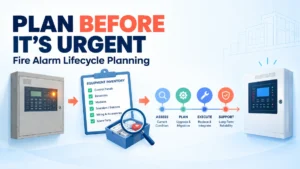
An EST Fire Alarm System, like other intelligent, networked platforms, should be viewed through a lifecycle lens rather than a one-time installation. Configuration records, device information, and documentation need to evolve alongside the building through renovations, expansions, and eventual modernisation. Treating this as ongoing, not a one-time commissioning task, reduces long-term risk for owners and maintenance teams alike.
Why Device-Level Documentation Matters
As systems grow larger and more intelligent, device-level details become increasingly important; address, type, location, and replacement history all need to stay traceable. Accurate records of EST Detectors and Devices help future engineers understand device identities and maintenance context, particularly on campuses with thousands of addressable points, where informal knowledge doesn’t scale.
The Configuration Handover Problem: What Happens When the Original Engineer Leaves?
This is one of the most common and avoidable risks in fire alarm lifecycle management. Consider a hospital or data centre where one integrator commissioned the system years ago. The commissioning engineer moves on, the contract changes, or the facility switches maintenance providers. Suddenly, no one on-site fully understands the programmed logic.
A proper handover package should include a verified configuration backup, applicable software/version information, securely documented access procedures, current drawings, cause-and-effect documentation, modification history, and training records for site personnel. Configuration ownership should never depend on one individual.
A Practical Fire Alarm Configuration Management Checklist
| Configuration Asset | Recommended Management Practice |
|---|---|
| Current configuration | Maintain verified copy |
| Previous version | Archive |
| Change history | Record significant modifications |
| Device database | Keep synchronised with drawings |
| Cause-and-effect logic | Maintain current approved version |
| Software information | Record applicable version |
| System drawings | Update after approved changes |
| Backup location | Maintain secure, controlled storage |
| Access credentials | Manage securely |
| Restoration procedure | Document and verify where appropriate |
Exact procedures should follow manufacturer guidance, project specifications, and organisational policy.
7 Rules for Treating Fire Alarm Configuration as a Critical Asset
Rule 1 — Never rely on a single copy. One laptop or one technician’s memory is not a strategy.
Rule 2 — Never assume the newest-looking file is correct. File dates can mislead without version documentation.
Rule 3 — Record significant changes. A brief description and date can save hours later.
Rule 4 — Keep configuration and drawings synchronised. Mismatched records erode trust in both.
Rule 5 — Document software and system versions. Compatibility gaps can quietly block a restoration.
Rule 6 — Prevent unnecessary unauthorised changes. Controlled access reduces undocumented drift.
Rule 7 — Make sure another qualified engineer can understand the system. If only one person can explain it, the facility carries hidden risk.
Why Configuration Management Matters During Modernisation
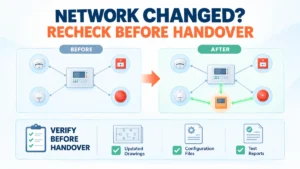
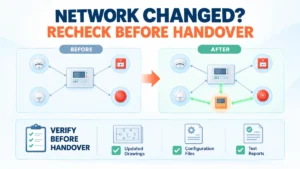
Panel replacements, expansions, and network changes all benefit from historical configuration context, revealing how zoning was intended and why design choices were made. That said, old configuration data should never be imported blindly; engineers must verify current field conditions and code compliance before applying legacy logic. Historical configuration is a reference, not a shortcut around verification.
Why a Distributor Partner Can Be Part of Lifecycle Strategy
Long-life installations benefit from long-term support relationships, not just procurement. An EST Fire Alarm System Distributor in India can be involved early to support product continuity, technical coordination, documentation, spare-parts planning, and future expansion, helping teams think beyond day-one installation.
Configuration Files Are Part of Institutional Knowledge
A configuration file can quietly preserve why devices were grouped a certain way, how logic evolved, and how the building changed over time. This knowledge becomes especially valuable when personnel change; protecting it is protecting decades of engineering decisions.
EST3 and EST4: Why Configuration and Lifecycle Thinking Matter
As intelligent architectures like EST3 and EST4 become more networked and device-rich, configuration data becomes more complex. Larger networks and deeper integration raise the stakes of losing programming logic. This isn’t a claim that one platform is superior; it reflects a broader truth: as systems become more sophisticated, disciplined configuration management becomes more foundational.
10 Questions Engineers Should Ask About Configuration Management
- Where is the current verified configuration stored?
- Is there more than one secure backup?
- Can the current configuration be linked to the latest drawings?
- Is the configuration version documented?
- Are major programming changes recorded?
- Who is authorised to modify the configuration?
- Is the applicable software/version documented?
- What happens if the original commissioning engineer leaves?
- Is there a documented restoration process?
- Can another qualified engineer understand the system configuration?
Expert Insights
- A configuration file preserves engineering knowledge, not just software settings.
- A backup is valuable only when it can be identified, understood, and correctly restored.
- Configuration records and drawings should evolve together, not separately.
- Uncontrolled changes accumulate into configuration drift over time.
- Personnel changes often expose documentation weaknesses that were invisible before.
- Modernisation becomes easier when historical information is preserved and verified.
- Configuration management should begin at commissioning, not after the first failure.
Key Takeaways
- Treat configuration files as lifecycle assets, not disposable programming files.
- Never depend on a single copy or a single technician.
- Maintain verified backups, not just copies.
- Document every significant configuration change.
- Keep configuration data synchronised with current drawings.
- Build a proper handover package before personnel or contractors change.
- Never blindly import legacy configuration during modernisation.
- Make configuration management part of ongoing facility planning, not an afterthought.
Read Also: How Fire Alarm System Architecture Influences Future Maintenance Costs
Read Also: Why Fire Alarm Fault History Is More Valuable Than Most Teams Realise