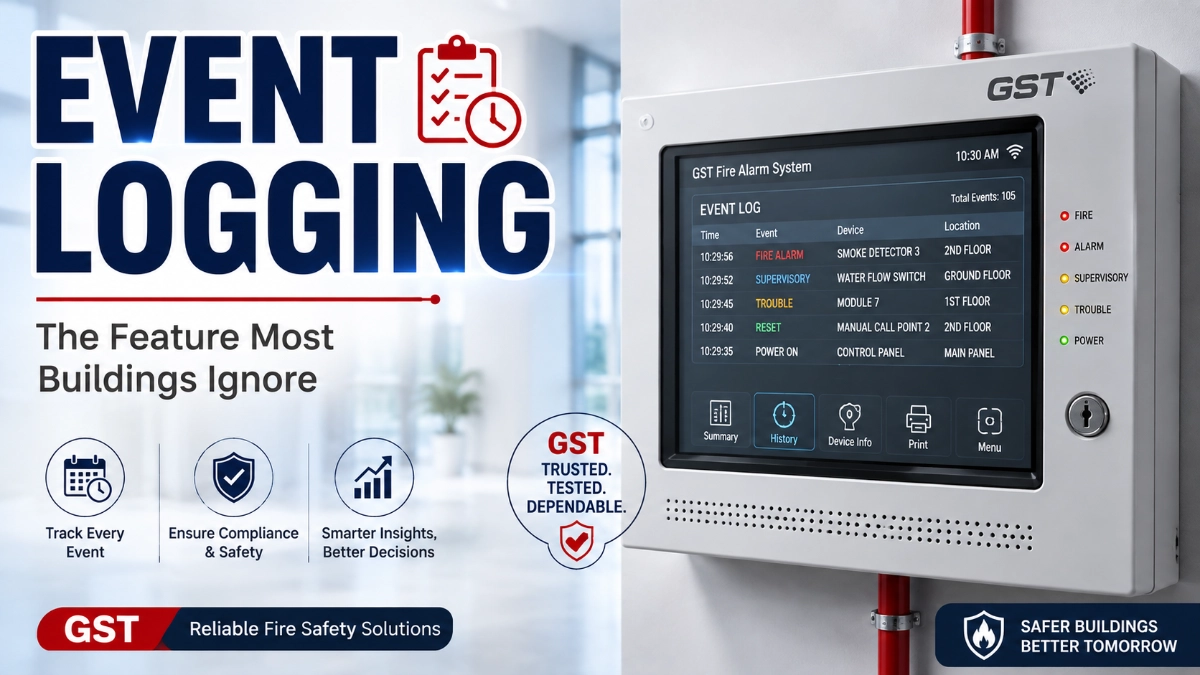
Most people only think about their fire alarm system when it goes off. The rest of the time, it sits quietly in the background, blinking its status light and doing its job. Buried inside that panel, though, is a feature that rarely gets discussed but consistently proves its worth: event logging.
Facility managers focus on detector placement, panel zones, and evacuation plans. Building owners focus on compliance certificates. Almost nobody asks to see the event log until something goes wrong a false alarm disrupts business, an inspector asks pointed questions, or an insurance adjuster wants proof of maintenance after a fire.
By then, the event log has already been quietly recording everything: every alarm, every fault, every reset, every technician who logged in to make a change. It is, in many ways, the memory of the fire alarm system.
This article breaks down what event logging actually is, how it works inside modern addressable fire alarm panels, and why it deserves far more attention from fire safety engineers, MEP consultants, and building operators than it typically gets.
What Is Event Logging in a Fire Alarm System?
Event logging is the process by which a fire alarm control panel automatically records every significant occurrence in the system, along with the exact time and location it happened.
This includes alarms, faults, supervisory signals, and user actions such as resets or configuration changes. Each entry becomes part of a permanent, chronological record stored in the panel’s memory.
Think of it as a black box for the fire alarm system. Just as an aircraft’s flight data recorder captures what happened before, during, and after an incident, the event log captures the sequence of activity across the entire fire detection and alarm network.
The purpose is straightforward: give maintenance teams, technicians, and auditors a reliable, tamper-resistant history of system behaviour without depending on anyone’s memory or paper notes.
How Event Logging Works
Modern fire alarm panels, particularly addressable ones, log events through a combination of hardware monitoring and firmware-level recording. Here’s what happens behind the scenes.
Event Recording
Every time a detector, module, or input device changes state alarm, fault, or normal the panel’s central processor captures that state change and writes it to memory as a discrete event.
Timestamps
Each recorded event is stamped with the date and time it occurred, usually down to the minute or second. This is what makes the log useful for reconstructing a timeline after an incident.
Detector Addresses
In an addressable system, every device on the loop has a unique address. The event log records exactly which device address triggered the event, so technicians know precisely which detector, call point, or module was involved.
Alarm History
Fire alarm activations are logged separately from routine faults, creating a dedicated alarm history that shows when and where actual fire conditions were detected.
Fault Records
Wiring faults, ground faults, loop faults, and device faults are all logged individually. This fault history is often the first place a technician looks when diagnosing recurring problems.
User Actions
Logins, panel resets, silence commands, and configuration edits are recorded along with the identity or access level of the person who performed them, creating accountability.
Supervisory Events
Events like sprinkler valve tamper switches, low air pressure signals, or other supervisory conditions are logged separately from alarms and faults, since they indicate a change in system readiness rather than an emergency.
Reset History
Every panel reset is logged, which helps confirm whether a reported fault was actually cleared or simply acknowledged and reset without resolution.
Key takeaway: Event logging works by continuously monitoring every device and user interaction on the fire alarm loop, then time-stamping and storing each change of state so nothing gets lost.
What Types of Events Are Recorded?
Modern addressable panels can typically log a wide range of activity. The table below summarises common event types and what they mean.
| Event Type | What It Indicates |
|---|---|
| Fire alarm | A detector or manual call point has confirmed alarm conditions |
| Fault | A device, wiring loop, or circuit is not functioning correctly |
| Detector removal | A detector head has been physically removed from its base |
| Detector contamination | Dust or debris has degraded a detector’s sensing accuracy |
| Device disablement | A device or zone has been manually taken offline |
| System reset | The panel has been reset following an alarm or fault |
| Power failure | Mains power to the panel has been lost |
| Battery failure | The standby battery has failed or is degraded |
| Loop faults | A break, short, or wiring issue exists on a detection loop |
| Communication loss | A device or panel has stopped communicating on the network |
| Manual call point activation | A person has manually triggered an alarm |
| User login/logout | Someone has accessed the panel with a technician or admin code |
| Configuration changes | Settings, zones, or device parameters have been modified |
Key takeaway: The breadth of event types recorded is what transforms a fire alarm panel from a simple alarm trigger into a genuine diagnostic and accountability tool.
Why Event Logging Is Important
It’s easy to dismiss event logging as a background feature. In practice, it directly supports several critical functions across the life of a fire alarm system.
Troubleshooting
When a fault appears, the event log shows whether it’s a one-time glitch or a recurring pattern. This context dramatically shortens diagnosis time.
Preventive Maintenance
Reviewing logs regularly helps maintenance teams spot early warning signs like a detector logging repeated low-level faults before it fails.
Compliance
Standards such as NFPA 72 emphasise the importance of proper testing, inspection, and record-keeping for fire alarm systems. Event logs provide objective, system-generated evidence to support those records.
Legal Investigations
After a serious incident, investigators often need to reconstruct exactly what the system detected and when. Event logs provide a factual, time-stamped account that supports fire investigation processes.
Insurance Documentation
Insurers increasingly ask for maintenance evidence following a claim. A clean, consistent event log history can support documentation of system upkeep.
Recurring Fault Identification
A fault that appears once might be noise. The same fault appearing weekly, at the same device address, is a pattern worth investigating.
Faster Diagnosis
Instead of physically inspecting every device on a loop, a technician can filter the event log by device address and immediately see its history.
Key takeaway: Event logging turns fire alarm maintenance from a reactive, guesswork-driven process into a data-informed one.
Real-World Example
Consider a mid-size commercial office building with an addressable fire alarm system covering six floors. Over several weeks, one smoke detector on the fourth floor began triggering intermittent fault signals never a full alarm, just brief fault conditions that cleared on their own.
Facility staff noticed the fault indicator a few times but assumed it was a minor glitch, since the panel reset itself each time. No one investigated further.
A technician performing routine maintenance pulled the event log and filtered it by that detector’s address. The log showed the same fault occurring at roughly the same time each afternoon, always for a few minutes, always self-clearing.
Cross-referencing the timestamps with the building’s HVAC schedule revealed the cause: a nearby air handling unit was pushing dust into the detector chamber during its afternoon cycle, gradually contaminating the sensor.
Because the pattern was visible in the log, the technician replaced the detector and adjusted the HVAC diffuser placement before the sensor failed or triggered a disruptive false alarm during business hours. Without the event history, this likely would have gone unnoticed until the detector either stopped responding or triggered an unwanted alarm in front of building occupants.
Event Logging in Addressable vs Conventional Fire Alarm Systems
The depth and usefulness of event logging depends heavily on the type of fire alarm panel installed.
| Feature | Addressable Fire Alarm Panel | Conventional Fire Alarm Panel |
|---|---|---|
| Device-level identification | Yes — each device has a unique address | No — only zone-level identification |
| Timestamped event history | Yes, detailed and device-specific | Limited or none, depending on panel |
| Fault isolation | Precise, down to individual device | General, limited to the zone |
| Historical fault trends | Easy to track by device address | Difficult to track accurately |
| Storage capacity | Typically hundreds to thousands of events | Minimal or non-existent on most panels |
| Best suited for | Larger buildings, complex facilities, data centres | Small, simple buildings with fewer zones |
In an addressable system, every detector and module reports its own unique identity, so the event log can pinpoint the exact device involved in any event. Modern intelligent addressable platforms, including systems like the GST Fire Alarm System, are built around this device-level reporting architecture, which is what makes detailed event history possible in the first place.
Conventional fire alarm panels, by contrast, typically only identify which zone triggered an alarm or fault, not which specific device within that zone. This makes historical trend analysis far less precise, since multiple devices share the same zone-level record.
Key takeaway: Addressable systems provide far richer, device-specific event history than conventional systems, which is a major reason they’re preferred for larger or more complex facilities.
Benefits During Fire Safety Audits
Fire safety audits and inspections increasingly rely on documented evidence rather than verbal assurances. This is where event logs become genuinely valuable.
Inspectors often want to confirm that testing and maintenance are actually happening on schedule, not just documented on paper. A panel’s event log showing regular test activations, resets, and technician logins provides direct evidence of ongoing servicing activity.
Auditors also use event logs to check for unresolved faults. If a fault was logged months ago and never followed by a corrective action or reset confirming the repair, that gap is easy to spot in the record.
Event logs can additionally help verify that unauthorised changes haven’t been made to zone configurations or device settings between inspections, since configuration changes are time-stamped and tied to a login.
For MEP consultants and safety officers preparing for an audit, exporting and reviewing the event log ahead of time is one of the simplest ways to identify issues before an inspector does.
Key takeaway: Event logs give auditors and inspectors objective evidence of system health and maintenance activity, reducing reliance on paper trails alone.
Common Mistakes
Even well-maintained buildings often mismanage their event logs. Some of the most frequent mistakes include:
- Never downloading logs: Many panels store a limited number of events before older entries are overwritten. Failing to export logs periodically means valuable history can be lost.
- Deleting records without archiving: Clearing a log to “start fresh” removes evidence that may be needed later for compliance or investigation purposes.
- Ignoring repeated faults: A fault that resets itself is easy to dismiss, but recurring faults at the same address usually indicate a developing problem.
- Failing to review maintenance history: Technicians who skip reviewing past logs before servicing a panel may miss patterns that would speed up diagnosis.
- Treating the log as optional: Some teams view event logging as a nice-to-have rather than a core part of their maintenance workflow, which undermines its entire value.
Key takeaway: Most event logging mistakes come down to treating the log as passive storage instead of an active maintenance tool.
Best Practices
To get real value out of event logging, fire safety teams should build it into routine operations rather than checking it only when something breaks.
- Export logs on a regular schedule: Download and archive event history monthly or quarterly, depending on panel storage capacity and building activity level.
- Review logs before every maintenance visit: A quick scan of recent events helps technicians prioritise what to inspect first.
- Track recurring faults by device address: Keep a simple record of which devices generate repeat faults so patterns are easy to spot over time.
- Restrict panel login access: Limiting who can log in and make changes keeps the audit trail meaningful and accountable.
- Cross-reference logs with maintenance records: Compare logged events against scheduled service visits to confirm faults were actually addressed, not just reset.
- Store exported logs securely: Keep archived logs alongside other compliance documentation, since they may be needed for insurance or investigation purposes.
- Train staff to recognise log entries: Facility staff don’t need to be technicians, but they should understand basic log terminology enough to flag concerning patterns.
Key takeaway: Consistent, scheduled review of event logs turns them from a passive record into an active early-warning system.
Future of Event Logging
Event logging is evolving alongside broader trends in building technology. Several developments are shaping where it’s headed next.
- Cloud monitoring is making it possible to access event history remotely, rather than requiring someone to be physically present at the panel to review logs.
- Remote diagnostics allow technicians to review fault patterns and plan service visits before arriving on site, reducing unnecessary trips and downtime.
- Predictive maintenance approaches use historical event data to anticipate device failures before they happen, shifting maintenance from reactive to proactive.
- AI-powered fault detection is beginning to analyse event log patterns automatically, flagging anomalies that a human reviewer might miss in a large dataset.
- IoT integration is connecting fire alarm systems with broader building management platforms, allowing event data to inform decisions beyond fire safety alone, such as HVAC scheduling or occupancy planning.
- Smart building analytics increasingly treat fire alarm event logs as one data source among many, feeding into dashboards that give facility managers a unified view of building health.
As these capabilities mature, event logging is likely to shift from a passive record-keeping feature into an active, predictive part of building management.
Key takeaway: Event logging is moving from static historical records toward real-time, remotely accessible, and increasingly predictive diagnostic data.
Conclusion
Event logging doesn’t set off alarms, flash lights, or draw attention to itself. That’s exactly why it’s so easy to overlook and exactly why it matters so much.
For fire safety engineers, facility managers, and building owners, the event log is the most honest record of how a fire alarm system has actually performed over time. It supports faster troubleshooting, more effective preventive maintenance, stronger compliance documentation, and clearer accountability across every device and every user action.
Whether the system in question uses a conventional or addressable fire alarm panel, treating event logging as a core part of the maintenance strategy, not an afterthought, pays off long before an emergency ever happens.
Key Takeaways
- Event logging automatically records every alarm, fault, and user action with a timestamp and device address.
- Addressable fire alarm panels provide far more detailed, device-specific event history than conventional panels.
- Reviewing event logs regularly helps identify recurring faults before they cause false alarms or system downtime.
- Event logs provide objective evidence during compliance audits and fire investigations.
- Common mistakes include never exporting logs, deleting history without archiving, and ignoring repeated faults.
- Cloud monitoring and predictive analytics are pushing event logging toward more proactive, remotely accessible maintenance.
Read Also: How Intelligent Fire Alarm Systems Simplify Annual Testing
Read Also: Fire Alarm Considerations for Modern Logistics Parks