Most surveillance system failures do not begin with a broken camera. The lens captures clearly, the housing shows no damage, and the power light glows green. Yet somewhere in the system, video frames are dropping, AI alerts are triggering late, playback freezes during critical incident reviews, and recording gaps appear in the logs without explanation.
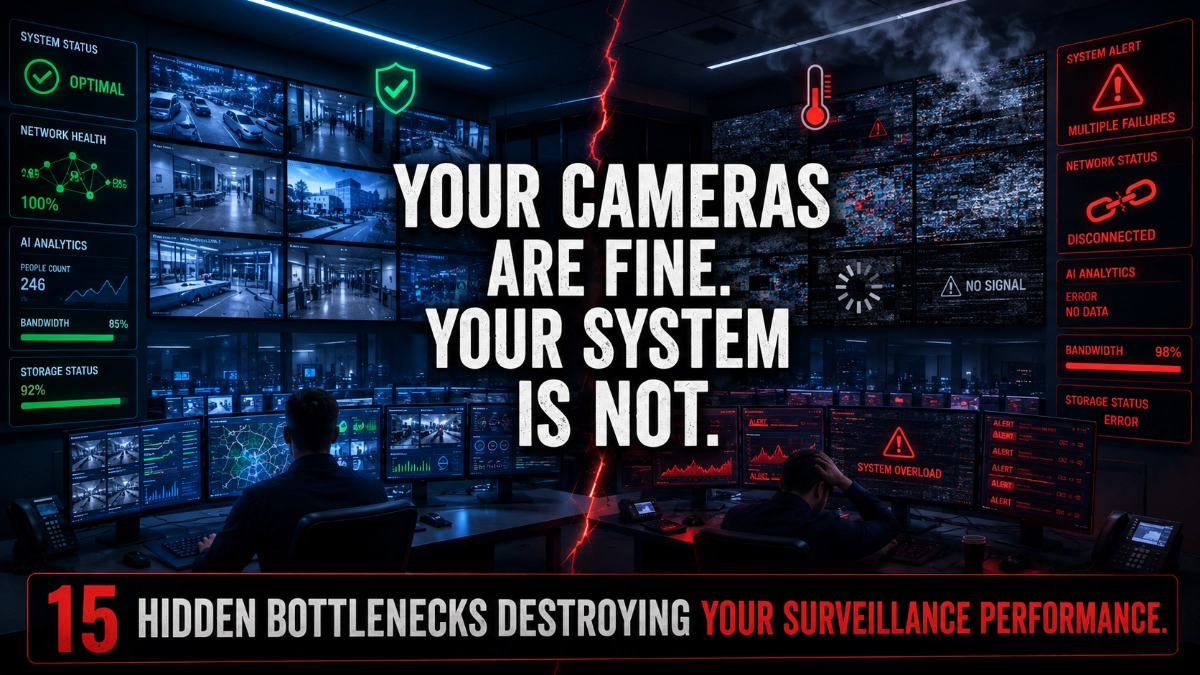
This is the reality of hidden performance bottlenecks, systemic inefficiencies buried inside the network, storage, processing and configuration layers of a surveillance infrastructure. They do not announce themselves with error codes. They erode performance gradually, silently and sometimes catastrophically at the worst possible moment.
For CCTV system integrators, surveillance engineers, enterprise IT teams and industrial facility managers, understanding these bottlenecks is no longer optional. As surveillance deployments scale to hundreds of cameras with integrated AI analytics, smart search, and cloud synchronisation, the margin for undetected inefficiency becomes dangerously thin.
This article provides a comprehensive, field-tested breakdown of where hidden bottlenecks occur, how they affect surveillance operations, how to detect them, and how to eliminate them through intelligent system optimisation.
What Are Surveillance Performance Bottlenecks?
A surveillance performance bottleneck is any system constraint that limits the ability of the overall infrastructure to capture, transmit, record, process, or retrieve video data at its intended quality and speed.
Unlike a total hardware failure, a bottleneck does not stop the system. It degrades it. The degradation often appears in subtle ways:
- Video streams that buffer or stutter during peak hours.
- AI detection events that trigger seconds after the actual event.
- Playback that freezes at exactly the moment security teams need to review.
- Recording logs that show frame-rate drops correlated with high-traffic periods.
- Smart search functions that return incomplete results from specific camera zones.
Because the cameras themselves appear operational, these bottlenecks are frequently misdiagnosed or overlooked entirely. The root cause sits in the infrastructure surrounding the cameras, and that is precisely where the investigation must begin.
Major Hidden Bottlenecks in Surveillance Systems
1. Network Bandwidth Congestion
Network bandwidth is the circulatory system of any IP surveillance deployment. When cameras share network infrastructure with corporate IT traffic, VoIP systems, or ERP applications, surveillance streams compete for bandwidth with latency-sensitive business operations.
In a 200-camera deployment where each camera streams 4K video at 8 Mbps, the total bandwidth demand exceeds 1.6 Gbps. If the network was not designed with dedicated surveillance VLANs and QoS policies, congestion becomes inevitable during business hours.
The result: intermittent frame drops, delayed live feeds, and critical recording gaps that align perfectly with the highest-traffic periods of the business day, exactly when the most significant security events are most likely to occur.
2. Poor Switch Architecture
The network switch is one of the most overlooked components in surveillance infrastructure planning. Consumer-grade or low-specification managed switches create cascading bottlenecks when surveillance traffic is forced through inadequate backplane capacity.
A common scenario in warehouse and logistics deployments involves 24-port switches with insufficient backplane bandwidth, sometimes as low as 8 Gbps for a switch managing 24 cameras generating 16 Gbps of raw throughput. The result is systematic packet loss that appears as video compression artefacts, keyframe corruption, and periodic stream interruptions.
3. Improper PoE Load Balancing
Power over Ethernet (PoE) enables camera deployment without separate power cabling, but it introduces a critical power budget management requirement that many deployments ignore. A 48-port PoE switch may have a total power budget of 740 watts. Deploying 48 cameras consuming 15.4 watts each requires 739 watts, leaving zero margin for startup power surges.
When the power budget is exceeded or imbalanced across switch ports, cameras enter low-power states, restart intermittently, or disable secondary functions such as IR illumination or onboard analytics, all without generating visible error logs in the VMS.
4. Storage Write-Speed Limitations
Storage performance is among the most common and least investigated bottleneck categories in surveillance deployments. The critical metric is not storage capacity; it is sustained write speed under concurrent load.
An NVR managing 64 cameras at 2K resolution and 15 FPS generates approximately 200 MB/s of continuous write demand. Desktop-class hard drives, often specified to reach 150 MB/s sequential write speeds, perform significantly worse under the random-write patterns produced by concurrent multi-stream surveillance recording, sometimes dropping to 40–60 MB/s under real operating conditions.
This write-speed deficit manifests as frame drops, reduced recording quality, and, in severe cases, total recording failure during high-motion periods such as shift changes in industrial facilities or gate activity at logistics terminals.
5. NVR and VMS Processing Overload
Network Video Recorders and Video Management Systems are frequently deployed as all-in-one processing platforms simultaneously managing recording, live decoding, AI analytics, smart search indexing, and remote access streams. When the processing architecture does not account for peak concurrent load, the CPU and RAM become the critical bottleneck.
In commercial campus deployments, it is common to find NVR servers running at 95% CPU utilisation during peak monitoring periods. Under this load, AI analytics responses slow to 5–10 seconds, live video decoding for operator workstations degrades, and smart search queries time out or return partial results.
6. AI Analytics Processing Delays
Modern surveillance systems increasingly rely on AI-driven analytics for perimeter intrusion detection, object classification, facial recognition, and behaviour analysis. These functions are computationally intensive, and when analytics processing resources are insufficient, detection latency spikes.
In a smart city deployment managing 300 cameras with license plate recognition and crowd density analytics, insufficient GPU resources can cause detection events to trigger 8–12 seconds after the actual incident. For perimeter security applications, this latency renders the system operationally unreliable.
7. Edge Device Limitations
Edge cameras with onboard AI processing, including line-crossing detection, object tracking, and face detection, are designed to reduce server-side processing load. However, edge devices have finite processing capacities. When surveillance operators enable multiple concurrent AI features on a single edge device without verifying the camera’s processing specifications, the camera enters a degraded analytics state.
The camera continues streaming video normally, creating the false impression that analytics are operational when in reality the analytics engine has silently suspended processing to maintain core streaming functions.
8. Video Compression Misconfiguration
Video compression directly determines the balance between video quality and bandwidth/storage consumption. Deploying H.264 in environments where H.265 or H.265+ is supported doubles the bandwidth demand without improving image quality. Conversely, excessive compression degrades video quality precisely when high-detail capture is critical, such as facial recognition zones at entry points.
Fixed bitrate encoding is another critical misconfiguration issue. In static environments such as server rooms or storage areas, fixed high-bitrate encoding wastes bandwidth and storage on scenes with minimal activity, while in dynamic environments, fixed low-bitrate encoding causes quality degradation during high-motion events.
9. Excessive Frame Rate Settings
Frame rate configuration is one of the simplest optimisation levers available, yet it is routinely misconfigured across surveillance deployments. Deploying all cameras at 25 or 30 FPS regardless of the security application wastes between 30 and 60% of available bandwidth and storage resources in typical mixed-environment deployments.
Parking lots, perimeter fencing, and static indoor areas rarely require more than 10–15 FPS for effective security coverage. Reserving high frame rates for access control points, transaction monitoring zones, and high-risk areas improves overall system efficiency without reducing security coverage.
10. Resolution Overload
The deployment of 4K cameras across all zones, regardless of the security requirement, creates a resource consumption imbalance. A 4K stream at 8 Mbps demands four times the bandwidth of a 1080p stream at 2 Mbps. In storage terms, 4K recording for 30 days at constant recording produces approximately four times the storage footprint.
For perimeter detection applications where the objective is motion detection rather than detailed identification, deploying 4K cameras at full resolution provides no operational advantage while significantly degrading overall system performance.
11. Thermal Throttling in Surveillance Hardware
Thermal management is a frequently overlooked bottleneck in enclosed surveillance hardware deployments. NVR servers, edge devices, and PoE switches installed in poorly ventilated enclosures or outdoor cabinets without active thermal management are subject to thermal throttling, a protective mechanism that reduces processor speed to prevent damage from overheating.
In industrial plants and manufacturing facilities, enclosures regularly reach internal temperatures exceeding 45°C during the summer months. At these temperatures, processors throttle to 60–70% of rated performance, creating significant processing bottlenecks that worsen during the hottest periods of the operational day.
12. Latency in Remote Monitoring Systems
Remote monitoring centres managing multiple sites frequently encounter latency-related performance degradation caused by inadequate WAN bandwidth, suboptimal stream configurations for remote delivery, or the absence of intelligent sub-stream routing.
When remote operators view full-resolution primary streams instead of optimised sub-streams, they consume disproportionate WAN bandwidth, creating latency spikes that affect all sites sharing the same uplink. A properly configured sub-stream delivering 640×360 resolution at 5 FPS consumes approximately 95% less bandwidth than a 4K primary stream while providing fully adequate situational awareness for remote monitoring.
13. Cloud Synchronisation Delays
Hybrid cloud surveillance architectures that synchronise recorded video to cloud storage face synchronisation delay bottlenecks when upload bandwidth is insufficient for the volume of footage generated. In high-camera-count deployments without intelligent cloud tiering, where only event-triggered footage is synchronised, continuous full-stream uploads can consume all available uplink bandwidth.
This creates a self-reinforcing bottleneck where cloud synchronisation competes with remote monitoring traffic, AI analytics data uploads, and VMS management communications, degrading all functions simultaneously.
14. Firmware Compatibility Issues
Firmware mismatches between cameras, NVR/VMS platforms, and network switches create subtle but persistent performance degradation. Cameras running firmware versions incompatible with VMS updates may experience stream negotiation failures, codec compatibility issues, or feature-level incompatibilities that silently disable AI analytics, motion detection, or advanced encoding modes.
In large-scale deployments where camera firmware updates are applied inconsistently across device batches, performance variations between camera groups are often incorrectly attributed to hardware quality differences rather than the underlying firmware compatibility issues.
15. Cybersecurity-Related Performance Degradation
Surveillance systems that have been compromised by malware, are subject to unauthorised access attempts, or are running unencrypted streams over congested networks, experience cybersecurity-related performance impacts that are frequently misidentified as hardware or network bottlenecks.
Unauthorised camera access by external parties consumes camera processing resources. Brute-force login attempts against NVR management interfaces generate significant server-side processing load. Unencrypted RTSP streams retransmitted across the network by compromised devices can saturate bandwidth in ways that monitoring tools may not immediately associate with a security incident.
How Bottlenecks Impact Surveillance Operations
Understanding where bottlenecks occur is important. Understanding how they affect day-to-day security operations is essential for communicating the operational risk to management and prioritising remediation.
Live Monitoring Degradation
Operator workstations display buffering video, delayed pan-tilt-zoom responses, and reduced image quality during exactly the peak activity periods when surveillance attention is most critical. Operators learn to compensate by reducing the number of live streams they monitor simultaneously, creating blind spots in coverage.
AI Detection Accuracy and Latency
AI analytics depend on consistent, high-quality video input and adequate processing resources. When bottlenecks degrade either input quality or processing capacity, detection accuracy decreases and detection latency increases. A facial recognition system achieving 94% accuracy under optimal conditions may drop to 71% accuracy under degraded input conditions, a difference that determines whether an access control system correctly identifies an authorised individual.
Event-Based Recording Failures
Storage write-speed bottlenecks most severely affect event-based recording, where simultaneous triggers from multiple cameras create sudden burst write demands. A perimeter breach triggering 12 cameras simultaneously generates 12 concurrent high-quality recording streams. If the storage subsystem cannot accommodate this burst demand, some streams are lost entirely.
Video Playback and Incident Investigation
Inadequate storage performance and network congestion create playback degradation during incident investigations, often at precisely the moment security teams are under pressure to retrieve evidence quickly. Slow-motion playback, frame skipping, and audio-video desynchronization during forensic review are direct consequences of storage bottlenecks that went undetected during normal operations.
Smart Search and Facial Recognition
Smart search functions that query video libraries by object type, colour, or behaviour rely on metadata indexed by AI analytics. When analytics processing is delayed or incomplete due to resource bottlenecks, the search index contains gaps. Facial recognition systems that query databases against facial features captured from compressed or frame-dropped video produce higher false-negative rates, increasing manual review workload.
Real-World Deployment Scenarios
Industrial Plant — Thermal Throttling and Storage Bottleneck
A petrochemical facility deployed 180 cameras across its processing areas, with NVR servers housed in outdoor weatherproof cabinets. During summer operations, internal cabinet temperatures exceeded 48°C, causing processors to throttle to 65% of rated performance. Simultaneously, the storage array populated with desktop-class 4TB drives sustained only 85 MB/s write throughput under the concurrent recording load.
The combined effect produced systematic recording gaps during afternoon hours when plant activity and ambient temperature peaked simultaneously. The root cause was identified only after a thermal audit and storage performance test, neither of which was part of the original commissioning checklist.
Logistics Warehouse — PoE Power Budget Failure
A 350,000 sq ft distribution warehouse deployed 96 cameras across its receiving, storage, and dispatch zones. PoE switches were specified based on port count rather than total power budget. During winter months, when IR illumination drew peak power from all cameras simultaneously, 34 cameras entered low-power states, disabling onboard motion detection and reducing IR range by 60%.
The resulting coverage gaps went undetected for six weeks because the cameras remained online and appeared operational in the VMS dashboard, an outcome that illustrates why PoE power budget monitoring must be included in ongoing system health checks.
Airport Terminal — AI Analytics Latency
A regional airport deployed facial recognition and object abandonment detection across 220 cameras in its terminal, departures hall, and airside zones. The AI analytics server, a four-core CPU server without dedicated GPU acceleration, processed an average of 14 analytics events per second under normal traffic load.
During peak boarding periods when passenger density spiked, analytics processing load exceeded 40 events per second. The server’s CPU utilisation hit 98%, causing detection latency to increase from 0.8 seconds to 11.4 seconds, rendering the real-time threat detection system operationally insufficient during the highest-risk periods of terminal operation.
Commercial Campus — Network Bandwidth Congestion
A 120-camera corporate campus deployment shared its surveillance network with corporate IT infrastructure. During quarterly video conference calls, when all 3,000 employees engaged in simultaneous streaming sessions, surveillance stream bandwidth was starved by competing IT traffic.
Security operations centre operators experienced complete live feed outages for up to four minutes during these events. The solution required dedicated surveillance VLANs, QoS policy implementation, and a separate surveillance network uplink, none of which had been specified in the original network design.
Data Centre — Firmware Incompatibility
A hyperscale data centre’s 85-camera surveillance system experienced periodic analytics failures after a VMS platform update. Investigation revealed that 32 cameras from a specific batch running an older firmware version were no longer negotiating the analytics data channel correctly with the updated VMS. These cameras streamed video normally but provided zero AI analytics output, creating 32 blind spots in the data centre’s automated security monitoring coverage.
Signs Your Surveillance System Has Hidden Bottlenecks
Proactively identifying bottleneck symptoms before they escalate into operational failures requires disciplined monitoring and pattern recognition. The following indicators warrant immediate investigation:
- Frame rate drops that correlate with business-hour peaks or high-motion periods.
- Recording gaps in event logs that do not correspond to power or network failures.
- AI detection alerts that arrive 3+ seconds after the triggering event timestamp.
- Storage utilisation that reaches capacity faster than theoretical calculations predict.
- NVR/VMS CPU or memory utilisation consistently above 80% during normal operations.
- Cameras that reboot intermittently without corresponding error logs.
- Video quality degradation that appears on multiple cameras simultaneously.
- Smart search results that are incomplete or return different results on repeated queries.
- Remote monitoring latency worsens during business hours.
- Facial recognition accuracy decreases during high-traffic surveillance periods.
- VMS health dashboard showing cameras as online, while analytics output is absent.
- Storage drives that appear healthy but produce sustained write speeds below specification.
How to Diagnose Surveillance Performance Problems
Step 1: Establish Performance Baselines
Before investigating specific issues, document baseline metrics under normal operating conditions. Capture CPU utilisation, RAM usage, network throughput per segment, storage write speeds, and frame rates per camera during low-load, normal-load, and peak-load periods.
Step 2: Perform Storage Throughput Testing
Use storage diagnostic tools to measure actual sustained write performance under concurrent multi-stream load. Compare measured throughput against the calculated aggregate write demand from all cameras. A gap of more than 20% indicates a storage performance bottleneck.
Step 3: Conduct Network Traffic Analysis
Deploy network monitoring tools to capture VLAN-level traffic patterns across the surveillance network. Identify periods of packet loss, high retransmission rates, or buffer overflow events that correlate with surveillance performance degradation.
Step 4: Audit PoE Power Budgets
Review per-port power consumption logs on all PoE switches. Compare actual port power draw against rated power budgets. Identify switches operating above 85% of their total power budget and individual ports experiencing power events.
Step 5: Review AI Analytics Processing Metrics
Monitor analytics server GPU and CPU utilisation over 72–96 hour periods that span peak and off-peak surveillance load. Identify the correlation between utilisation spikes and detection latency increases in the analytics event logs.
Step 6: Conduct Thermal Audits
Measure ambient temperatures inside all enclosures housing NVR servers, PoE switches, and edge devices. Use thermal imaging for enclosed installations. Document processor throttling events from system logs and correlate with thermal readings.
Step 7: Validate Firmware Consistency
Audit firmware versions across all cameras, NVR/VMS platforms, and network switches. Cross-reference against manufacturer compatibility matrices for each VMS version in deployment. Flag any firmware versions listed as deprecated or incompatible.
How to Improve Surveillance System Efficiency
Network Optimization
- Implement dedicated surveillance VLANs isolated from corporate IT traffic.
- Deploy QoS policies that prioritise surveillance traffic during peak periods.
- Replace consumer-grade switches with enterprise-managed switches rated for surveillance workloads.
- Size uplinks at 3x the calculated aggregate camera bandwidth to accommodate burst traffic.
Storage Optimization
- Replace desktop-class drives with surveillance-grade drives rated for 24/7 write operations.
- Implement RAID configurations with adequate redundancy for the deployment scale.
- Deploy tiered storage with fast NVMe or SAS drives for recent recordings and high-density SATA for archive.
- Implement video lifecycle management with intelligent compression for archived footage.
Processing Optimization
- Deploy dedicated GPU resources for AI analytics processing.
- Distribute analytics workloads across multiple servers using load-balanced VMS architectures.
- Enable edge AI processing on cameras capable of onboard analytics to reduce server-side load.
- Implement processing priority policies that protect recording functions from analytics overload.
Video Configuration Optimisation
- Migrate all compatible cameras to H.265 or H.265+ compression.
- Implement variable bitrate encoding with scene complexity-based rate control.
- Apply tiered frame rate policies based on security zone criticality.
- Right-size resolution per camera based on the specific identification and detection requirements.
Operational Monitoring
- Deploy a surveillance-specific performance monitoring dashboard tracking all critical metrics.
- Implement automated alerting for CPU, RAM, storage, and network threshold breaches.
- Schedule quarterly performance audits with documented baseline comparisons.
- Include firmware compatibility validation in all VMS update procedures.
Optimised vs Poorly Optimised Surveillance Architecture
The following comparison table illustrates the operational and performance differences between a properly engineered surveillance architecture and a system that has been deployed without adequate infrastructure optimisation:
| Architecture Factor | Optimized Architecture | Poorly Optimised Architecture |
| Network Design | Segmented VLANs, QoS-enabled switches, dedicated surveillance bandwidth | Flat shared network, no traffic prioritisation, consumer-grade switches |
| PoE Power | Managed PoE switches with per-port budgeting and load balancing | Unmanaged PoE hubs, overloaded ports, no power monitoring |
| Storage System | Dedicated RAID arrays with SAS/NVMe drives, tiered storage | Desktop HDDs in NVR, no RAID, slow write speeds causing frame drops |
| NVR/VMS Processing | Dedicated GPU for decoding, load balanced across servers | Single CPU server running all analytics, AI, and recording simultaneously |
| Video Compression | H.265/H.265+ with scene-aware bitrate control | H.264 at fixed high bitrates consumes excess bandwidth |
| AI Analytics | Edge AI processing at camera level, minimal server load | All analytics are processed centrally, creating processing bottlenecks |
| Frame Rate Strategy | Dynamic FPS (high in motion zones, low in static areas) | Uniform high FPS across all cameras regardless of activity |
| Remote Access | Optimised sub-streams for remote viewing, CDN-assisted delivery | Full-resolution streams for remote access, excessive latency |
| Firmware Management | Scheduled firmware audits, staged rollouts, compatibility testing | Outdated firmware across devices, no update policy |
| Monitoring & Health | Proactive health dashboards, automated alerts, predictive analytics | Reactive fault detection, no performance baseline tracking |
| Cybersecurity | Network segmentation, encrypted streams, regular security audits | Default credentials, unencrypted streams, no intrusion monitoring |
| Scalability | Modular architecture supporting 500+ cameras with consistent performance | Monolithic design that degrades significantly beyond 50 cameras |
The Future of Surveillance Performance: Emerging Optimisation Technologies
Edge AI Optimization
Next-generation edge AI cameras integrate dedicated neural processing units (NPUs) that enable complex multi-task analytics, simultaneous object detection, classification, face detection, and behaviour analysis to execute entirely at the camera level. This architectural shift eliminates the central server processing bottleneck for AI analytics and dramatically reduces the bandwidth consumed by raw video streams destined for server-side analysis.
GPU-Assisted Analytics
Enterprise surveillance platforms now support GPU-accelerated analytics clusters that can process thousands of concurrent AI detection events per second. GPU-assisted architectures reduce analytics processing latency from seconds to milliseconds, enabling real-time threat response in large-scale deployments such as airports, smart cities, and industrial complexes.
Intelligent Video Compression
AI-driven video compression technologies, such as smart codec algorithms, analyse scene content in real time and apply dynamic compression ratios, preserving maximum detail in regions of interest such as faces and license plates while aggressively compressing static backgrounds. Leading implementations achieve 50–70% bandwidth and storage reductions compared to standard H.265 without perceptible quality loss in forensically relevant areas.
Predictive System Health Monitoring
Machine learning-based system health platforms analyse historical performance telemetry, CPU utilisation trends, storage write speeds, network retransmission rates, and temperature curves to predict component failures and performance degradation events 2–4 weeks in advance. Predictive maintenance models enable proactive intervention before bottlenecks develop into operational failures, fundamentally shifting surveillance system management from reactive to preventive.
Hybrid Cloud Surveillance
Hybrid cloud architectures with intelligent video tiering automatically synchronise high-value event footage to cloud storage while retaining continuous recordings on local infrastructure. AI-powered tiering algorithms identify forensically relevant footage in real time, ensuring that only the most operationally significant video is prioritised for cloud synchronisation, optimising uplink bandwidth utilisation and cloud storage costs simultaneously.
AI-Driven Performance Tuning
Emerging VMS platforms incorporate AI-driven configuration optimisation engines that continuously analyse system performance and automatically adjust bitrate, frame rate, compression, and analytics resource allocation based on real-time operational conditions. These self-optimising systems reduce the manual configuration burden on surveillance engineers and maintain consistent performance across dynamic operational environments.
Read Also: Intelligent Surveillance Layering for Industrial Campuses